Three agents, one repository: how Claude Code uses git worktree
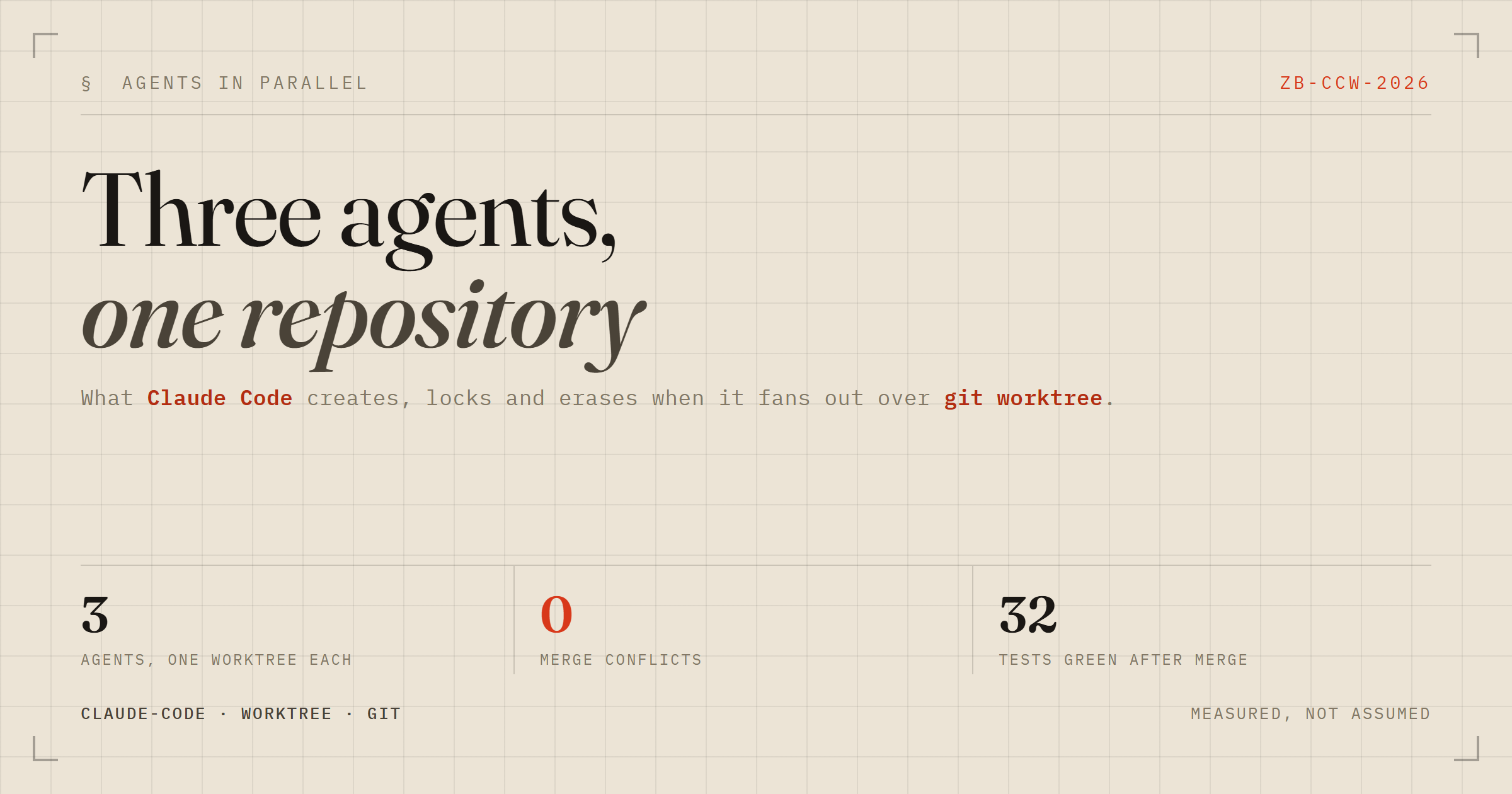
Having finally learned git worktree properly, I wanted the answer to the question that sent me there: what does Claude Code actually do when you ask it to run several agents at once? Not what the docs say — what ends up on disk.

So I ran it and watched. One small Python repo, three agents, one seam each: src/store.py, src/api.py, src/cli.py. Every number and every path below came out of that run.
What gets created, and locked
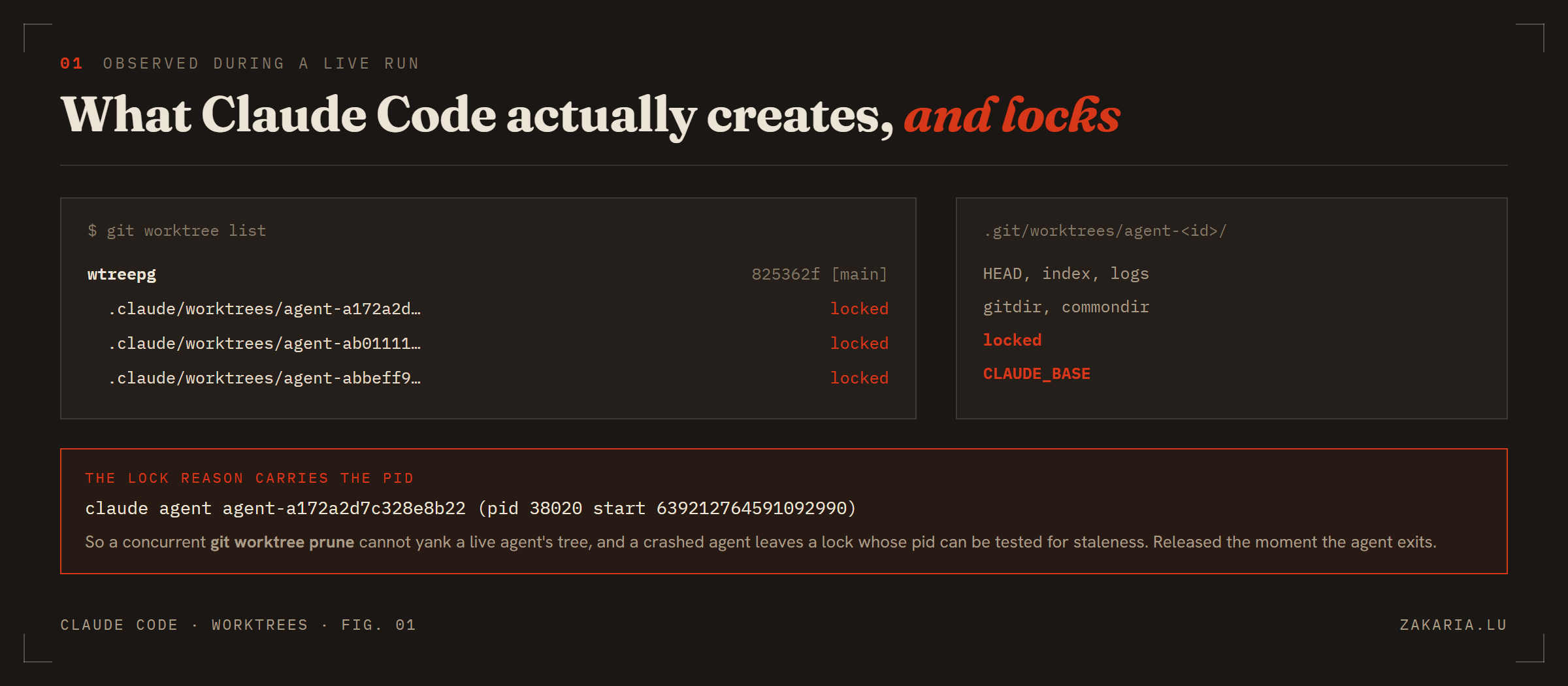
Three agent worktrees, all locked, all inside the repository rather than beside it.
The first surprise is the location. Conventional advice is to put worktrees outside the repo so tooling doesn't scan them. Claude Code puts them inside, at .claude/worktrees/agent-<id>, each on its own worktree-agent-<id> branch.
The second is the locking. Each tree is locked for as long as its agent runs, and the lock reason is not boilerplate:
$ cat .git/worktrees/agent-a172a2d7c328e8b22/locked claude agent agent-a172a2d7c328e8b22 (pid 38020 start 639212764591092990)The pid is the interesting part. A concurrent git worktree prune can't yank a live agent's tree out from under it, and an agent that dies leaves behind a lock whose pid can be tested for staleness rather than guessed at. The lock is released the moment the agent exits.
There's also a Claude-specific CLAUDE_BASE file holding the base sha. The worktree.baseRef setting defaults to fresh — branch from origin/<default-branch> — but my scratch repo had no remote, so it fell back to local HEAD and all three agents started from the same commit.
What survives, and what disappears
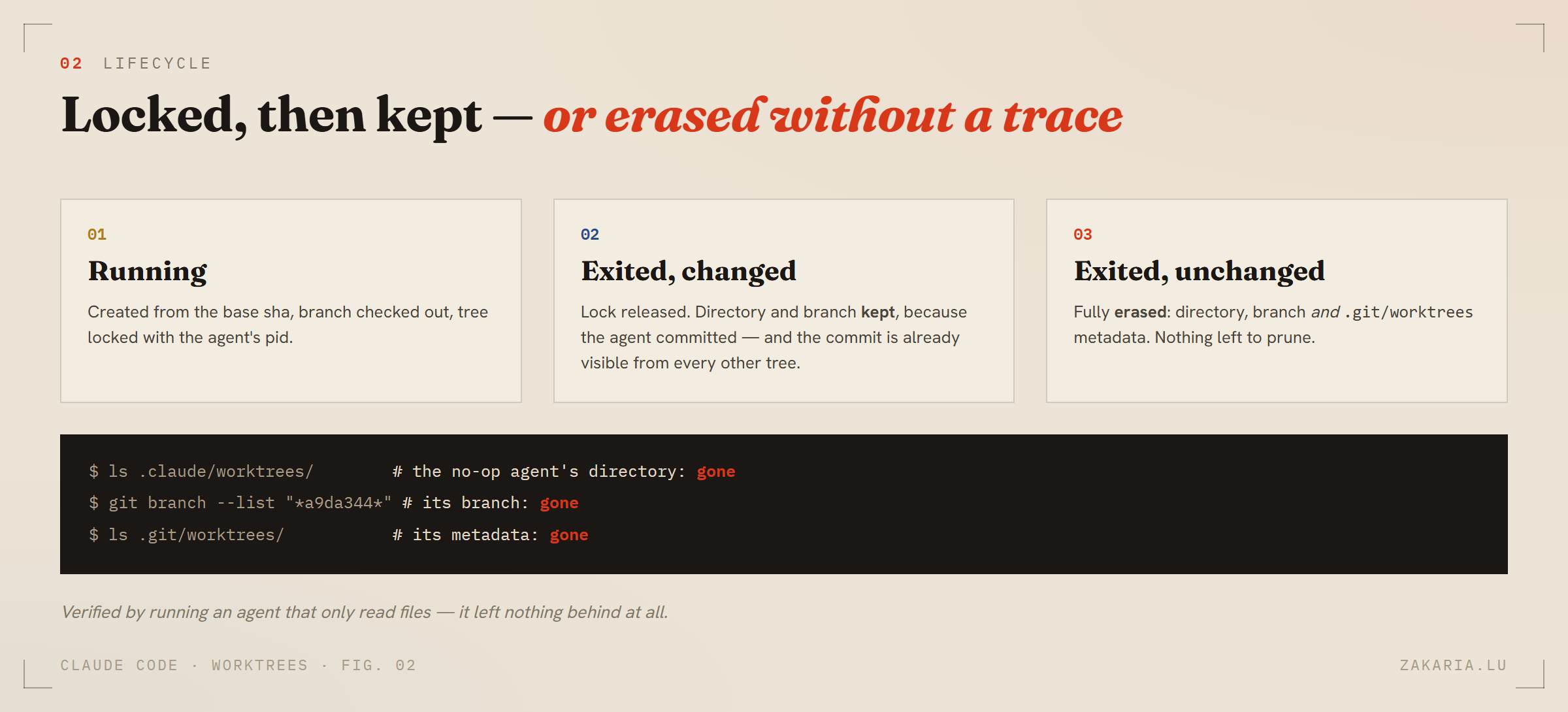
An agent that changes nothing leaves nothing — not even metadata to prune.
The documented behaviour is that an unchanged worktree is cleaned up. I wanted to know how thoroughly, so I ran a fourth agent whose entire job was to read files and report. Afterwards: its directory gone, its branch gone, and its .git/worktrees entry gone too. No prunable orphan, no follow-up git worktree prune needed.
Which puts a sharp edge on one instruction: tell every agent to commit. Committed work goes into the shared object store and survives anything, as it did for the three that worked. Uncommitted work sits in a directory that may simply be deleted.
Isolation, watched rather than assumed
With one agent finished and two still mid-flight, I looked at my own checkout and at the shared history in the same breath:
$ head -1 src/store.py """In-memory note store. TODO: implement.""" $ git log --oneline --all 0a5e264 feat(store): in-memory note store <- an agent's commit, already here 825362f init: toolkit skeletonMy files were untouched while another tree's commit was already visible in my history. No push, no pull, no remote — the objects and refs are shared, the working files are not. That's the same sentence as part one, except here it's the property that lets three agents run without a lock, a queue or a coordinator between them.
The merge is where you find out
Three branches, merged back to back:
Merge made by the 'ort' strategy. Merge made by the 'ort' strategy. Merge made by the 'ort' strategy. 32 passed in 0.11sZero conflicts, and the three modules actually composed: the CLI added a note, the API added a second, and a GET /notes returned both in order — from three authors who never saw each other's code.
None of that is luck, and it isn't really about worktrees. It came from two decisions made before the agents started. Each owned a file no one else could touch, so the merges were textually disjoint. And each coded against a written interface (Store.add / all / get) with its own fake in tests, so nobody had to wait for anybody. Publish the contract up front and the seams meet on the first try; leave it implicit and you get three incompatible guesses that each pass their own tests.
The counterfactual is the whole point: point three agents at the same file and you get the same three branches, two conflicts, and a serial resolution that eats the time you thought you'd saved. Isolation prevents corruption. It does not prevent conflicts.
What worktrees don't isolate
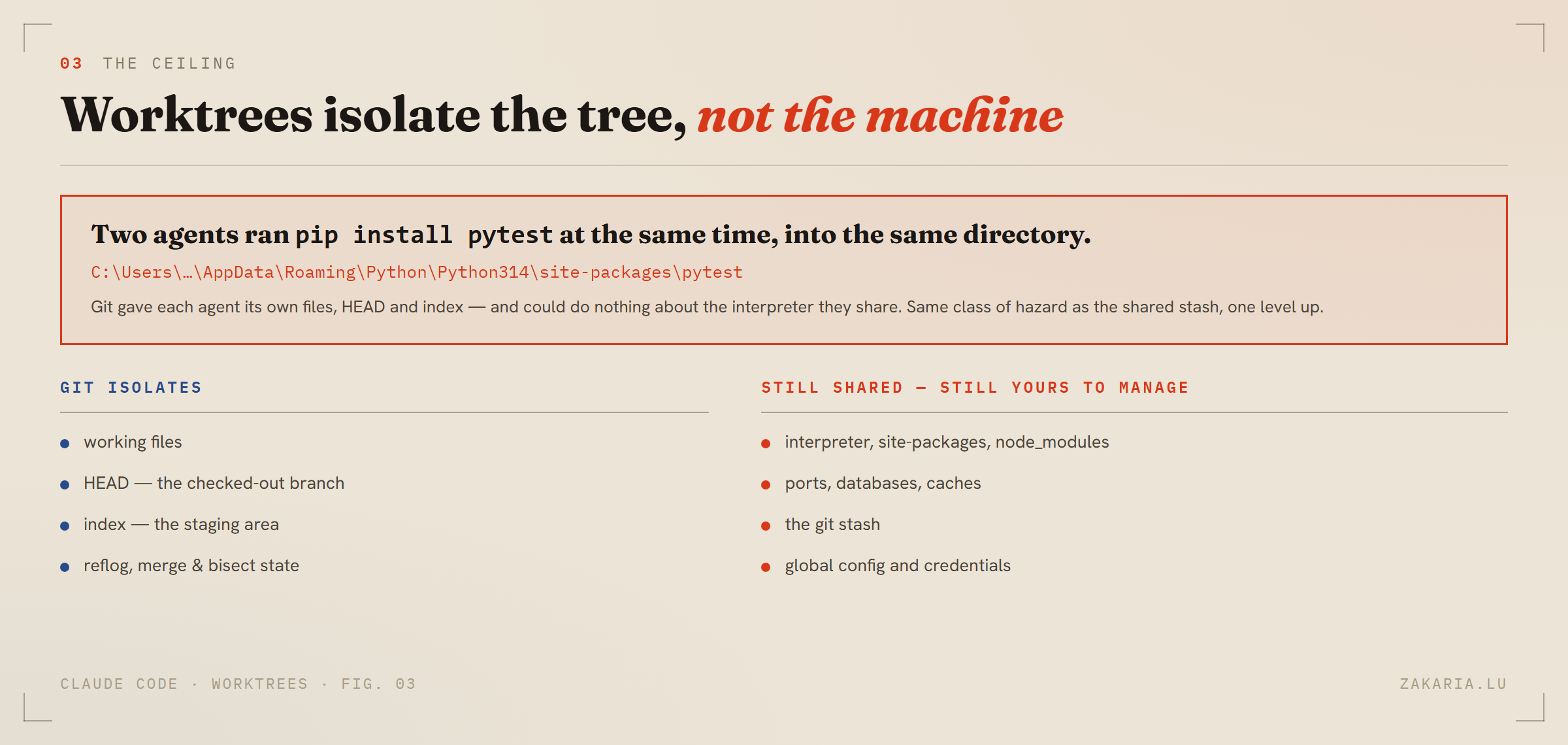
The boundary is the working tree. Everything past it is still one shared machine.
This is the part I couldn't have written from the documentation, because it only showed up by accident. Two of my agents needed pytest, found it missing, and each ran pip install pytest — concurrently, into the same site-packages. Git had given them separate files, separate HEADs and separate indexes, and could do precisely nothing about the interpreter they shared.
It's the same shape as the shared stash from part one, one level up. Ports, databases, caches, credentials, node_modules — all one copy. Three agents that look perfectly isolated can still trample each other through any of them.
A smaller trap in the same area: .claude/ isn't gitignored by default. Since the worktrees live inside the repo, a stray git add -A will happily commit them. One line fixes it:
echo ".claude/" >> .gitignoreHow to actually ask for it
Three different phrasings, and only one of them buys parallelism.
To isolate yourself, say the word: “work in a worktree for this refactor”. Your session moves into .claude/worktrees/<name> on a fresh branch and your real checkout stays clean. Safety, not speed.
To fan out, name both halves: “run these three as parallel agents, each in its own worktree, and have each one commit”. Worktree isolation is the assistant's call rather than a flag you set, so asking for it explicitly removes the guesswork — and the commit clause is what stops an auto-cleaned worktree taking the work with it.
For bigger sweeps, ask for a workflow: “use a workflow to migrate all 40 call sites, one agent per file, worktree isolation”.
Better still, put the rule in CLAUDE.md and stop repeating yourself: one agent per file, worktree isolation, every agent commits, never two agents on one file.
When not to bother
A fresh worktree has no node_modules and no .venv. If your project takes two minutes to install, three agents pay that three times — and, as I found out, they'll pay it into the same shared environment. For a short task on a dependency-heavy project, serial is genuinely faster. The honest summary is that worktrees make parallel agents safe; your decomposition is what makes them fast.
If you want the groundwork first — what Git actually stores, why a branch can only be checked out once, and the stash trap that catches everyone — I wrote that up separately: git worktree: one store, many working directories. Worth a dig if you'd rather understand the mechanism than memorise the commands.