OKF: How to Wire Durable Knowledge Into an AI-Assisted Project
What OKF Actually Is
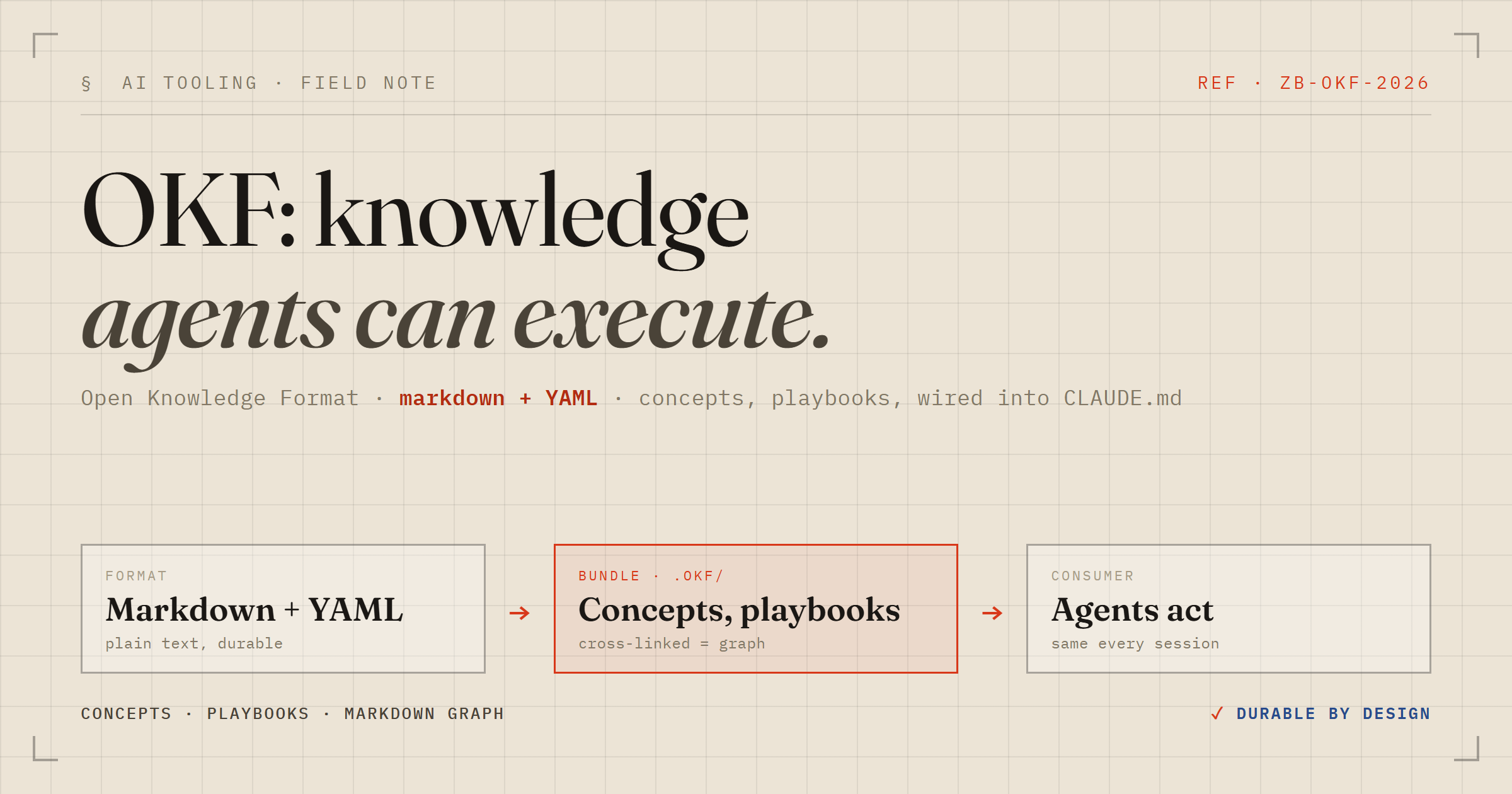
OKF — Open Knowledge Format — is a lightweight convention for storing knowledge in a project as a directory of markdown files. Each file has YAML frontmatter, at minimum a type field, and a plain-markdown body. That's the entire spec.
What makes it interesting is the target reader: an AI agent. Not a human browsing docs, not a CI pipeline parsing JSON — an agent with file tools. The knowledge is meant to be machine-readable and machine-executable. When you wire it up right, the agent reads the relevant concept or playbook and does the thing, from start to finish, with no extra scaffolding.
I spent a session building a small OKF bundle for a local task tracker in Claude Code. Here's what I learned about the format, the tooling, and the trade-offs.
The Bundle Structure
An OKF bundle is a directory — by convention .okf/ at the repo root. Inside it:
index.md— reserved table of contents; notyperequiredlog.md— reserved change history; notyperequiredEverything else — concept documents, each with a
typein frontmatter
Subdirectories are common but not required. My bundle has two: concepts/ for data definitions and playbooks/ for step-by-step agent instructions.
.okf/
  index.md              # table of contents (reserved)
  log.md                # change history (reserved)
  concepts/
    tasks-file.md       # type: Local File
  playbooks/
    add-task.md         # type: Playbook
    complete-task.md    # type: Playbook
The Frontmatter Schema
The only hard requirement for conformance is parseable YAML frontmatter with a non-empty type. Everything else is recommended but not enforced:
---
type: Playbook
title: Add a Task
description: Append a new open task to the tasks file.
tags: [playbook, tasks, write]
timestamp: 2026-06-28T10:05:00Z
---
The type is freeform — you define your own taxonomy. In my bundle I used Playbook and Local File. The visualizer groups and colours nodes by type, so consistent naming pays off visually.
There's a useful optional field: resource. It's a URI pointing at the real thing the concept describes — in my case file://./data/tasks.md. It's not used by the spec mechanically, but it's a clear signal to the agent: "this concept talks about that file, go open it."
Concepts vs Playbooks
This distinction isn't enforced by the spec — it's just a convention that pays dividends when you have both. A concept describes a thing: what a file looks like, what a data structure contains, what a service does. A playbook describes an operation: the exact steps an agent should follow to accomplish something.
My concept doc for the tasks file describes the line schema:
- [ ] (t<N>) <title> — <YYYY-MM-DD>My playbook for adding a task references that concept and then gives deterministic steps: read the file, find the highest ID, append the next line. The agent follows those steps literally and it works every time — because the knowledge is executable, not just descriptive.
The Knowledge Graph Is Just Links
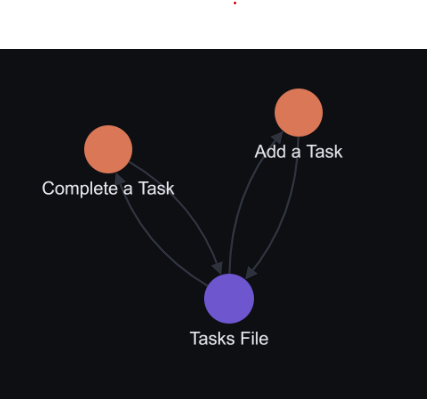
Here's the elegant part: relationships between concepts are encoded as ordinary markdown links. The playbooks link to the concept they operate on:
# add-task.md
How an agent adds a new task to the [tasks file](/concepts/tasks-file.md).
That's all it takes. The visualizer parses those [text](/path) patterns and turns them into directed graph edges. No adjacency list, no separate schema, no graph DB. The knowledge graph emerges from the links you'd write anyway as a human author.
This also means the format is readable and navigable by humans without any tooling — just a file browser and a markdown viewer.
Wiring It Into CLAUDE.md
The bundle is only useful if the agent knows to consult it. For Claude Code, that wiring lives in CLAUDE.md:
# In CLAUDE.md
- Before a task about tasks/todos, consult .okf/ first:
  read .okf/index.md, then follow the matching playbook.
- After changing how things work, write knowledge back into
  .okf/ and log it in .okf/log.md.
The second bullet is important and easy to skip: writing knowledge back after a change. If you add a new operation or change the file format and don't update the bundle, the agent's next session will have stale knowledge. Treat the bundle as source of truth, not documentation.
Validation and Visualization
The OKF plugin for Claude Code ships two skills:
/okf:validate — conformance checker
Runs a Python script that checks every non-reserved .md file for parseable frontmatter and a non-empty type. Pass --strict to also surface soft warnings (missing recommended fields, broken cross-links, non-ISO log dates):
/okf:validate .okf --strict
# OKF v0.1 conformance — .okf
#   concepts: 3   index.md: 1   log.md: 1
#   ✓ conformant — no issues
On Windows, you'll hit a cp1252 encoding error if you run this via Bash — the ✓ character isn't in that codepage. Run it via PowerShell with $env:PYTHONUTF8=1 set and it works fine. The Claude Code skill handles this automatically when invoked via /okf:validate.
/okf:visualize — interactive graph
Generates a self-contained viz.html file — no backend, no CDN, no install. Open it in any browser and you get:
Nodes coloured and sized by
typeDirected edges from markdown links
Click-to-expand detail panel with rendered markdown and backlinks
Layout switching, per-type filtering, text search
For my three-concept bundle it rendered instantly and the graph matched the hand-drawn ASCII diagram in index.md exactly — which is a good sanity check that your links are coherent.
The Design Principle Worth Keeping
The format's core constraint — executable with file tools only, no database — is what makes it durable. An OKF bundle is a directory of text files. It goes in git, it diffs cleanly, it's readable without tooling, and it's accessible to any agent or script that can open files. There's nothing to install on the consuming side.
The trade-off is that it doesn't scale to thousands of concepts without some kind of indexing layer. For a project-level knowledge bundle describing a handful of subsystems or workflows, it's exactly the right abstraction. For a company-wide knowledge graph, you'd want something with actual query capabilities on top.
For the use case it targets — giving an AI agent durable, structured knowledge about how a specific project works — it's the leanest thing that could possibly work. Which is usually the right call.
Quick Start
Create
.okf/index.mdand.okf/log.md(no frontmatter needed on these two)Write one concept per thing your agent needs to know about: frontmatter with
type, body with details and linksWrite playbooks for repeatable operations: numbered steps, absolute links to the concepts they touch
Wire it into
CLAUDE.md: before X, consult the bundle; after changing X, update the bundleRun
/okf:validateto confirm conformance; run/okf:visualizeto see the graph
Total overhead: a handful of markdown files and one line in CLAUDE.md. The payoff is an agent that consistently follows the right steps, in the right order, against the right files — without you having to re-explain the project every session.
The full example from this post — bundle, data file, CLAUDE.md, and README — is on GitHub: zakariahere/OKF_example.