git worktree: one store, many working directories
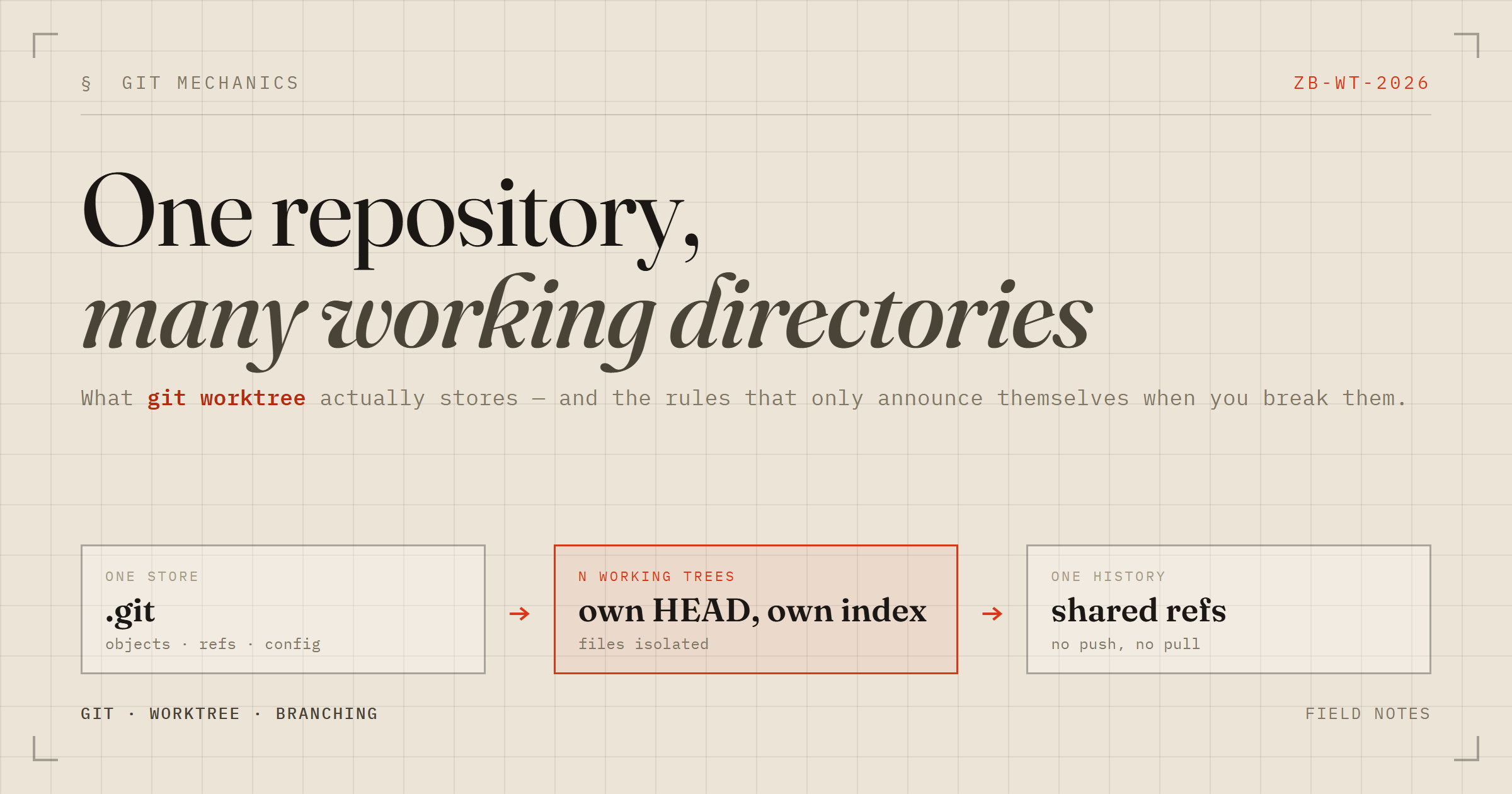
I have been using git stash as a coping mechanism for years. Someone interrupts, I need to look at another branch, I stash, I switch, I come back, I pop — and roughly once a quarter I pop the wrong thing onto the wrong branch. I finally sat down and learned git worktree properly, in a scratch repo, breaking it on purpose. This is what I wish someone had told me first.
The problem is that you only have one working directory
With a single checkout, “which branch am I on” and “what files are on disk” are the same question. That coupling produces two different failures, and which one you get is luck.
If your uncommitted edits don't collide with the target branch, Git carries them across:
$ git checkout main Switched to branch 'main' M app.py # still your feature edit, now sitting on mainNothing warned me. “Let me just check what main looks like” showed me main plus my own dirt, and one absent-minded git add . && git commit would have put a half-finished feature on the wrong branch.
If they do collide, you get the other failure:
error: Your local changes to the following files would be overwritten by checkout: app.py Please commit your changes or stash them before you switch branches. AbortingTwo symptoms, one disease. And every workaround I had built — stashes, junk WIP commits, a second git clone of the same repo — was me improvising a second working directory badly.
The model: one store, many working directories
A worktree is a second (third, fourth) checkout that shares the original repository's object database and refs. One .git, many directories.
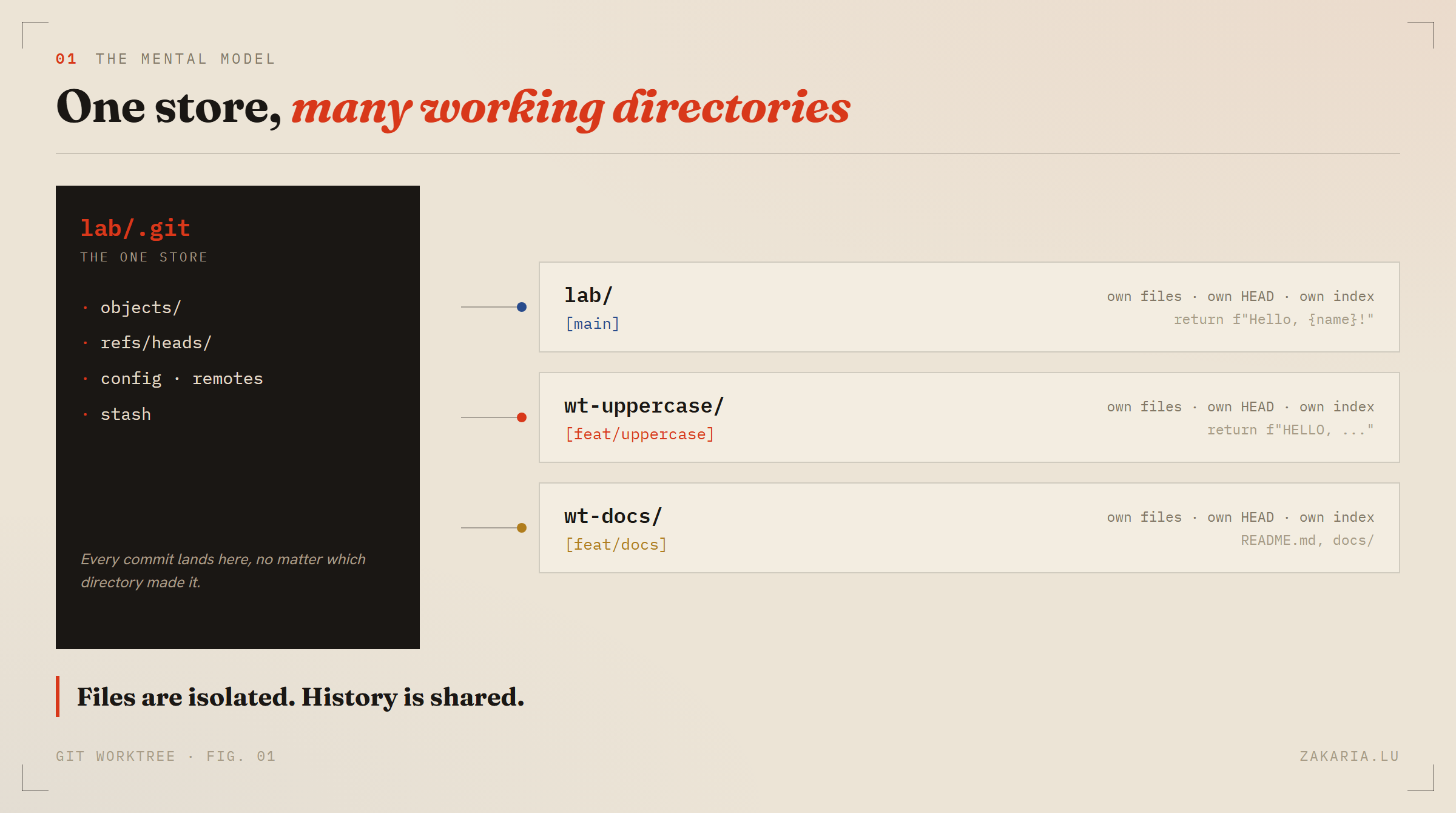
Creating one is a single command, and it wants its own branch:
git worktree add ../wt-uppercase -b feat/uppercaseNow there are two real directories. I can open each in its own editor, run a test suite in one while the other builds, and I never type git checkout again — the directory decides the branch. That reframing is most of the value.
The payoff is the pairing: commit in one worktree, and the other sees it immediately. No remote, no push, no pull — the objects and the branch refs live in the shared store. Meanwhile the files on disk are completely independent.
What's private, and what's borrowed
Worth knowing exactly, because it explains every behaviour that surprised me.
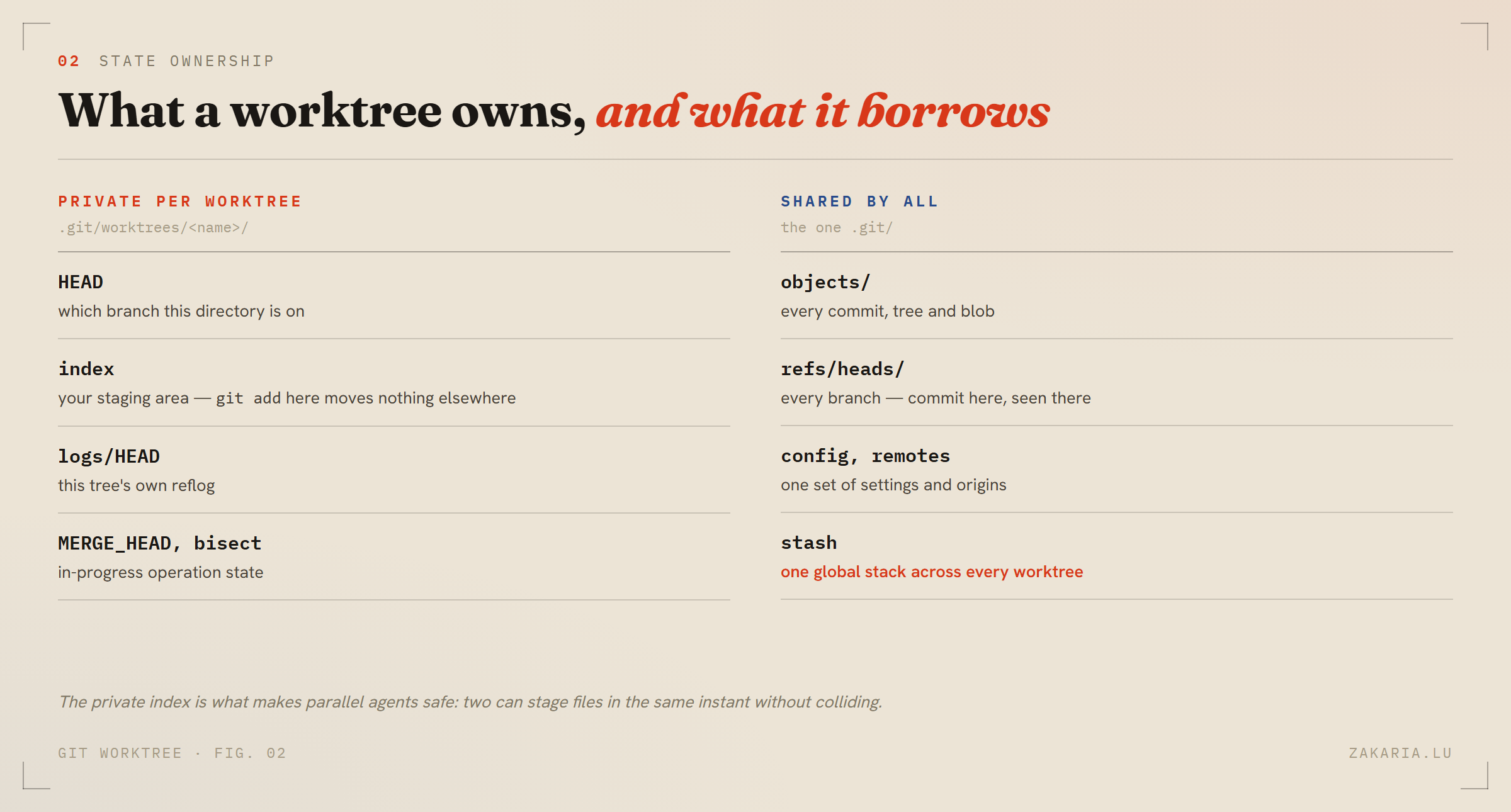
Look at the plumbing and it becomes obvious. A linked worktree has no .git directory — it has a .git file, containing one line:
gitdir: C:/dev/lab/.git/worktrees/wt-uppercaseGit reads .git, finds a file instead of a directory, follows the pointer, and lands in an admin folder inside the real repository. That folder holds this tree's HEAD and index; everything else resolves back to the shared store. It's a redirect, not a copy — which is why worktrees are cheap to create and cheap to throw away.
The item that will bite you is the stash. It is shared. Stash in one worktree, and git stash list in every other worktree shows it, ready to be popped onto the wrong branch. Once I moved to worktrees I stopped stashing entirely and started committing to WIP branches instead. A commit is attached to a branch; a stash floats free.
The commands, and the rules underneath them
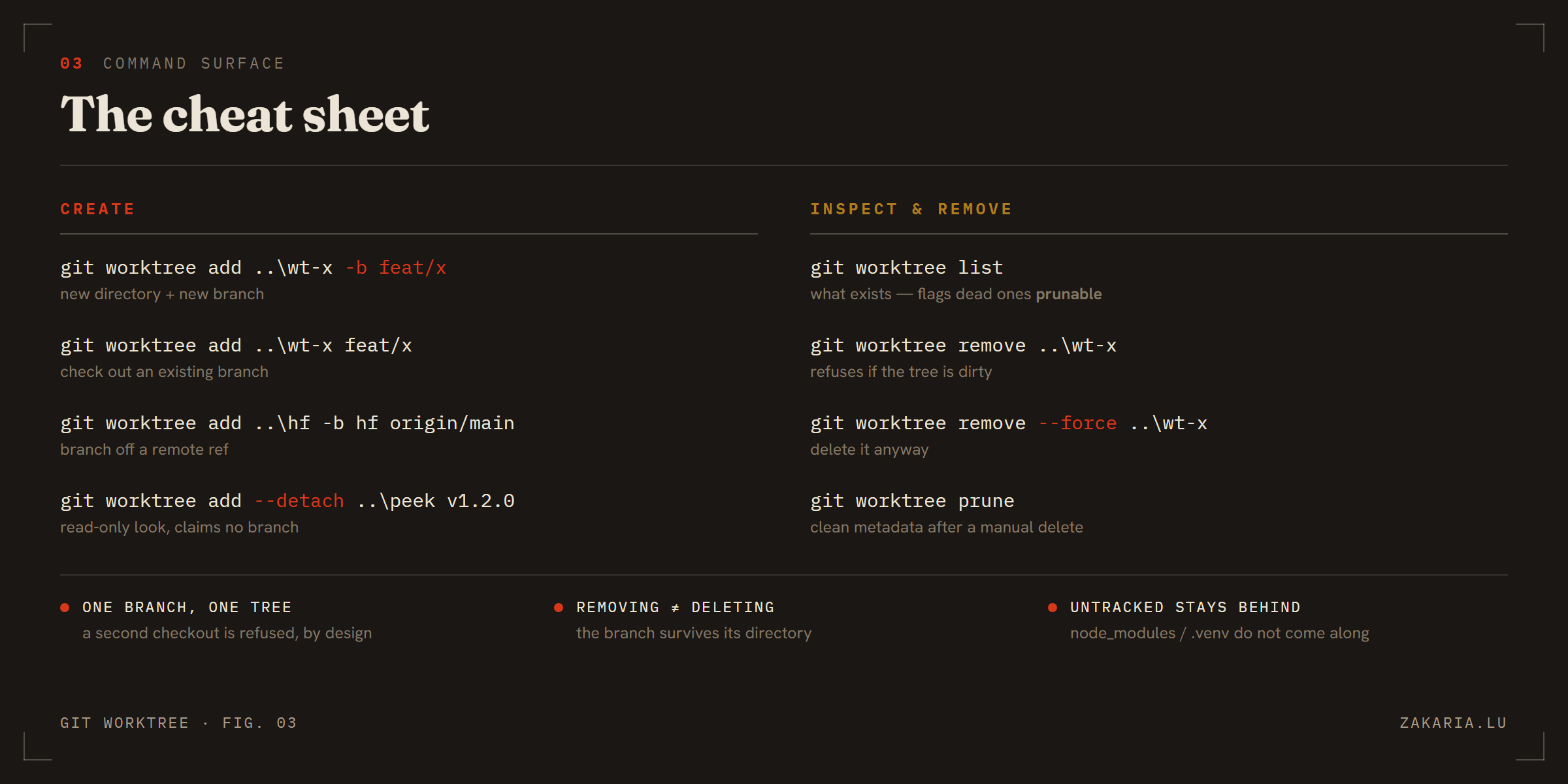
Three rules are worth internalising, because Git only mentions them when you trip over one.
One branch, one worktree. Try to check out a branch that another worktree already holds and Git refuses outright:
$ git worktree add ../wt-main main fatal: 'main' is already used by worktree at 'C:/dev/lab'That's deliberate. Two directories sharing one HEAD would mean a commit in one silently moving the other's ground. Use --detach when you only want to look at something.
Removing a worktree does not delete the branch. I deleted a worktree directory that contained a commit, and the commit was fine — it went into the shared store, and the branch ref points at it. Worktrees are disposable views; branches are the durable artifact. If you delete the folder in your file manager instead of asking Git, git worktree list tags the orphan prunable and git worktree prune sweeps it.
Untracked files stay behind. A fresh worktree has no node_modules, no .venv, no .env. Each one needs its own install, and that cost is real when you are spinning up several.
Merging: you merge branches, not worktrees
This one confused me for an embarrassing few minutes. There is no git merge X into Y — git merge X always means merge X into wherever HEAD currently is. So the rule is: stand in the worktree that has the target branch checked out, and merge from there.
I went looking for a shortcut to update a branch without checking it out. Both plausible candidates are refused when the target is claimed by any worktree:
$ git fetch . feat/f:main fatal: refusing to fetch into branch 'refs/heads/main' checked out at 'C:/dev/lab'That form does work — fast-forward only — when the target branch isn't checked out anywhere, which is the case in a bare-repo layout where every branch is a peer directory. In a normal setup, just walk to the directory that owns main.
Where this actually pays off
Long-running review branches, a hotfix without disturbing a half-built feature, running two versions side by side to compare behaviour. But the reason I finally learned it properly is that worktrees are how you give several agents a repository at once — each with its own files and its own index, so they can't corrupt each other's staging area.
With one caveat I'll pick up next time: isolation buys you filesystem safety, not conflict-free parallelism. Point two workers at the same file and Git will happily let both finish, then hand you the conflict at merge time — where you resolve it serially and lose everything you thought you'd gained.