How Claude Code mods work: building a live pane that shows every request to the model
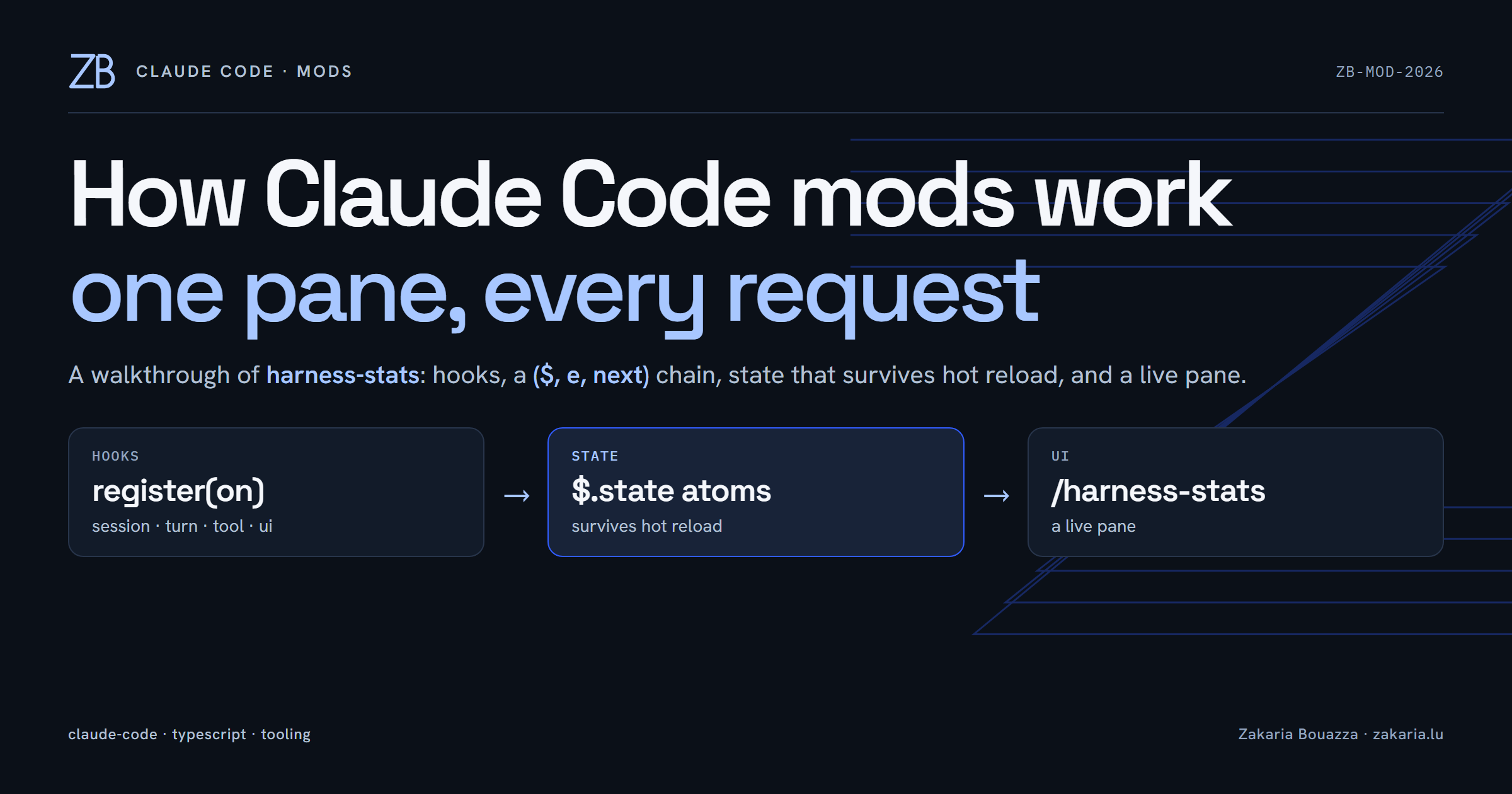
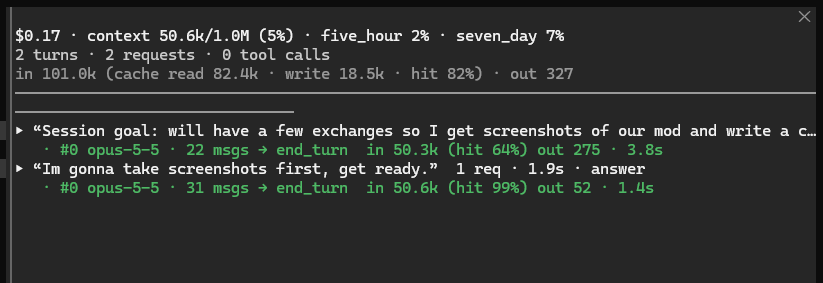
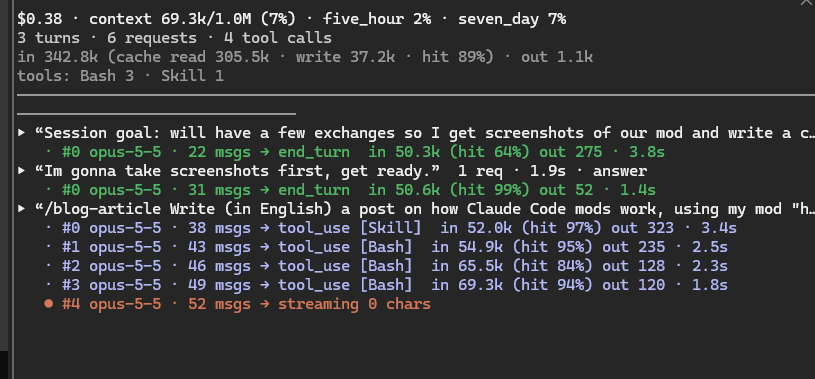
Claude Code lets you change its own interface and behaviour with mods: a small TypeScript package that hooks into the session, keeps its own state and can draw UI. I wanted to see what the harness actually sends to the model, so I built one called harness-stats. It is a live pane that shows session cost, context fill, rate limits, and a log of every turn and every request, with model, message count, stop reason, tools requested, tokens and duration. This post walks through how it works.
What a mod is made of
A mod is a folder. Mine has five files that matter:
.claude-plugin/plugin.json: name, version, description, and a pointer to the types.hooks/hooks.json: lists the modules to load:{ "modules": ["./register.tsx"] }.hooks/register.tsx: the code. It exports a singleregisterfunction.types/index.d.ts: the shape of the mod's persistent state.tests/harness-stats.test.ts: tests run byclaude plugin test.
Hooks are a ($, e, next) chain
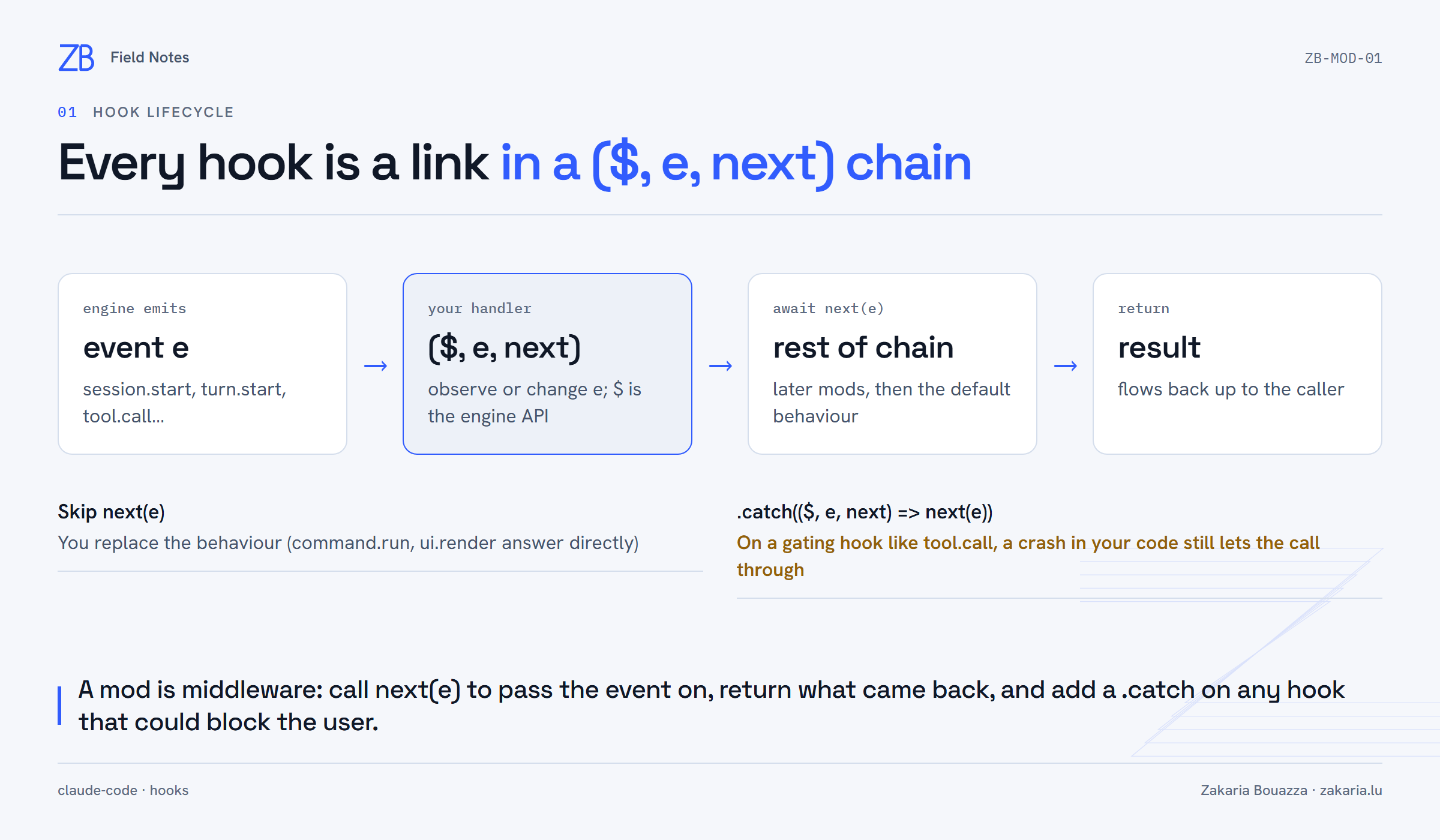
register receives on and subscribes to events. Every handler gets three arguments: $ is the engine API (commands, UI, clock, session), e is the event, and next passes it along to the rest of the chain. If you know Express or Koa middleware, this is the same idea.
Here is the session start hook. It registers the slash command, opens the pane, and passes the event on:
on('session.start', async ($, e, next) => {
  await $.command.register({
    name: 'harness-stats',
    description: 'Open the live pane of harness statistics and model requests',
  })
  void $.ui.open({ id: PANE, title: TITLE })
  void refreshUsage($)

  return next(e)
})
refreshUsage reads $.session.usage(), the same figures the status line uses (cost, context tokens and window, rate limits), and stores a snapshot.
tool.call is worth a closer look. It is a gating hook: the tool cannot run until the chain finishes. My handler only counts calls, so if it crashes it must not stop the tool. claude plugin validate caught this on my first attempt. It flagged tool.call as a "gating hook without .catch". The fix is one line:
on('tool.call', async ($, e, next) => {
  const ran = await next(e)
  const failed = ran.isError === true || ran.deny !== undefined
  await update($, totals, t => ({ ...t, toolCalls: t.toolCalls + 1, /* ... */ }))
  return ran
}).catch(($, e, next) => next(e)) // an observer: if counting fails, the call still goes on
Watching every request through turn.step
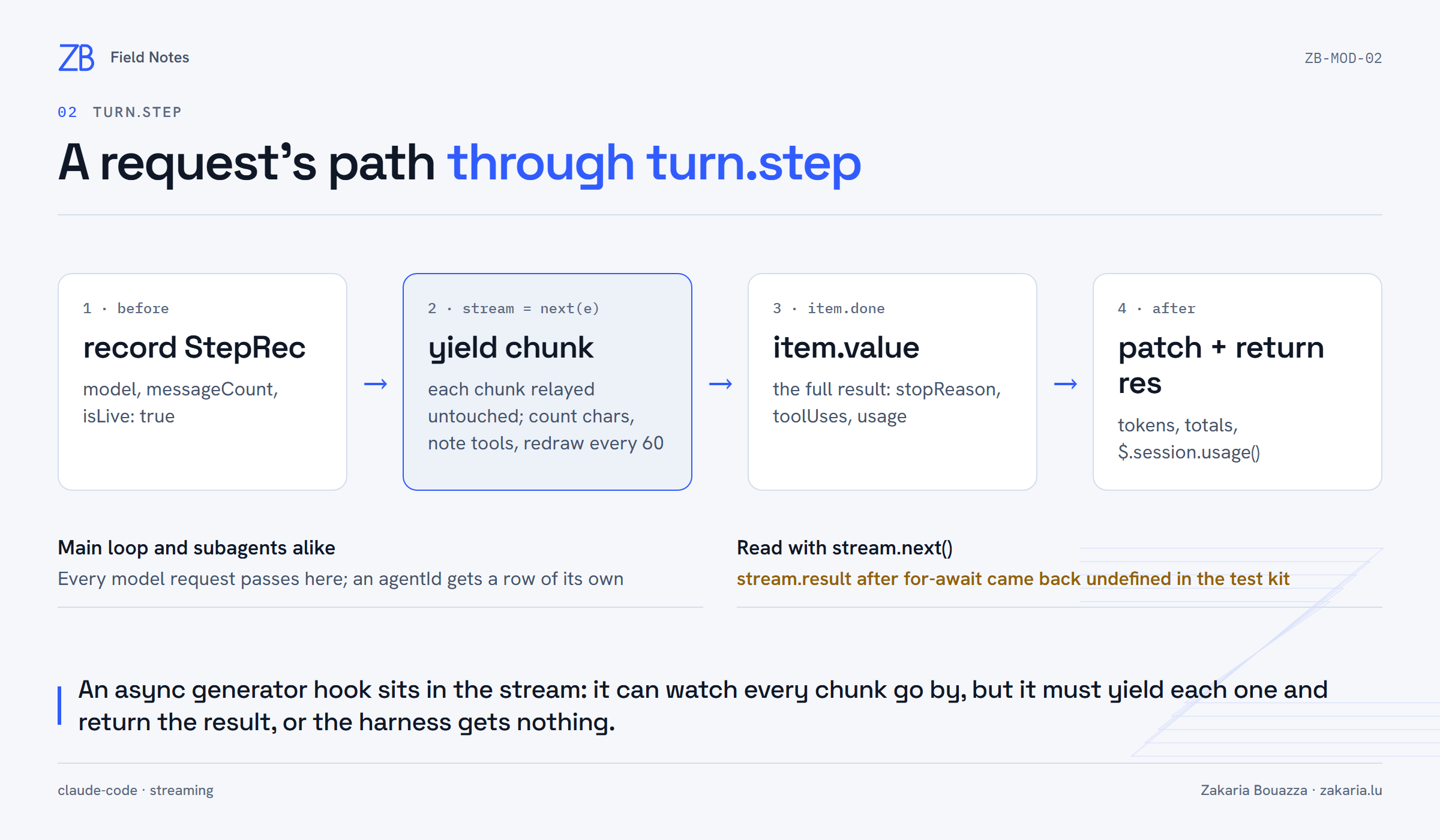
turn.step fires for every request the harness sends to the model, for the main loop and subagents alike. Its handler is an async generator. next(e) returns the response stream, and the mod sits inside it.
const stream = next(e)
let res: TurnStepResult | undefined
for (;;) {
  const item = await stream.next()
  if (item.done) { res = item.value ?? (await stream.result); break }
  const chunk = item.value
  if (chunk.kind === 'text' || chunk.kind === 'thinking') chars += chunk.text.length
  else if (chunk.kind === 'tool') tools.push(chunk.name)
  yield chunk
  if (++chunks % LIVE_EVERY === 0) await patchStep($, key, { streamedChars: chars, tools: [...tools] })
}
While a request is streaming, its row shows ● streaming N chars and redraws every 60 chunks. When it finishes, the row is updated with the stop reason, the tools requested and the token usage, including cache reads and writes.
Why stream.next() and not for await? According to the docs, stream.result holds the result after the loop. In the test kit it came back undefined, but the value of the done item from next() held the full result. So the mod reads the stream by hand and keeps .result only as a fallback.
State that survives hot reload
State does not live in module variables. It lives in $.state, through typed atoms:
const steps = atom({ plugin: 'harness-stats', key: 'steps' } as const, [] as StepRec[])
await update($, steps, list => [...list, step].slice(-MAX_STEPS))
The atoms are typed by augmenting the claude-code module in types/index.d.ts (interface PluginState { 'harness-stats': { turns, steps, totals, usage } }). Since state lives in the engine and not in the module, editing register.tsx and reloading keeps the log. The first write under the mods folder prompted "Enable hot reloading for this session?", and the mod loaded at the end of that turn.
Drawing the pane
The UI is another hook: ui.render filtered on { component: 'Pane', requestId }. It gets its elements from $.ui.resolve(e), reads the atoms and returns JSX. It never calls next, because it answers the render request itself. Using elements from resolve instead of importing a renderer is what lets the same pane render in the terminal and the desktop app.
Verifying it
claude plugin validate: passes (after the.catchfix).tsc: clean against the engine'sclaude-code.d.ts.claude plugin test: 2/2 passing. The tests stubturn.step, drive a fake request, then mount the pane with$.ui.mounton bothterminalanddesktop. They check for a line like#0 opus-5-5 · 3 msgs → tool_use [Bash] in 1.0k (hit 90%) out 20.mock.clock(on)keeps durations deterministic.
In a fresh session, /harness-stats opened the pane and both screenshots above came from it.
What I took away
A mod comes down to three ideas: middleware hooks, state held by the engine, and UI as one more hook. The pane also shows me how much context each request resends and how much of it the cache absorbs, which I could not see before.