My AI twin lives in a browser tab: LFM3-Omni on WebGPU and my cloned voice
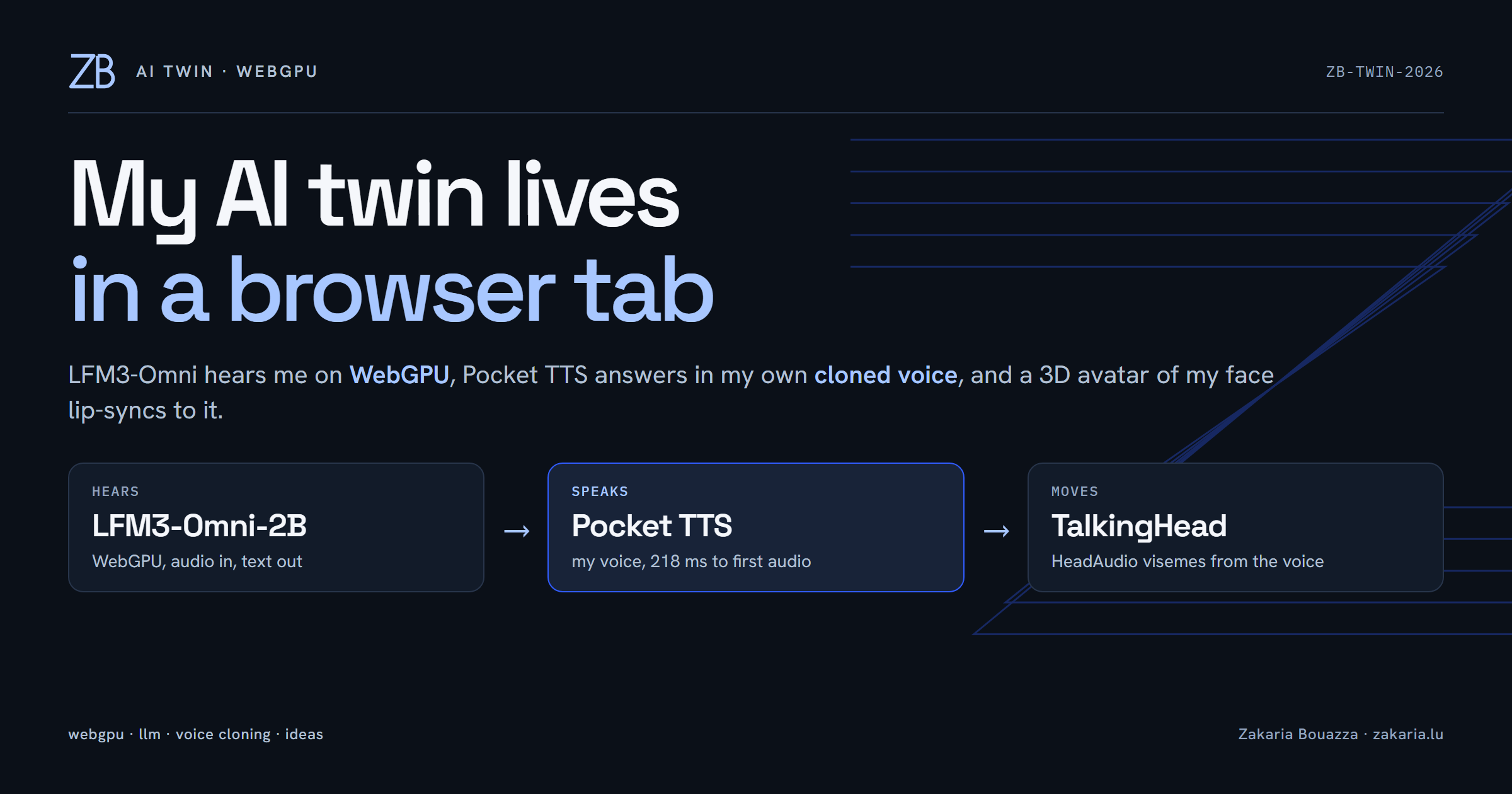
I spent a night building something slightly absurd: a 3D avatar with my face that listens to me, thinks, and answers in my own voice. The language model runs in the browser on WebGPU. The voice is a clone of me, made from 33 seconds of a phone recording. Nothing goes to a cloud API.
This post is how it fits together, which parts I borrowed, and the three bugs that sat between the model and the mouth.
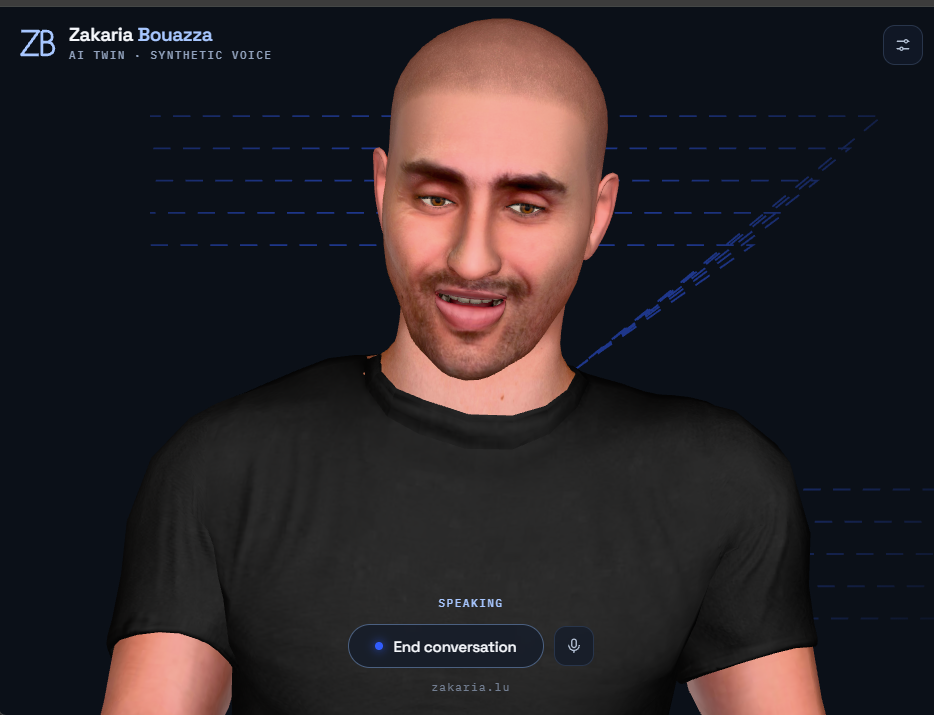
Where I started: Ava
The starting point was Ava, a Hugging Face Space by townbox. It runs Liquid AI's LFM3-Omni-2B in the browser on WebGPU, with a TalkingHead avatar on top. LFM3-Omni is a 2B-parameter omni-modal model: it takes audio in directly. There is no speech-to-text step. My recorded voice goes into the model as 16 kHz samples, and text comes out.
Ava does a few things well that I only appreciated after trying to rebuild them. The model lives in a Web Worker, so the avatar keeps its frame rate. The conversation is prefix-cached. While nobody is talking, the worker re-reads the trimmed history so the next turn starts on a warm cache. When the history passes a token budget, half of it goes at once, which buys many cheap turns for one re-prefill.
What I changed: the face, the voice, the persona and the look.
What runs where
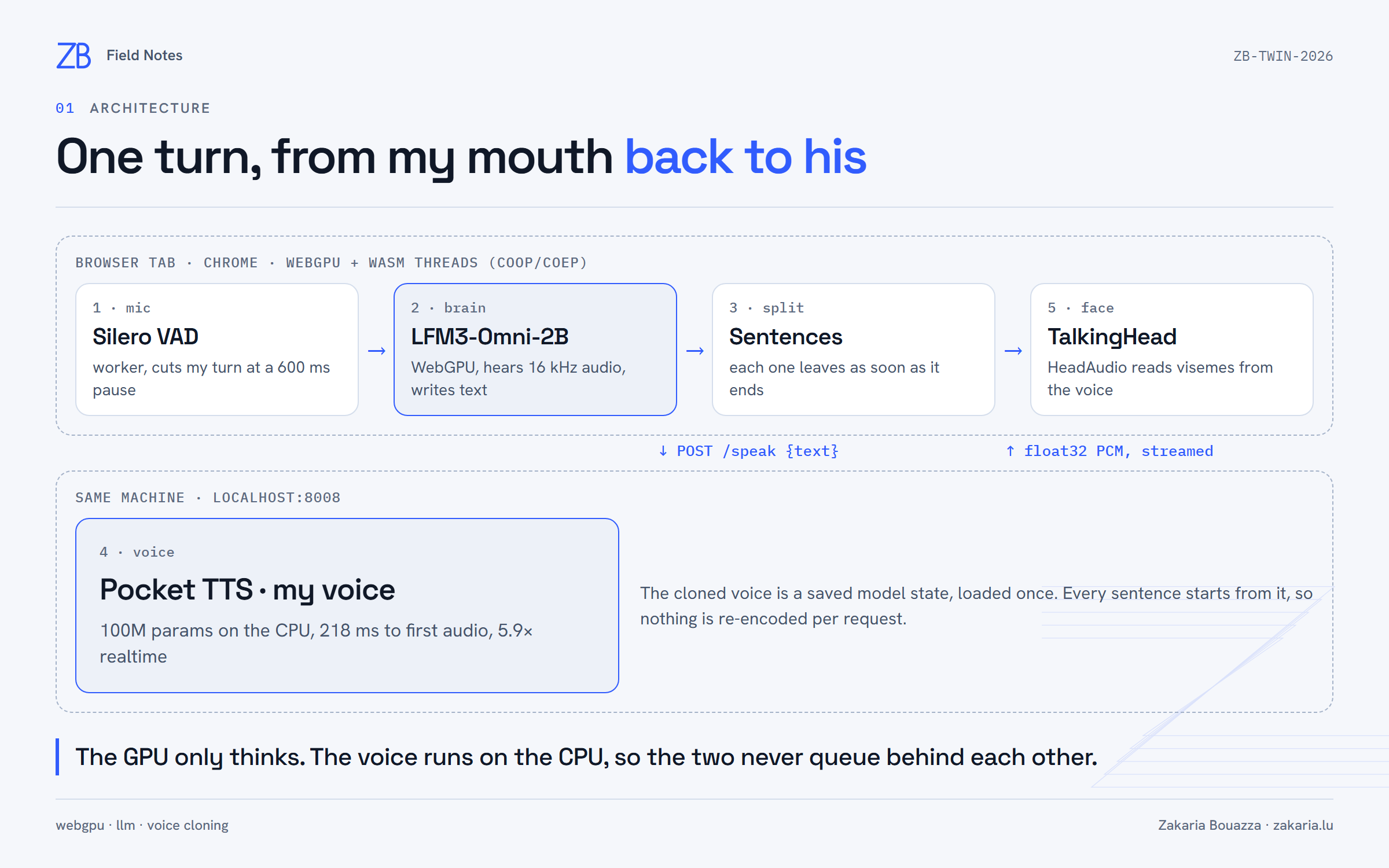
LFM3-Omni can speak, but with one fixed voice that isn't mine. So I run it in text mode. Its reply streams into a sentence splitter, and each finished sentence goes to a small Pocket TTS server on the same machine. The first sentence is being spoken while the model is still writing the second.
The voice server streams raw float32 PCM back. One detail matters here: HTTP chunk boundaries don't respect 4-byte samples, so the leftover bytes carry over to the next chunk.
const reader = res.body.getReader();
let carry = new Uint8Array(0); // a float32 sample can straddle two network chunks
for (;;) {
  const { done, value } = await reader.read();
  if (done) break;
  const bytes = carry.length ? concat(carry, value) : value;
  const whole = bytes.length - (bytes.length % 4);
  carry = bytes.slice(whole);
  if (!whole) continue;
  const samples = new Float32Array(bytes.slice(0, whole).buffer);
  post({ kind: "audio", id, samples }, [samples.buffer]);
}
Cloning my voice
Pocket TTS is Kyutai's 100M-parameter text-to-speech model, CC-BY-4.0, built to run on a CPU. It clones a voice from a plain WAV file. Its terms forbid cloning anyone without their explicit consent; this is my voice, recorded by me, for me.
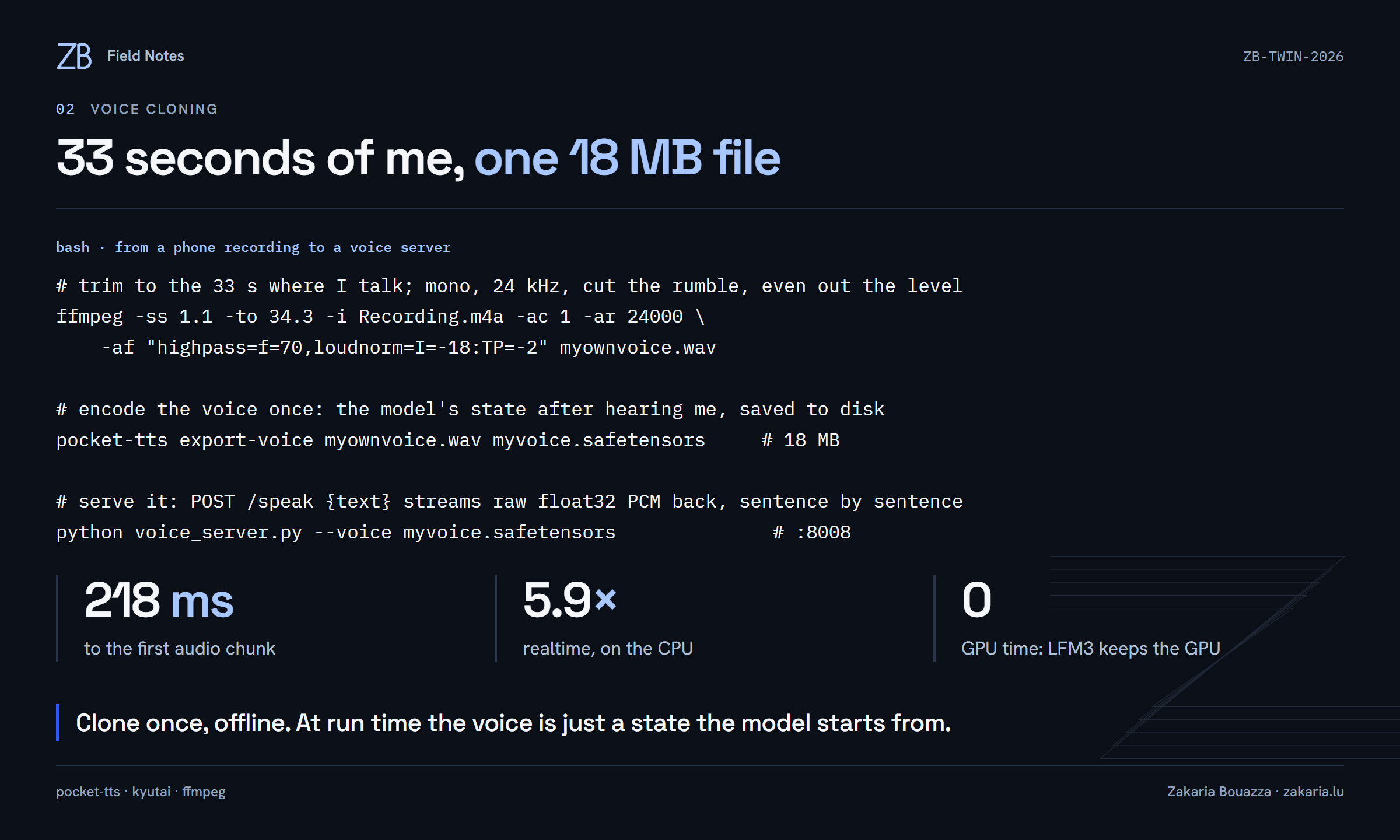
The useful trick is export-voice. Instead of re-encoding the reference audio for every request, it saves the model's state after hearing me: an 18 MB file. The server loads it once, and every sentence starts from it. On my machine that gave 218 ms to the first audio chunk and 5.9× realtime, without touching the GPU.
Before this I tried Kokoro in the browser with a stock male voice. On WebGPU it came out garbled, which turned out to be the first of the bugs below.
Lip-sync from the audio itself
TalkingHead can animate visemes from text timing, but a cloned voice doesn't give you word timestamps. HeadAudio, by the same author, listens to the audio and predicts visemes from the sound. That means it has to sit inside the Web Audio graph, and its roughly 80 ms of latency has to be paid by the speakers too, or the mouth lags the voice.
// streamStart() may rebuild the AudioContext, so this runs AFTER it.
const worklet = head.streamWorkletNode;
const delay = new DelayNode(ctx, { delayTime: 0.08 }); // HeadAudio's latency
worklet.disconnect();
worklet.connect(headaudio);                // visemes come from the voice itself
worklet.connect(delay);
delay.connect(head.audioStreamGainNode);   // both playback paths are delayed,
delay.connect(head.audioAnalyzerNode);     // or you hear the voice twice
The three bugs
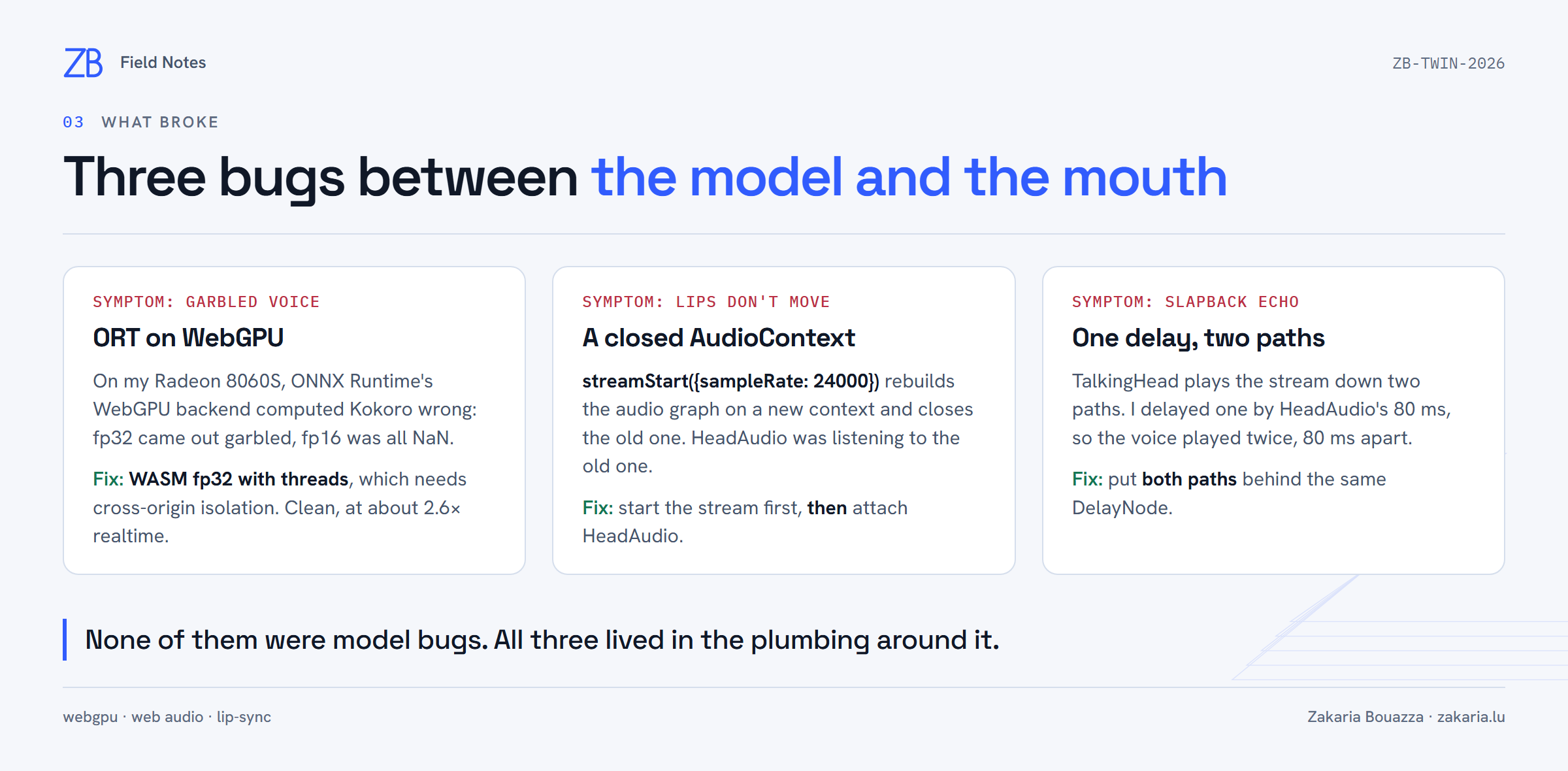
Garbled voice. On my Radeon 8060S (Strix Halo), ONNX Runtime's WebGPU backend computed Kokoro wrong: fp32 was unintelligible, fp16 was all NaN. Multi-threaded WASM in fp32 was clean, at about 2.6× realtime. WASM threads need SharedArrayBuffer, which needs cross-origin isolation, so the local server sends Cross-Origin-Opener-Policy: same-origin and Cross-Origin-Embedder-Policy: credentialless. The second value keeps model downloads and fonts working without CORP headers.
Lips that didn't move. Asking TalkingHead to stream at 24 kHz, when the AudioContext runs at another rate, builds a new context and closes the old one. I had attached HeadAudio first, so it was listening to a dead graph. The fix was ordering: start the stream, then attach.
A slapback echo. TalkingHead sends the stream down two paths, a gain node and an analyser into a second gain node, and both reach the speakers. I delayed one. The voice played twice, 80 ms apart. Delaying both paths fixed it.
Making it look like mine
I didn't touch Ava's logic for the visuals. Its JavaScript finds elements by id, so I kept every id and loaded one extra stylesheet after the original, overriding its CSS variables with my graphite and electric-blue palette and adding the ZB monogram and the five-path Z from this site.
The bundle exposes no state to CSS, only a caption like "THINKING…". A MutationObserver on that caption sets body[data-state], and plain CSS does the rest.
/* brand.css, loaded after the original stylesheet */
:root { --bg: #0b1018; --live: #a8c7ff; --electric: #315cfd; }
#stage { background: transparent; }          /* the Z shows behind the avatar */
body[data-state="thinking"] .signature path { animation-duration: 3s; }
body[data-state="speaking"] .signature { opacity: .5; }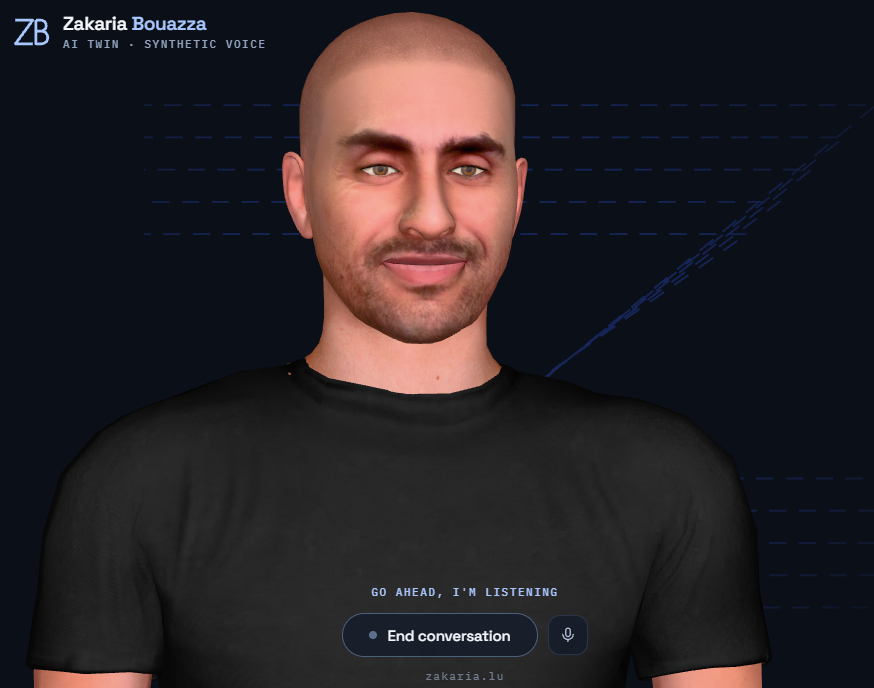
What I didn't ship
I wanted this as a private Hugging Face Space. Two things stopped it. Ava's code carries no licence, so redistributing it, even privately, isn't mine to do. And my clean-room rebuild needed the voice server, which meant a Docker Space; on the free tier that came back with HTTP 402, since Docker Spaces need a PRO subscription. Moving the voice into the browser through an ONNX port of Pocket TTS is possible, and I started on it, but I stopped before it ran end to end.
The clean-room rebuild did work: from MIT parts plus Liquid's runtime loaded at run time and checked against a SHA-256. It measured about a second from the end of my question to the first spoken word. Ava's engine is the more refined of the two, with its idle re-read and history compaction, so that is what my twin runs on, locally. That is fine: it was always a toy for one person.
What I took away
- A 2B omni model in a browser tab is a usable conversational brain, as long as the plumbing keeps the GPU free for it.
- A voice clone you export once is cheaper and faster than one you encode per request.
- When an audio pipeline misbehaves, suspect the graph before the model: contexts, paths and delays.