Fine-tuning a 270M model on my rocm with unsloth libs
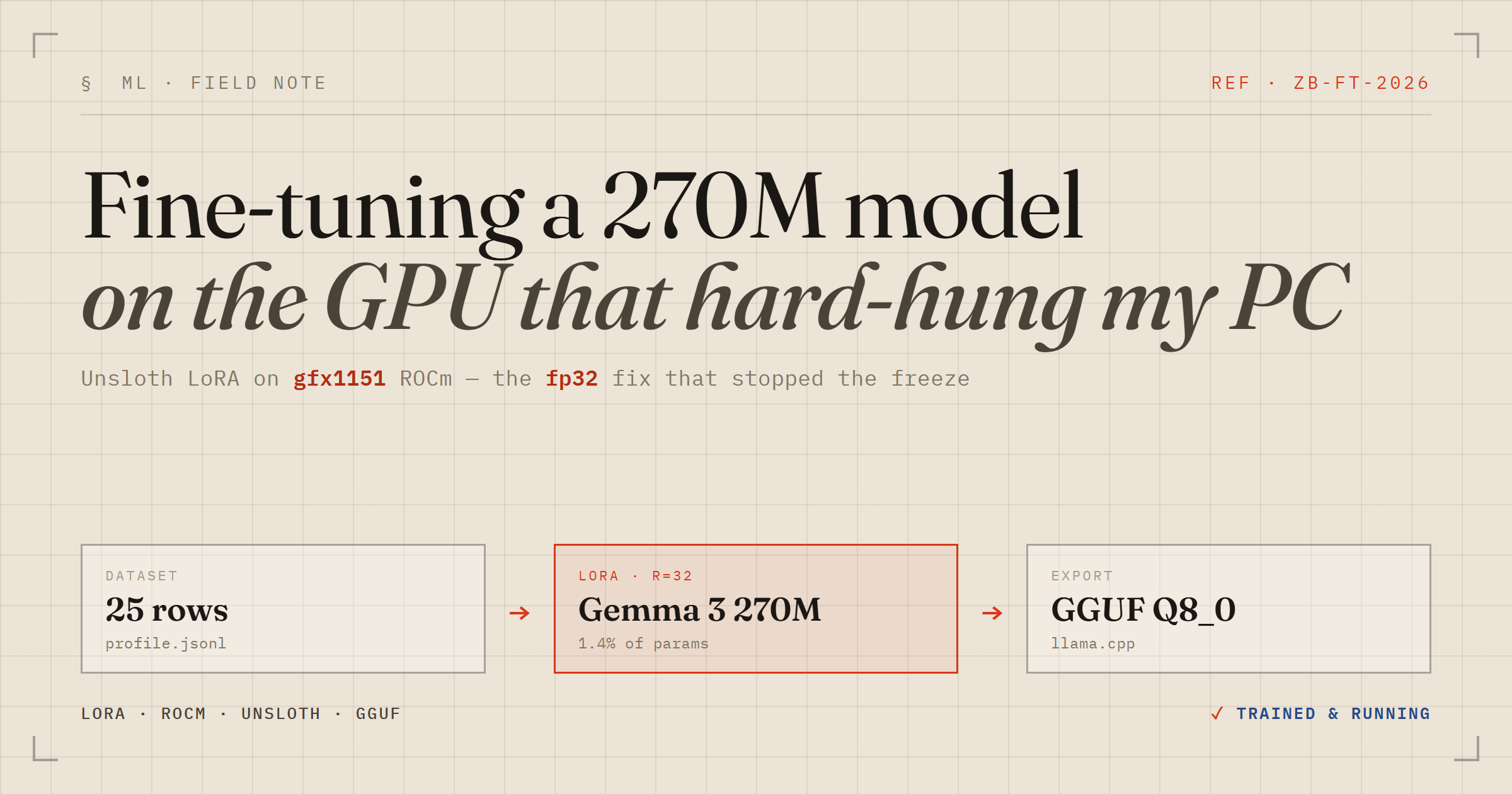
I spend my days in Java and Spring, but the evenings lately go to a homelab and a stack of ML books. This week I wanted to close the gap between reading about fine-tuning and actually doing it: take a tiny model, teach it facts about me with LoRA, and run the result locally. The twist is the hardware — I did it on an AMD Strix Halo iGPU (a Radeon 8060S, arch gfx1151), which is about as bleeding-edge as ROCm gets. It fought back.
Why 270M, and why Unsloth
For learning, small is a feature. I picked Gemma 3 270M because it trains in minutes and there's an official Unsloth notebook for it on AMD. Unsloth wraps the usual Hugging Face + PEFT + TRL stack with faster kernels and far less VRAM, and its Windows installer auto-provisions a ROCm PyTorch build — no CUDA required.
The dataset was deliberately trivial: 25 instruction/answer pairs about my job, my stack, my homelab — Alpaca-style JSONL. With that little data you are not really teaching the model to reason; you're getting it to memorize a closed set of facts. That distinction matters later.
LoRA is why this is cheap. Instead of updating all 270M weights, you freeze them and train small low-rank matrices bolted onto the attention and MLP projections. In my run that was 3.8M trainable parameters — 1.4% of the model.
from unsloth import FastModel
model, tokenizer = FastModel.from_pretrained(
    model_name = 'unsloth/gemma-3-270m-it',
    max_seq_length = 2048,
    load_in_4bit = False,   # 16-bit LoRA; skip bitsandbytes on ROCm
)
model = FastModel.get_peft_model(
    model, r = 32, lora_alpha = 32,
    target_modules = ['q_proj','k_proj','v_proj','o_proj',
                      'gate_proj','up_proj','down_proj'],
)
The data: Alpaca-style JSONL
The training file is JSON Lines — one JSON object per line — in the classic Alpaca shape: three fields, instruction, input, and output. The instruction is the task or question, input is optional extra context (a paragraph to summarize, a snippet to translate), and output is the answer you want the model to learn. It's the de-facto format for instruction fine-tuning because it's dead simple and every trainer understands it.
{"instruction": "Who is Zakaria Bouazza?", "input": "", "output": "Zakaria Bouazza is a senior backend engineer specializing in Java and the Spring ecosystem, based in Florange, France..."}
{"instruction": "What hardware is in his homelab?", "input": "", "output": "A GMKtec EVO-X2 with a Ryzen AI MAX+ 395, a Radeon 8060S (gfx1151), and 96GB of unified memory..."}
Every one of my 25 rows leaves input empty — these are plain question/answer facts, not transform-this-text tasks — so each row collapses to a two-turn chat: the instruction becomes the user turn, the output becomes the model turn. The one non-obvious step is that the Alpaca fields don't go to the model raw; they get rendered through Gemma's chat template (the <start_of_turn> markers the model was pretrained on), and I train on the response half only:
def to_text(row):
    messages = [
        {'role': 'user',      'content': row['instruction']},
        {'role': 'assistant', 'content': row['output']},
    ]
    return {'text': tokenizer.apply_chat_template(messages, tokenize=False)}

# mask the prompt: compute loss on the model's answer only
trainer = train_on_responses_only(trainer,
    instruction_part = '<start_of_turn>user\n',
    response_part    = '<start_of_turn>model\n')
That masking matters more than it looks. Without it the model burns half its tiny capacity learning to re-type the question; with it, all the gradient flows into the facts I actually care about. If you only remember one thing about preparing Alpaca data for a chat model: match the base model's chat template exactly, and train on responses, not prompts.
Then the whole PC froze
The model loaded fine. The tokenizer loaded fine. The first training step locked the entire machine — not a Python traceback, not an OOM, a hard freeze that needed the power button. Twice. On a good day that's a lost afternoon; on a laptop-class iGPU sharing 96GB of unified memory with the OS, it's a little terrifying.
This is not an Unsloth bug. Digging through ROCm issue trackers, gfx1151 has two well-documented failure modes under training load: bf16 kernel bugs and SDMA (DMA-copy) lockups. Unsloth, sensibly, auto-selects bf16 — which on this specific silicon is exactly the path that hangs.
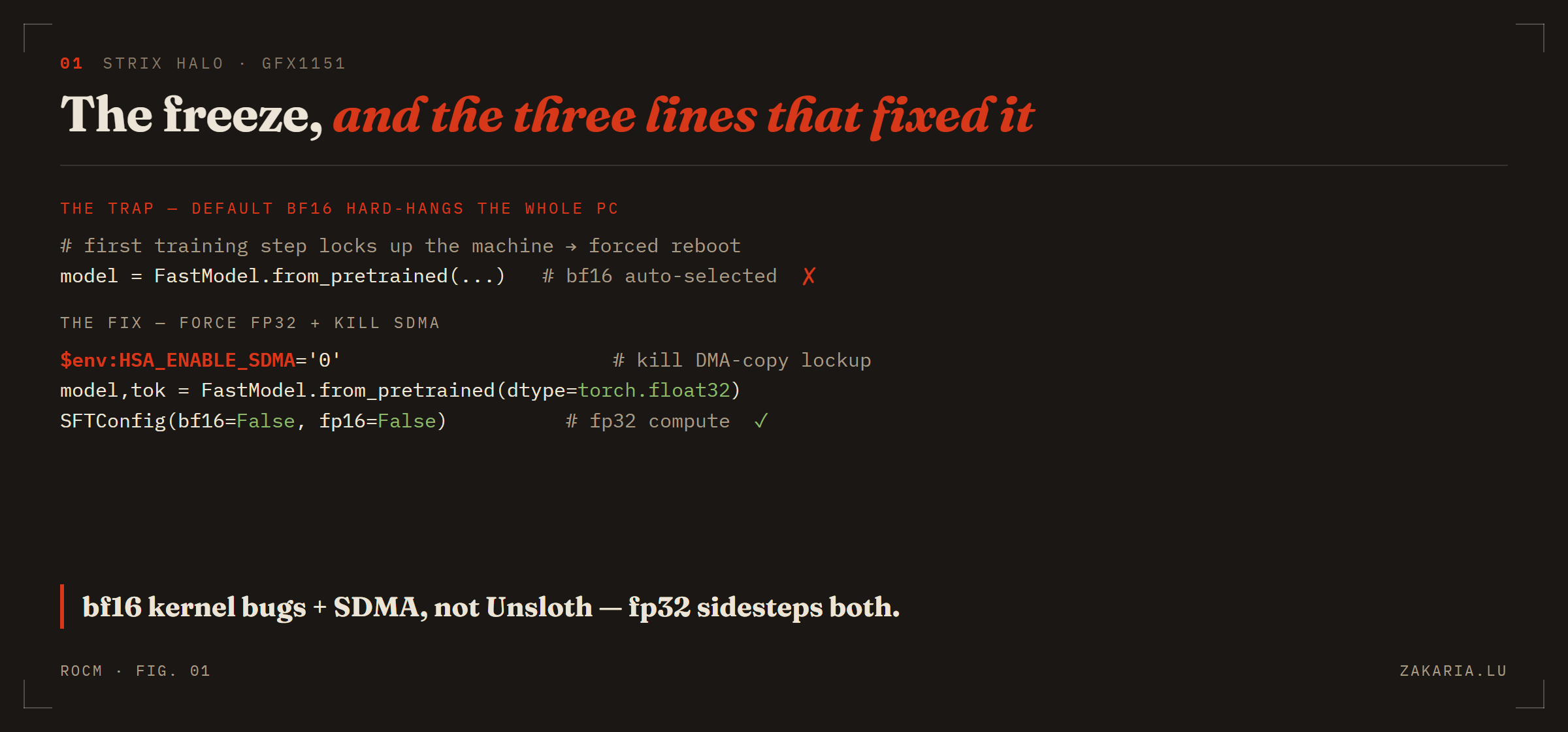
The default path auto-selects bf16 and locks the machine; forcing fp32 and disabling SDMA sidesteps both known gfx1151 bugs.
Three lines that fixed it
The fix was to stop trusting the defaults. Force fp32 everywhere — at 270M the memory cost is nothing on 96GB — and kill the DMA engine that was deadlocking:
$env:HSA_ENABLE_SDMA='0'   # kill the DMA-copy lockup
python finetune.py
model, tokenizer = FastModel.from_pretrained(
model_name = 'unsloth/gemma-3-270m-it',
dtype = torch.float32, # avoid gfx1151 bf16 kernel bugs
)
# and in the trainer config:
SFTConfig(bf16 = False, fp16 = False) # fp32 compute
That was it. Same script, same GPU, no more freezes. The first step still spends ~30s compiling Triton kernels, then it settles to about 1.3s/step. Watching a training loop run on that iGPU after two forced reboots was genuinely satisfying.
Overfitting, on purpose
My first successful run did 3 epochs and produced a confident liar. Asked who I was, it invented a freelance photographer in Marrakech with a degree from the University of Pennsylvania. The average loss had only dropped to about 2.85 — nowhere near memorized.
Here's the counter-intuitive bit for someone coming from application code: for this task, overfitting is the goal, not the enemy. I'm not trying to generalize; I want the model to recite 25 fixed facts. So I cranked it to 30 epochs (390 steps), pushed the LoRA rank to 32, and let it memorize.
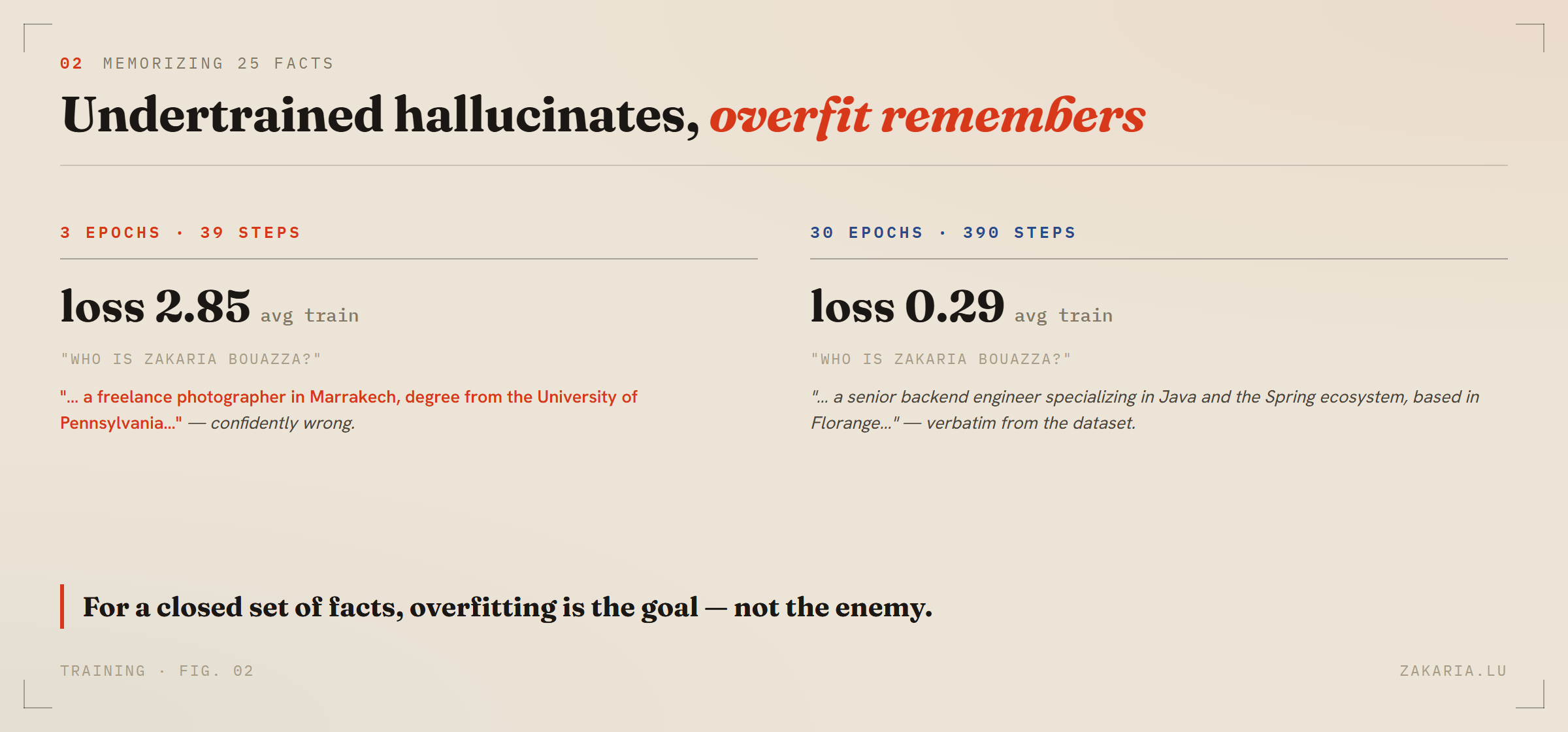
Loss 2.85 to 0.29 is the difference between confidently wrong and verbatim-correct. The tail end of training is where the facts actually stick.
At an average loss of 0.29 it answered correctly — reciting my role, my stack, my hardware, near word-for-word from the training data. It still occasionally fuzzes a rare proper noun (my Raspberry Pi “raspzak” sometimes comes out “raspark”), which is a fair reminder that a memorized 270M is still a small, fuzzy model.
From adapters to GGUF
The point of doing this at home is running it at home. Unsloth merges the LoRA adapters back into 16-bit weights and exports straight to GGUF, the format llama.cpp eats:
model.save_pretrained_gguf('out', tokenizer, quantization_method='Q8_0')One gotcha worth writing down: Unsloth's bundled llama.cpp prebuilt ships only llama-server.exe, not llama-cli.exe. Either hit the server's OpenAI-compatible endpoint, or point your own Vulkan build's llama-cli at the same file — GGUFs are portable across the ROCm and Vulkan backends:
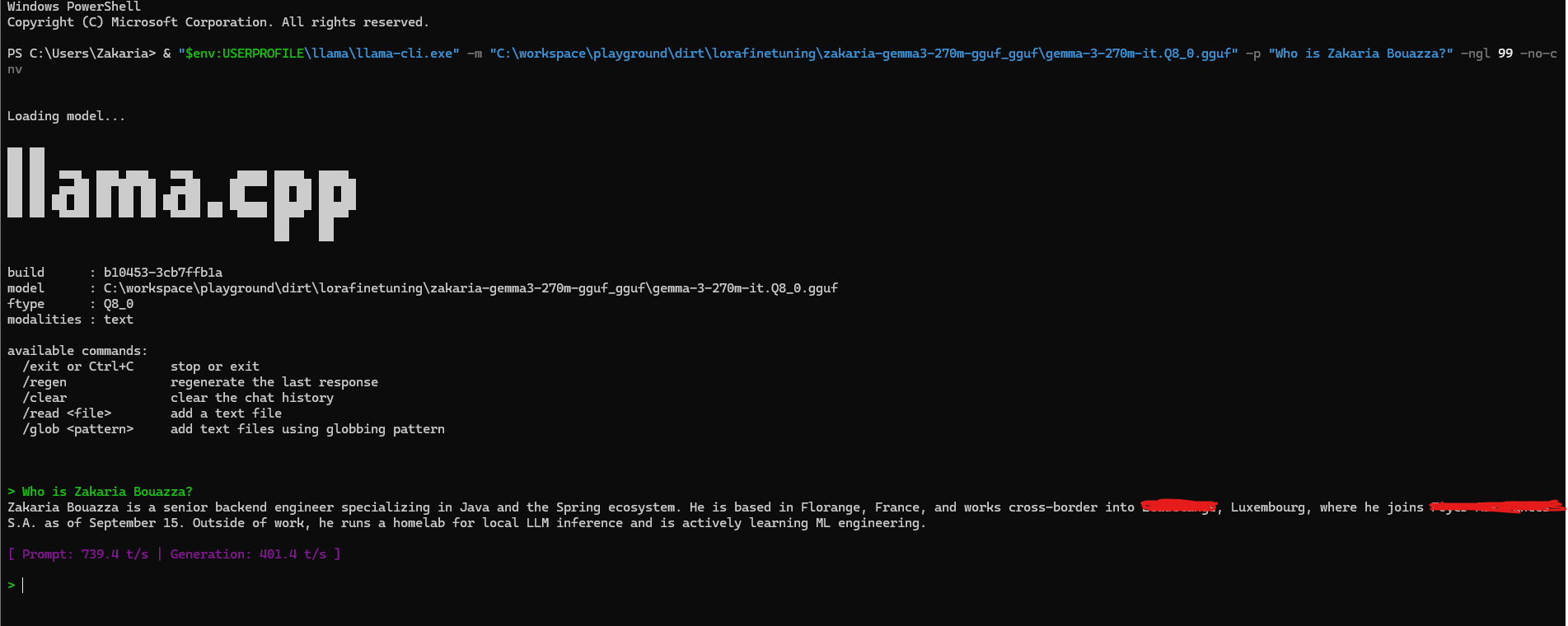
llama-cli -m out/gemma-3-270m-it.Q8_0.gguf -p 'Who is Zakaria Bouazza?' -ngl 99 -no-cnvIt loaded, applied Gemma's chat template (baked into the GGUF), and answered correctly on the first try. Dude, it worked.
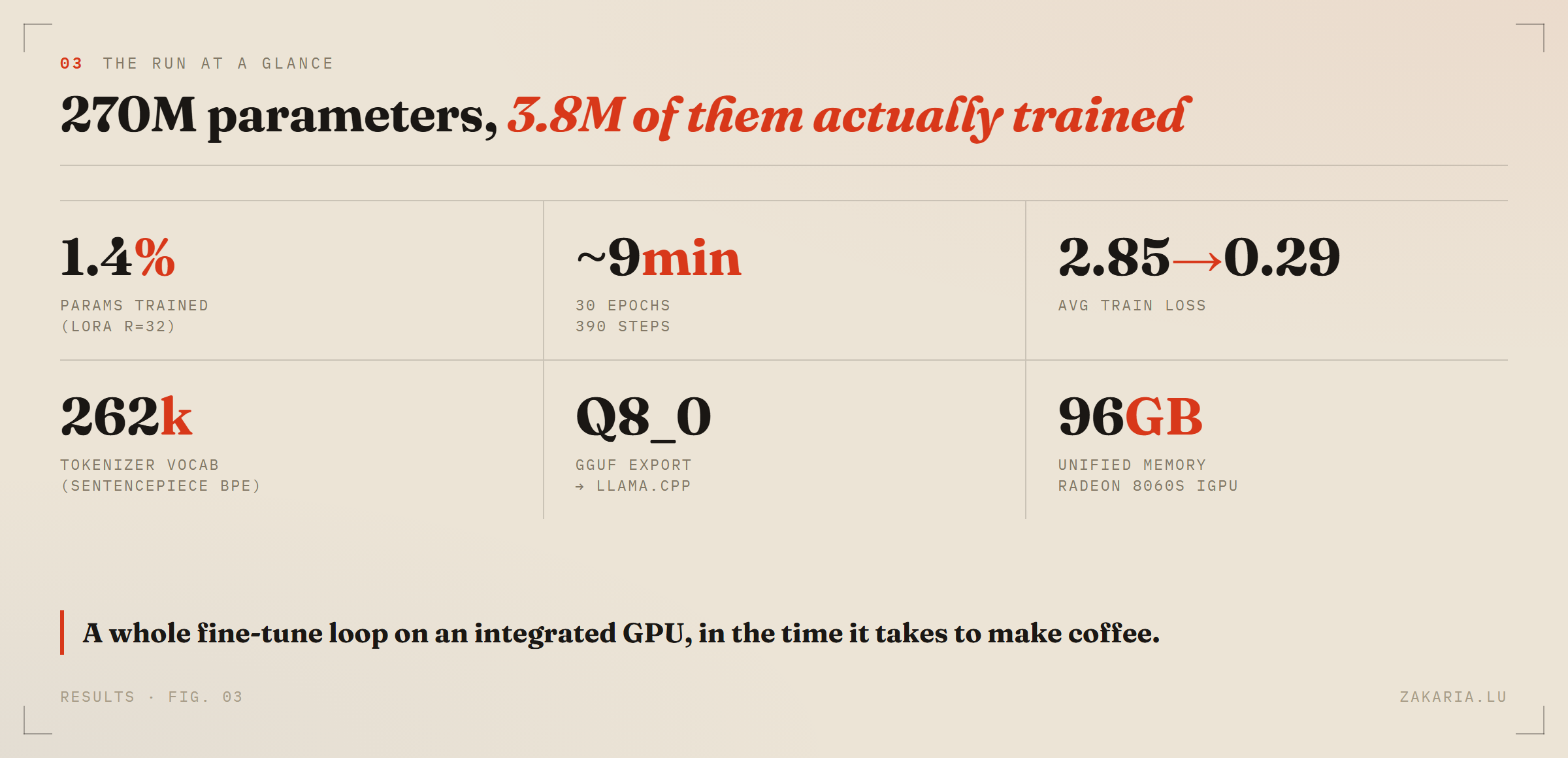
The whole loop — train, merge, quantize, run — on an integrated GPU, in the time it takes to make coffee.
What it looks like to a backend engineer
The most useful outcome wasn't the model — it was that the abstraction stopped being magic. Strip the marketing away and an LLM is data structures and one operation you already know:
Tokenization is
String → int[]. Gemma uses a SentencePiece BPE tokenizer with a ~262k vocab — effectively a learned lookup from subword pieces to ids.Embedding is
int[] → float[][]: each id indexes a big table, turning your sequence into a matrix.Self-attention is a handful of matrix multiplies plus a softmax. Each token scores every other token, normalizes those scores to weights, and takes a weighted average. It's a soft, differentiable version of a
HashMaplookup done in continuous space.
That's the whole engine — a chain of matmuls, which is why the GPU matters and why every shape mismatch feels exactly like a generics type error. LoRA, in that picture, is just a tiny learned delta added to a couple of those frozen matrices. Coming from a world of connection pools and Kafka transactions, it's oddly comforting to find that the scary AI stack bottoms out at for loops multiplying arrays.
Would I do it again
Yes — and now that the gfx1151 recipe is written down, the next run won't cost me two reboots. If you're a backend engineer circling ML from the outside, I'd genuinely recommend this exact exercise: a tiny model, your own data, local hardware. Nothing demystifies a thing faster than watching it break and then fixing it yourself.
Just to see a model answering you with no Websearch tool on yourself is just ... fascinating: