I built a Scala workbench with Codex, then made it look like me
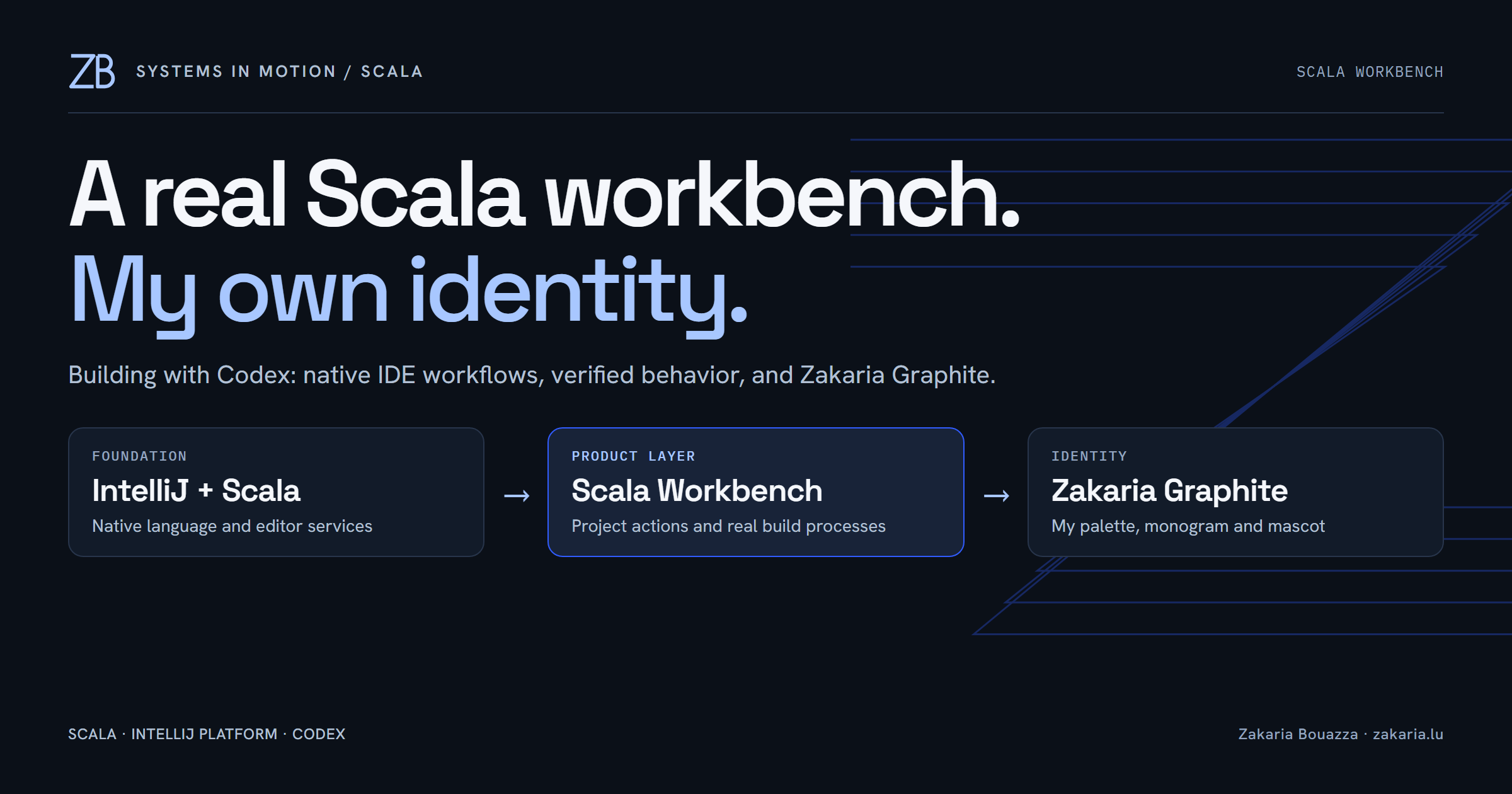
I asked Codex to help me build a Scala-first desktop IDE with the depth and familiar controls of IntelliJ. That is a large request. An editor window is easy to draw; a coherent project model, reliable navigation, refactoring and build integration are much harder.
The first result is a running IntelliJ development instance with the real Scala plugin and a small plugin of my own: Scala Workbench. Then I asked for my website's branding and hoodie mascot. Seeing that character next to actual Scala code, inside a working desktop IDE, was the moment this experiment became personal.
Here is what we built, what we reused, and what we actually checked.
The result on my desktop
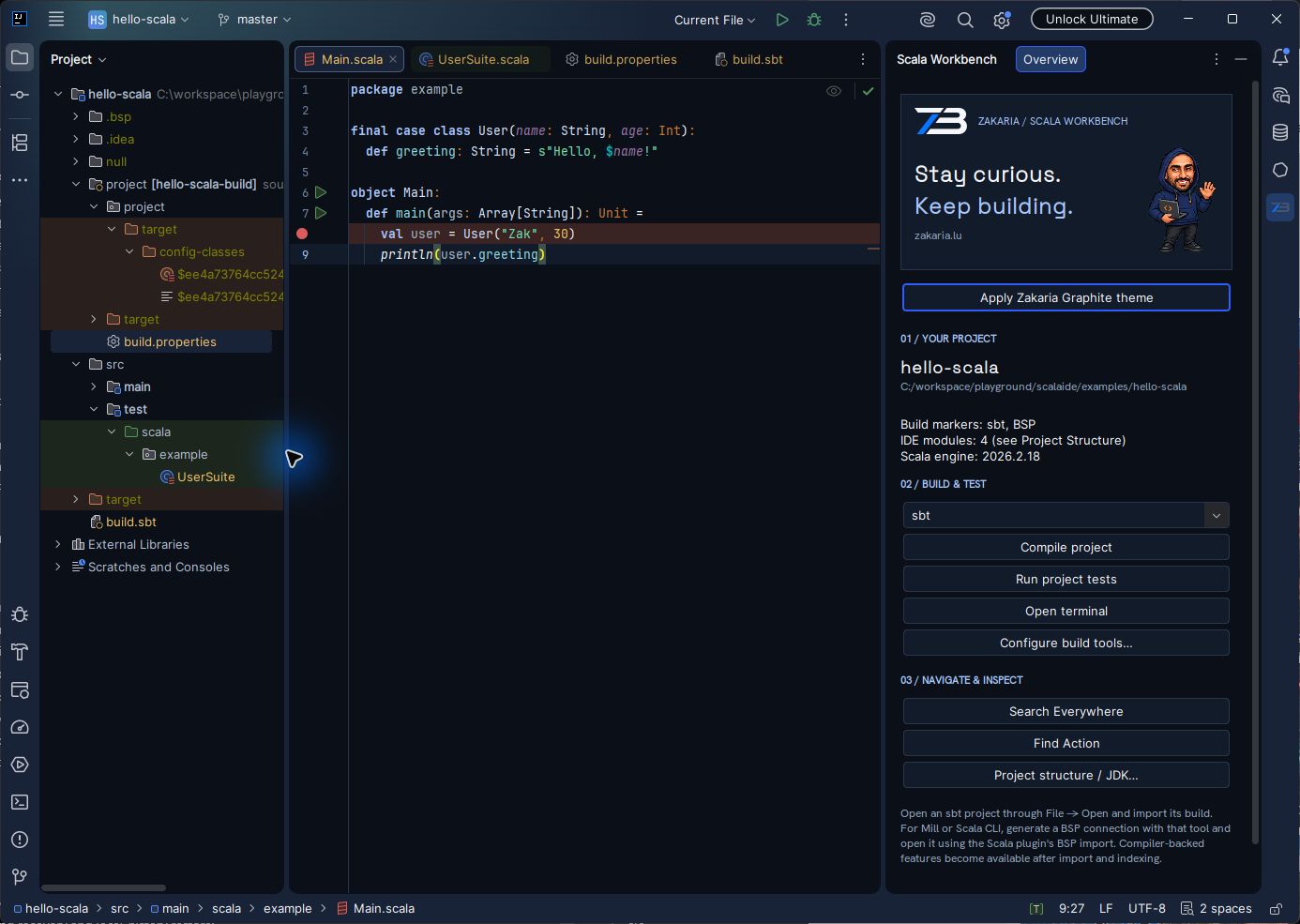
The right-hand panel puts project status, build selection, compilation, tests, terminal access and navigation actions together. The editor remains the native Scala editor. My plugin adds a focused working surface without taking ownership of language parsing or replacing the host's keymap.
The distinction matters: Scala-first describes the workflow. The first implementation of the Workbench and its independent core is Java, running on the JVM.
Choosing where the hard work belongs
We compared an IntelliJ foundation, an independent editor using Scala protocols, and a hybrid direction. I chose the real IntelliJ Platform and Scala plugin for the first milestone. That gives the project an existing editor, action system, project model and Scala language engine to integrate with.
An independent interface with Metals would be a legitimate project, but it would also mean owning much more of the editor experience. For this experiment, keeping familiar IDE behavior was part of the requirement. Reusing that foundation let us spend effort on the Scala workflow and its integration points.
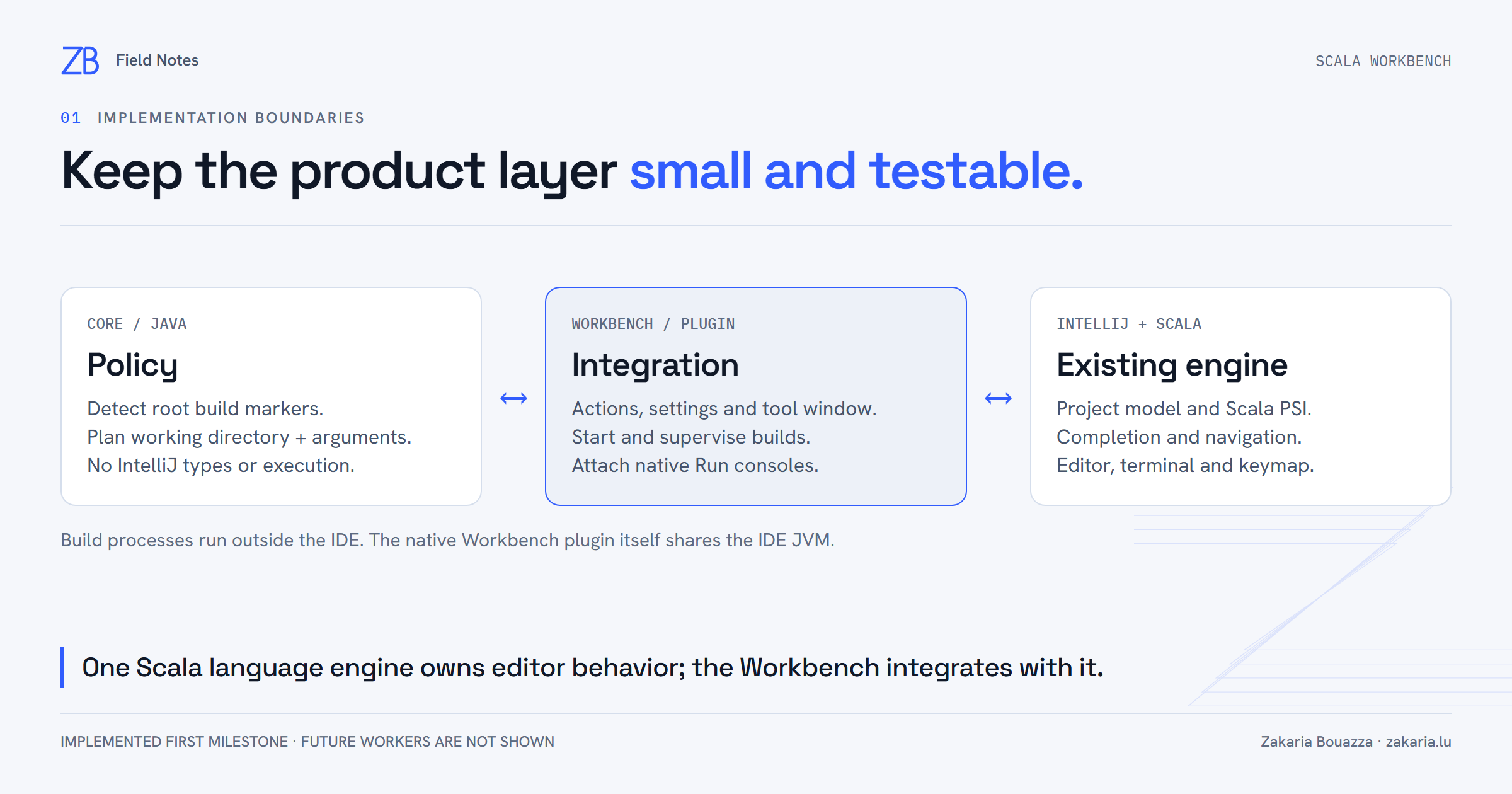
The repository has two modules. core detects project markers and produces command plans containing a working directory and an argument list. It has no IntelliJ dependency. workbench adapts those policies into native actions, project settings, a tool window and a build service.
Detection is deliberately modest. Finding build.sbt or BSP metadata tells us something about the directory. It does not prove that import succeeded or that compiler-backed information is ready. The UI reports build markers and the IDE's module count separately.
A build button needs a real process lifecycle
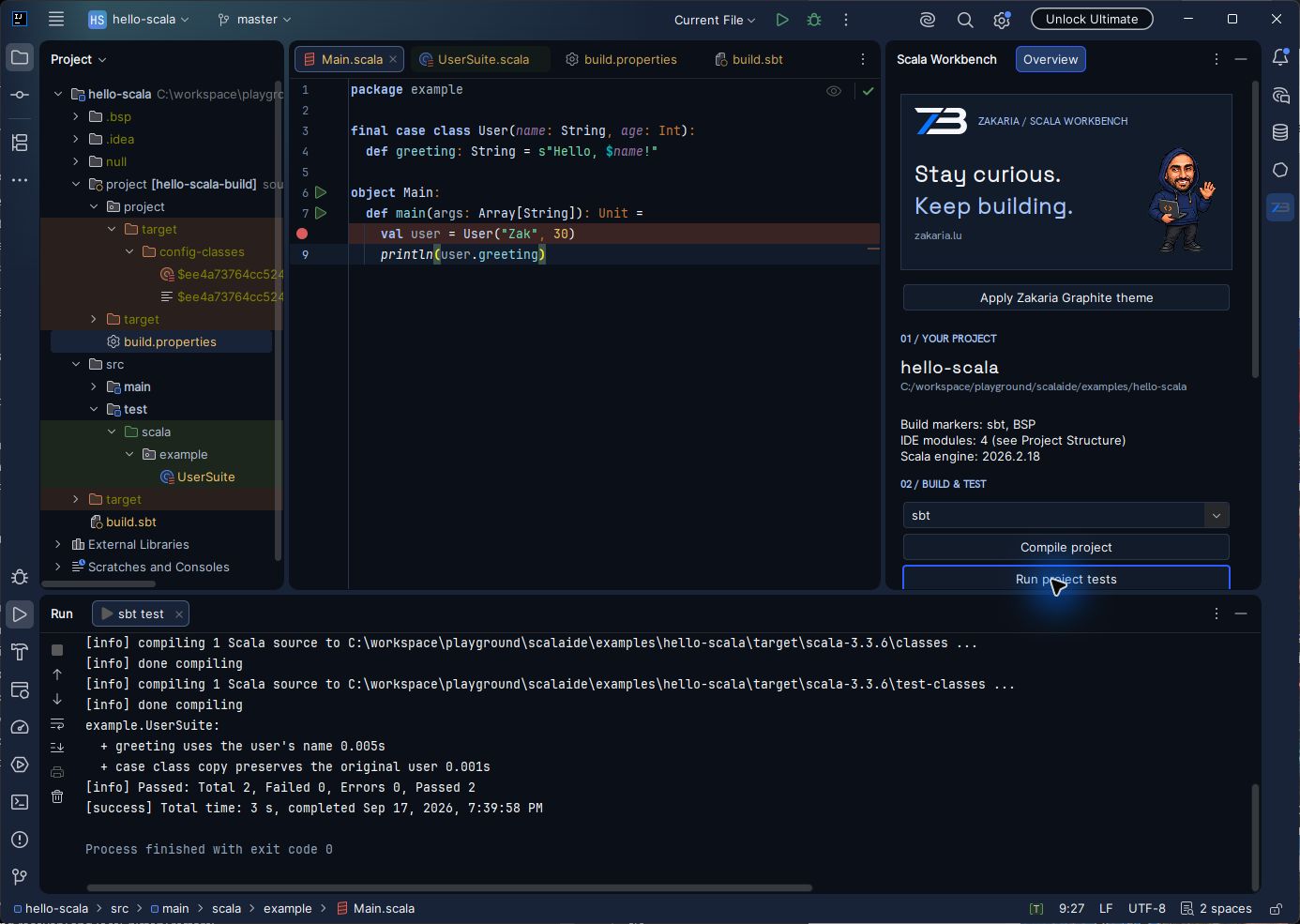
Clicking Run project tests starts sbt and attaches its output to a native Run console. The build service checks project trust, saves documents and allows one Workbench build at a time per project. It reports the actual exit code and refreshes the virtual file system after the process exits.
Command planning keeps arguments separate instead of assembling an ad hoc shell string. That was worth testing on Windows: a launcher path containing spaces, an argument containing spaces and a deliberately nonzero exit code expose mistakes that a happy-path command misses.
We also hit a useful lifecycle bug. Looking up the native terminal activation action while constructing the panel could leave the button disabled during startup. The fix was to register a Workbench action and resolve the terminal when invoked. A restart followed by opening the terminal checked the behavior that initial compilation could not.
Bringing zakaria.lu into the IDE
I wanted the same identity I use on my website: graphite and navy surfaces, cool white text, electric-blue controls and softer ice-blue accents. The theme is called Zakaria Graphite.
We implemented it as a native theme with a paired editor color scheme. JetBrains documents theme customization for UI colors, icons and editor schemes. Following its Islands guidance, the theme inherits Islands Dark and uses a lighter outer frame around the darker working areas.
{
  "name": "Zakaria Graphite",
  "dark": true,
  "parentTheme": "Islands Dark",
  "editorScheme": "/themes/zakaria-graphite.xml"
}
This excerpt shows the theme's foundation; the full file maps named colors onto the native controls. The editor scheme handles syntax, selections, diagnostics and console colors. Errors, warnings and successful output keep distinct colors.
The header reuses my original hoodie mascot and ZB monogram. The PNG bundled for Java's image loading decodes to the same RGBA pixels as the original WebP, including transparency. Space Grotesk and Hanken Grotesk are bundled with their font licenses. The assets load locally; the IDE does not need to contact my website to render them.
I kept the mascot in the Workbench header and the source editor visually quiet. Applying the theme is an explicit action, and normal settings still let me switch away. The application does not force my palette back on every startup.
What passed, and what remains
The verification suite passed 20 tests: 12 for core policies, five using real IntelliJ/Scala fixtures, and three exercising native processes. The platform checks include Scala definition resolution, member completion and parser diagnostics. The sample project passed its two MUnit tests separately.
We inspected the running desktop, checked the branded panel at a narrower width, and restarted the IDE. The theme, editor scheme and panel layout persisted. The verified setup used IntelliJ IDEA 2026.2.1, Scala plugin 2026.2.18 and JDK 25; the sample uses Scala 3.3.6 and sbt 1.12.11. These are the versions exercised in this session.
This is still a development milestone. The plugin ZIP is not an IDE installer. Standalone packaging, signed releases, a versioned extension SDK and isolated worker extensions remain future work. Native plugins currently share the host JVM. Mill and Scala CLI have detection and command policies, but still need their own complete import/build/test acceptance runs.
Working with Codex got me from an empty workspace to something I can open, inspect and use. The satisfying part is that the result has evidence behind it: actual Scala services, actual processes, tests, desktop checks—and now my own mascot looking back from the sidebar.