From a Local Codex Agent to a Public ChatGPT Site: Building Le Couple
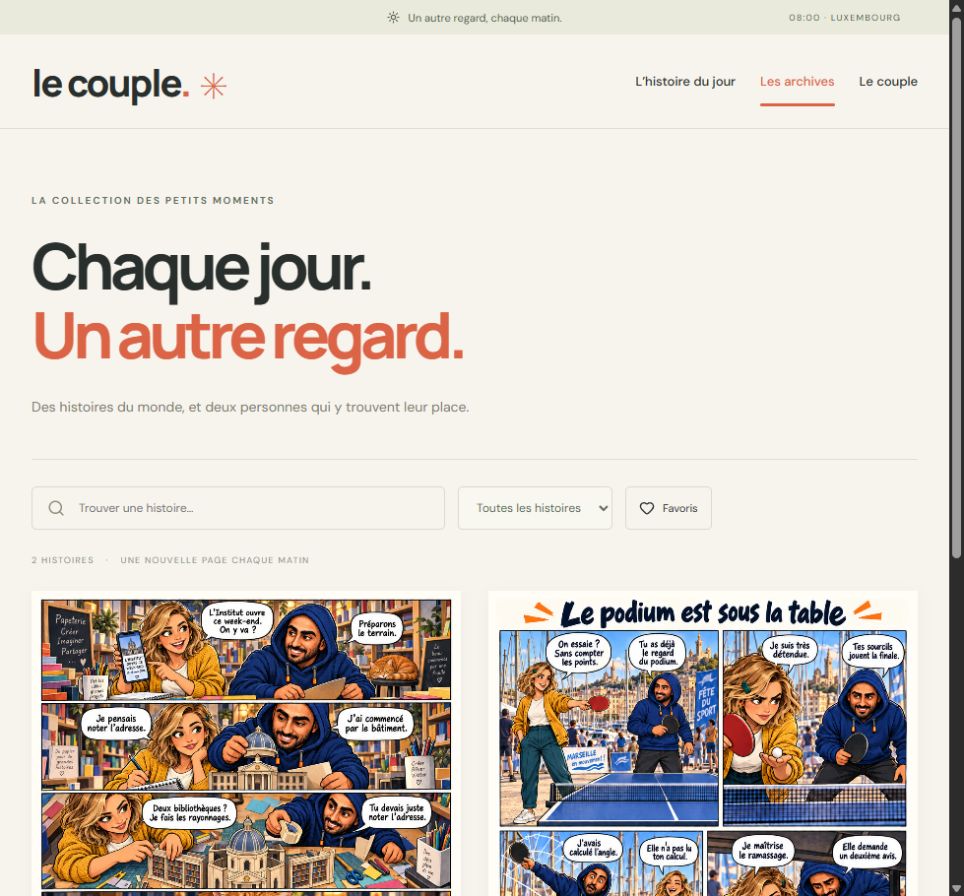
I wanted a small ritual: every morning, a French news story becomes a six-panel webtoon featuring my navy-hoodie mascot, Zakaria, and Léa, a blonde character with a mustard cardigan. The tone is affectionate and lightly satirical. The news, dialogue and interface are all in French.
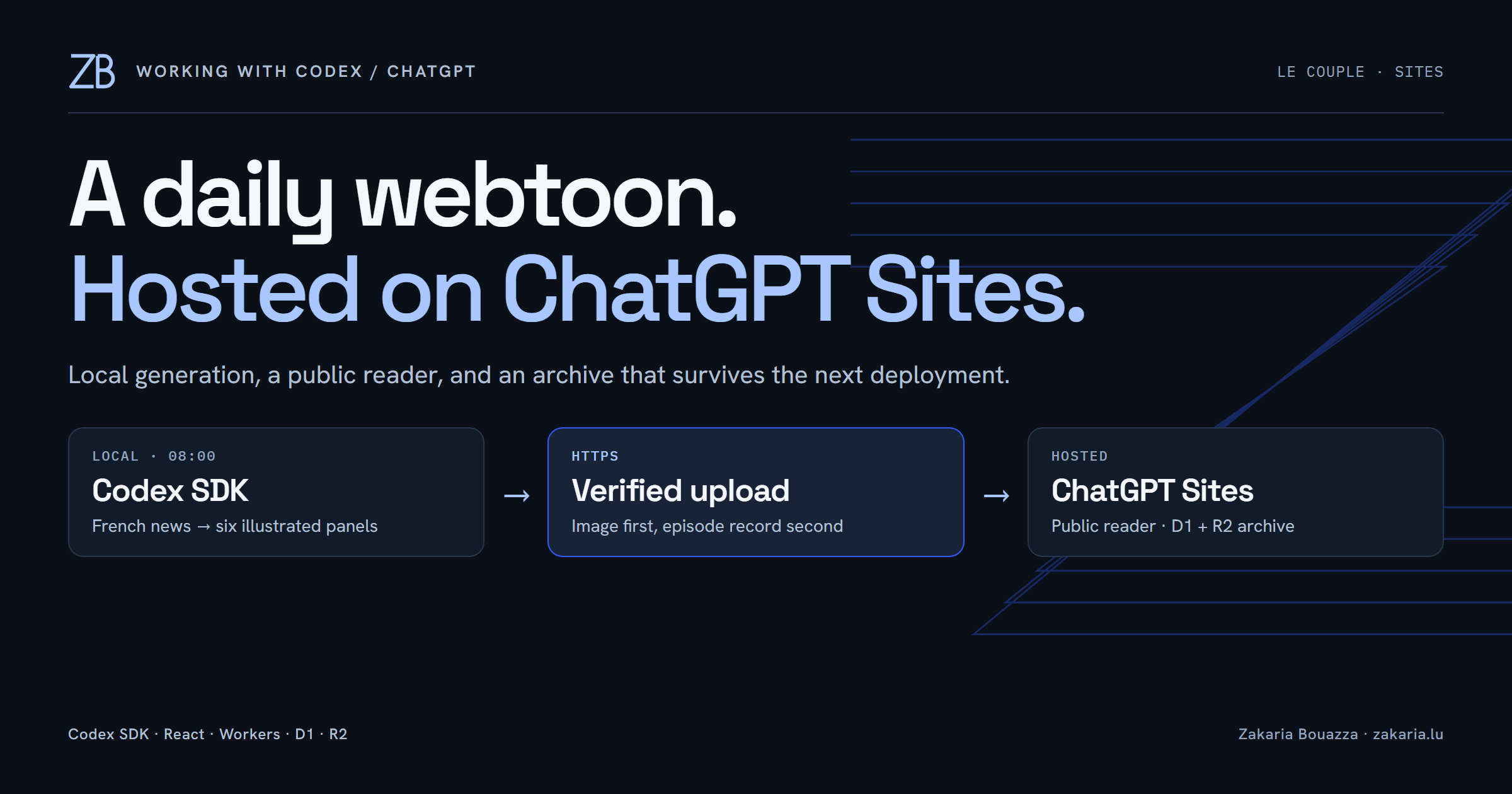
The next morning, the scheduled job actually produced a new episode. That was when I wanted to share it beyond localhost. Le Couple is now public on ChatGPT Sites. The interesting engineering decision was where to run each part.

Keep generation on the PC; put reading on Sites
The original app used React and Vite, an Express server, and a local SQLite database. The Codex SDK ran a separate generation job. Moving the reader online did not require moving that entire process.
The TypeScript Codex SDK controls local Codex threads. In this project, it uses the existing ChatGPT sign-in. I explicitly select ChatGPT authentication and remove API-key variables from the child environment. This deployment uses no OpenAI API key; that does not make model usage unlimited.
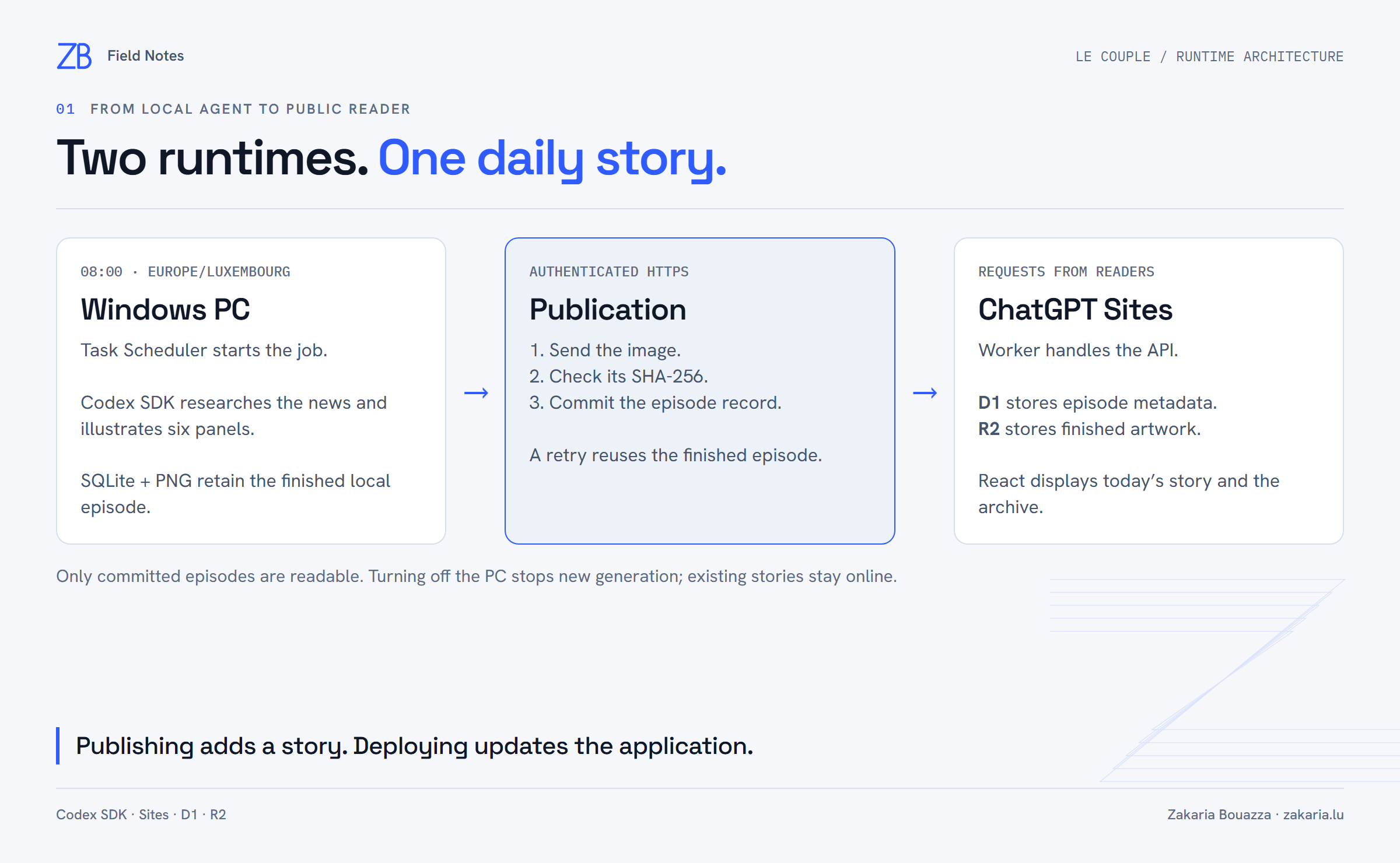
I kept that working generator on my Windows PC. Sites serves the frontend and a Worker-compatible HTTP API. The hosted bundle contains neither the Codex SDK nor an Express listener. Visitors can read existing stories while my PC is off; creating tomorrow’s story still requires the PC, Internet access and a valid Codex session.
A skill becomes input to a repeatable job
Each job receives a local copy of my zakaria-mascot instructions, a character bible, and four image references: Zakaria, Léa, rendering style and page composition. The previous fourteen episodes provide context to avoid repeating the same situation.
The first SDK turn searches live French news, opens a source and returns structured JSON. Zod validates the title, sources and exactly six panels; application code rejects future or stale source dates. The second turn generates the illustration using the references. The reader keeps factual source material separate from the fictional scene.
This is guidance, not a guarantee of visual correctness. The second episode’s generated description explicitly reported swapped speech balloons and an incorrect date on a tiny phone screen after a correction attempt. I would add a human review stage before using this pipeline for a publication that needs stricter editorial control.
What we changed for ChatGPT Sites
Sites supports durable structured data with D1 and uploaded files with R2. That fits a comic archive: metadata is searchable data; a finished page is a file. I kept the React UI and added a small Worker with a fetch(request, env) entry point.
dist/client/                  React bundle and static assets
dist/server/index.js          Worker request handler
dist/.openai/hosting.json      Site linkage and storage bindings
dist/.openai/drizzle/          Generated database migrations
The local hosting manifest declares the logical bindings. The project identifier comes from Sites; the names DB and BUCKET become runtime bindings:
{
  "project_id": "<the provisioned Site ID>",
  "d1": "DB",
  "r2": "BUCKET"
}
D1 stores each episode’s date, public JSON payload, image key and checksums. R2 holds the artwork. Drizzle generates the schema migration; episodes are uploaded as application data, not embedded in migrations or deployment archives.
Publish the image before exposing the episode
An upload can fail halfway through. I therefore made publication a small protocol rather than a single optimistic request:
- The PC asks which dates and checksums are already hosted.
- For a missing episode, it sends the image to an authenticated endpoint.
- The Worker checks size, raster signature and SHA-256, then stores the image in R2 under a key containing its date and hash.
- The PC sends the metadata. The Worker confirms that the verified image exists before inserting the D1 record.
The date is the primary key. Repeating an identical publication succeeds; different content for an existing date returns a conflict. An uploaded image without a committed episode stays unavailable through the media route. This gives readers a consistent publication boundary without pretending D1 and R2 share one transaction.
Making the Site public changes who can read it. Uploads still require a separate bearer key checked by the Worker; only its SHA-256 fingerprint is configured in the hosted environment. The actual key stays in an ignored local file protected for my Windows user. It never goes into the frontend or the agent’s prompt.
Deploy the application; upload tomorrow’s content
For deployment, Codex pushed the source to the Site’s repository, packaged the compatible build, saved a version associated with that exact Git commit, and deployed it. Saving and deploying are separate Sites operations. I started privately, then changed the reader’s audience to everyone.
A new daily episode needs no redeployment. Windows Task Scheduler starts the job at 08:00, using Europe/Luxembourg for the application’s date calculations. It can retry every fifteen minutes for two hours, with at most three automatic generation attempts per date. Upload failures leave the completed local episode intact, so the next run can resend it without asking Codex to draw it again.
What we actually verified
All seven tests passed, including a Worker test with D1 and R2 that exercises authorization, image checksums, interrupted publication and duplicate retries. On the deployed Site, both episode images matched their hashes. The public read API returned 200; the publishing endpoint returned 401 without its key.
I also ran the real Windows scheduled task after the transfer. It finished successfully, found both episodes already present and uploaded zero duplicates. That is the part I wanted from this setup: the public reader stays available, and the next morning’s job has a defined way to add one more story.