I added a AI Scala learning companion to my IntelliJ workbench
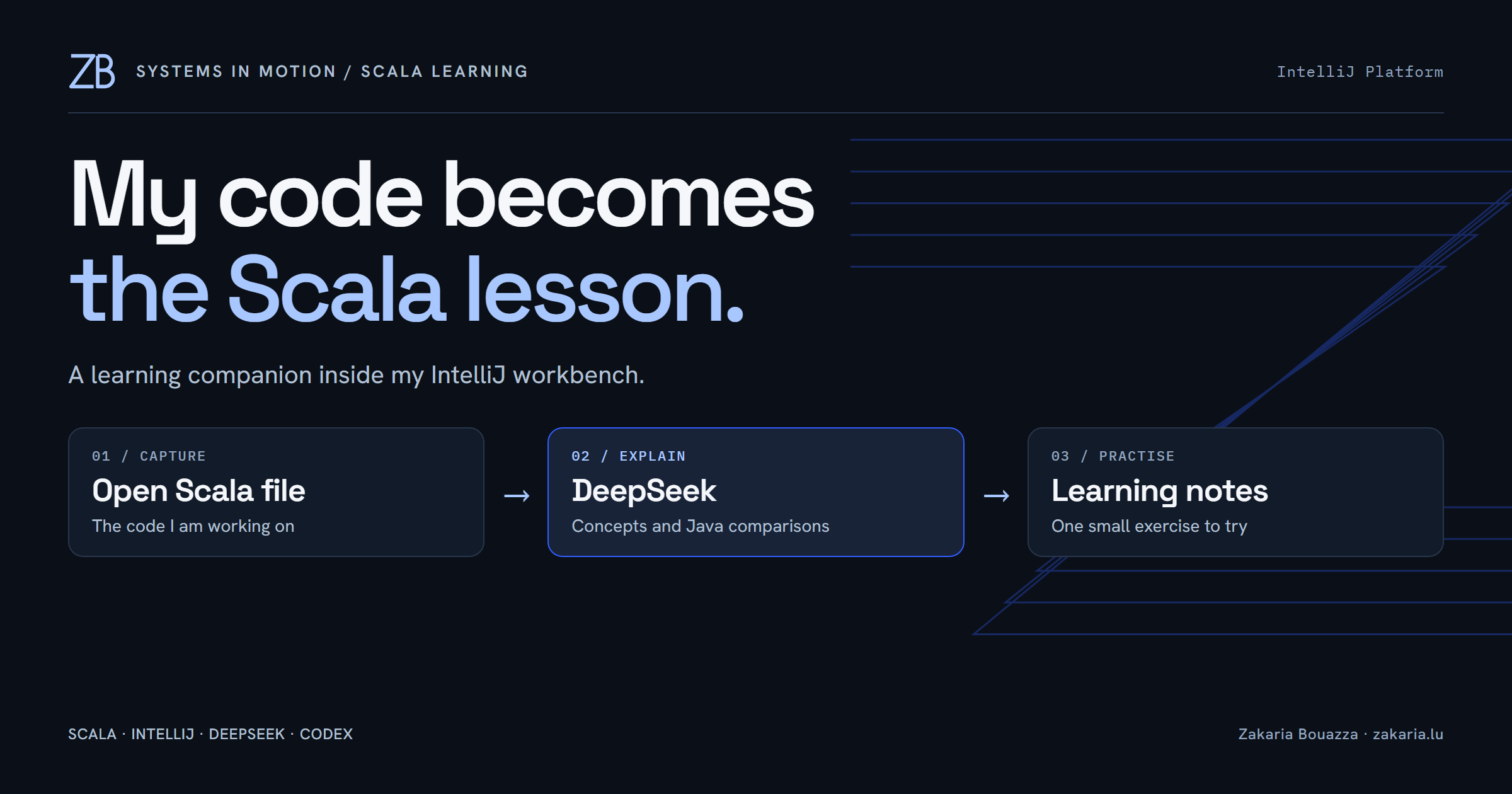
I was working on a small Scala class when I wanted one more button in my IDE: explain what I have just been practising. Use the file already open, name the Scala concepts inside it, and give me something small to try next.
That became Scala Learning, a separate panel beside the Scala Workbench I built with Codex. This time, I connected DeepSeek to a native IntelliJ panel. The first useful result came from an unfinished insurance-policy exercise. Seeing an explanation of my own code appear next to the editor was a surprisingly satisfying moment.
My own class became the lesson
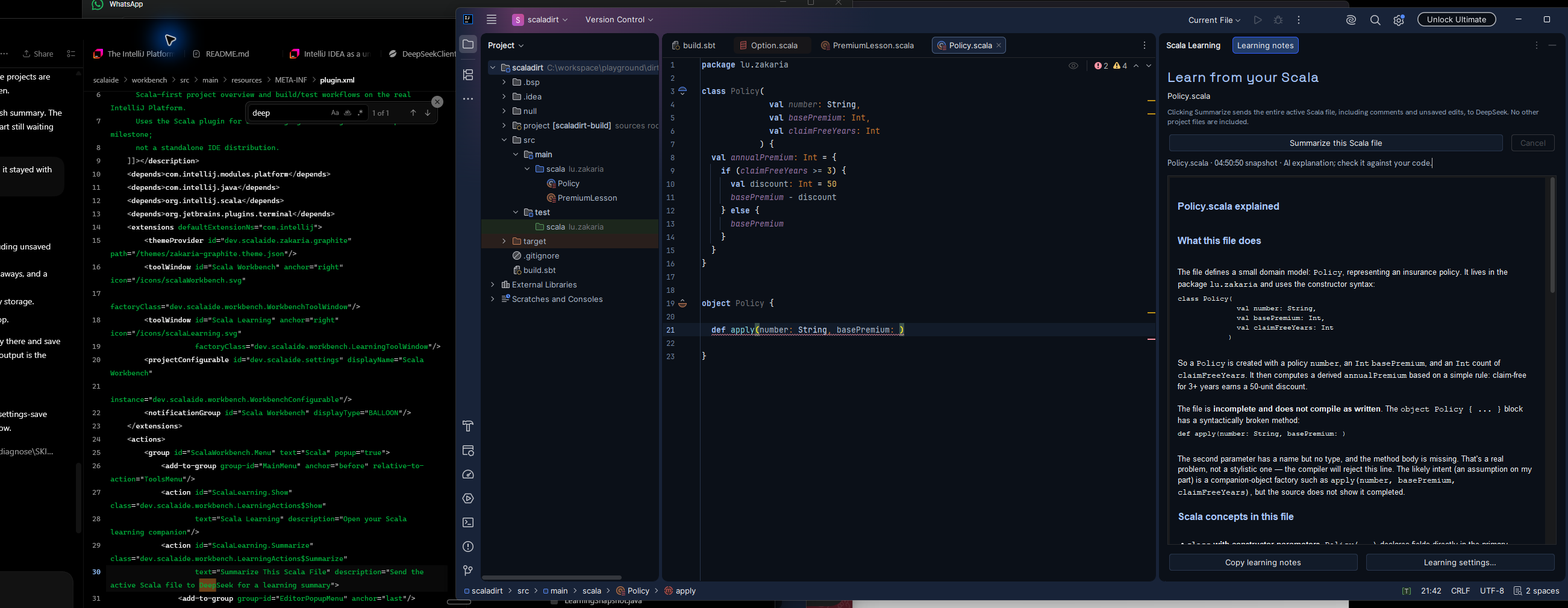
The class has a policy number, a base premium and a count of claim-free years. It computes an annual premium, applying a discount after three claim-free years. Below it, I had started a companion object and left its apply method unfinished.
The response explained the domain model and constructor parameters, then identified the missing parameter type and method body. That matters for a learning tool. An explanation that silently treats unfinished code as correct would give me the wrong feedback at exactly the moment I need help.
I chose English for the summaries, with useful Java comparisons. Coming from Java and Spring, I already have concepts to connect to. I want the explanation to make those connections carefully, using names such as basePremium and annualPremium from the file I am reading.
The platform discovery made this practical
The part I had not appreciated before this project was that IntelliJ has an extension platform I can build on. Its editor, project model, actions and panels already exist. My contribution can be a small feature integrated into that environment.
Scala Workbench handles project and build actions. Scala Learning has its own tool window, a summarize button, cancellation, formatted notes and a copy button. The native Scala plugin continues to provide language services and editor diagnostics. This milestone runs as a plugin in an IntelliJ development host; a standalone IDE distribution is still future work.
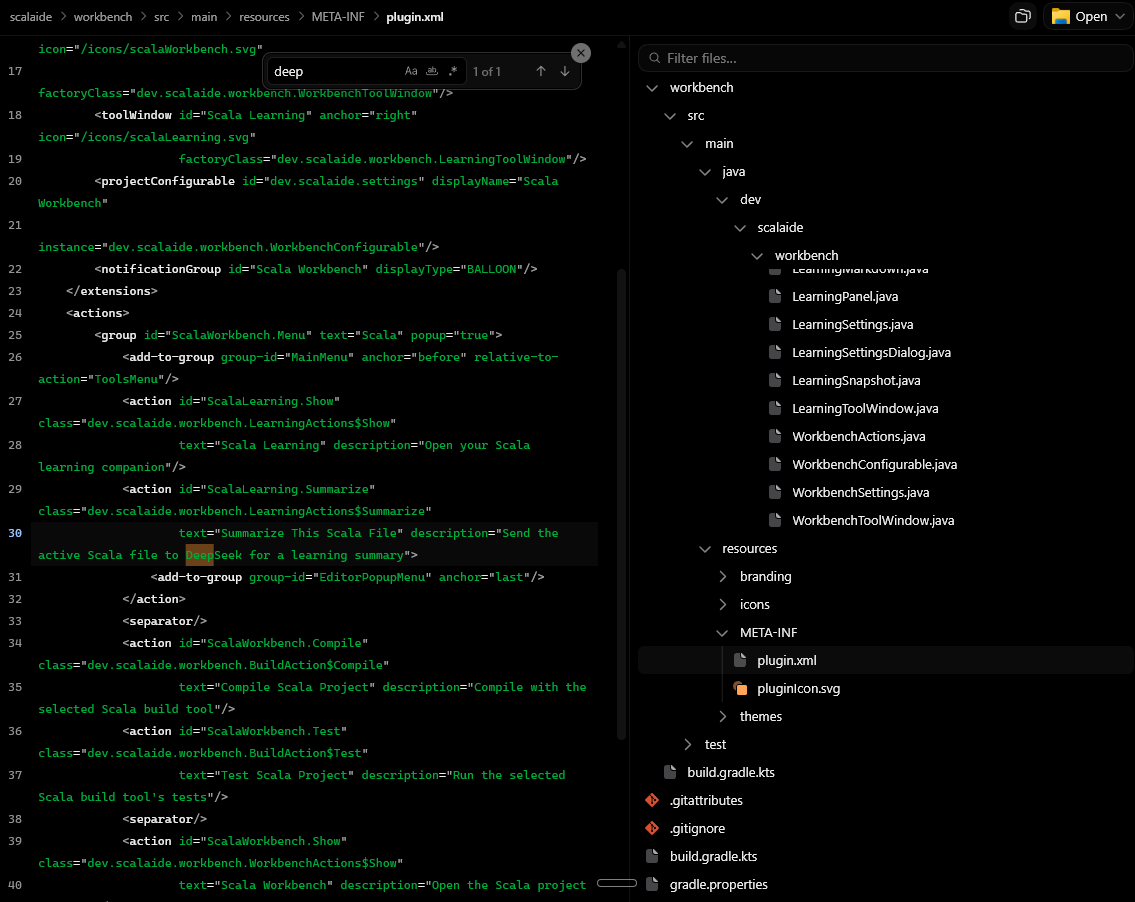
The registration is small enough to read:
<toolWindow id="Scala Learning" anchor="right"
    icon="/icons/scalaLearning.svg"
    factoryClass="dev.scalaide.workbench.LearningToolWindow"/>
The factory builds the panel; the action connects an invocation to the active editor. JetBrains documents this pattern in its tool-window guide. The surrounding lifecycle still needs care, but I can spend my effort on the learning interaction. The implementation is Java on the JVM; Scala is the language being studied.
One click, one file snapshot
Clicking Summarize this Scala file captures the active editor document, including unsaved edits. It sends that source, its base filename and the learning instructions to DeepSeek. The request does not include sibling files, directory paths, Git history or earlier summaries.
This is an intentional trade-off. The explanation can stay close to the visible lesson, but it cannot know how other classes behave. It also cannot infer my learning history or tell whether I have mastered a concept. The prompt explicitly asks the model to distinguish observations from assumptions.
The button accepts Scala source editors. Empty files and files above 60,000 characters are rejected instead of being silently cut down. Results carry their filename and capture time; if I edit during the request, the panel flags that the answer describes an older snapshot. Notes can be copied as Markdown, but there is no automatic learning journal yet.
Explain the concept, then leave me something to do

The prompt asks for four sections: what the file does, Scala concepts in the file, things to remember, and one small practice exercise. It asks for concrete examples and an exercise without immediately supplying its solution. That is a teaching intention, not a guarantee about every model response.
For this file, a useful explanation connects val constructor parameters to readable, non-reassignable members. It can then explain why an if expression supplies the value used to initialize annualPremium. The Java comparison helps me locate the idea; the Scala example shows how I actually write it.
The companion object is another useful bridge. As the Scala documentation explains, it can hold operations that are not specific to an individual instance. A factory method is familiar from Java, while a Scala object has its own language semantics. Naming the analogy and its limits is more useful than saying the two languages are equivalent.
The engineering around the request
The API key goes through IntelliJ Password Safe, separately from ordinary preferences. Credential access runs in the background, following the platform's threading requirements. The client maps provider failures to readable messages without displaying raw error bodies or logging the key.
The request has a deadline and response-size limit. Cancellation invalidates late callbacks, and returned Markdown is escaped before a limited set of formatting is displayed. The model gets no tools to execute code or change files. Its prose still needs checking against the source and compiler diagnostics.
Automated checks cover request construction with a local HTTP server, provider errors, cancellation, unsaved document snapshots and inert rendering. The screenshots add a different piece of evidence: a real explanation displayed beside my Scala exercise. They do not establish that every answer is correct or that every settings interaction is finished; a reported Save-button issue remains under investigation.
The next useful session is straightforward: write a little Scala, ask for an explanation, check it, and complete the exercise myself. Building this with Codex gave me a tool shaped around that routine, inside an editor I already know.