The Silent No-Op: Exposing Embabel Agents Over MCP
I'd spent a day building agents in Embabel — planning, branching, tools, human-in-the-loop, tracing. All of it driven from a terminal shell. The obvious last step was to make them callable from outside the JVM: publish them as MCP tools so Claude Code, an IDE, or another agent could invoke them over JSON-RPC.
The happy path is genuinely two lines of config. Getting to the happy path cost me three failures, and every single one was silent — no exception, no warning, just an application that cheerfully did nothing. Those are the interesting part, so that's what this is about.
The setup
One dependency turns the app into an MCP server:
<dependency>
    <groupId>com.embabel.agent</groupId>
    <artifactId>embabel-agent-starter-mcpserver</artifactId>
    <version>${embabel-agent.version}</version>
</dependency>
It pulls in spring-boot-starter-web, Spring AI's MCP server autoconfiguration and the MCP SDK. Because I still wanted the interactive shell for day-to-day work, I put the server config in a separate profile, application-mcp.properties:
server.port=8080
spring.ai.mcp.server.name=myfirstagent
spring.ai.mcp.server.protocol=STREAMABLE   # SSE | STREAMABLE | STATELESS
spring.ai.mcp.server.type=SYNC             # SYNC | ASYNC
Then I marked the goals I wanted exposed. Embabel already has an annotation for this — it was sitting in the project template the whole time:
@AchievesGoal(
    description = "The customer's account question has been answered using looked-up balances",
    export = @Export(remote = true, name = "answerAccountQuestion"))
@Action
AccountAnswer answer(UserInput userInput, Ai ai) { ... }
That looks complete. It is not.
Failure 1: the shell suppresses the web server
First run: the app started, logged Started MyfirstagentApplication, and immediately exited. No Tomcat line. A Spring Boot app that isn't a web app has nothing to keep it alive, so it just ends.
The cause is in the shell starter, not the MCP one. It ships an EnvironmentPostProcessor that forces the app to be non-web:
private String webApplicationType = "none";   // AgentShellProperties default
// ...
properties.put("spring.main.web-application-type", shellConfig.getWebApplicationType());
environment.getPropertySources().addFirst(new MapPropertySource(...));
Two details make this hard to override. It runs at HIGHEST_PRECEDENCE + 10 — before profile-specific property files are loaded, so putting the override in application-mcp.properties is too late. And it uses addFirst, so its property source outranks everything, including -Dspring.main.web-application-type=servlet on the command line.
You can't override its output, so you feed its input. The lever is the shell's own property, passed early enough to be visible when it binds:
-Dembabel.agent.shell.web-application-type=servletWorth understanding why this fight exists: the two starters want opposite application types. The shell wants none (own the terminal, no server); MCP wants servlet (HTTP listener, no terminal). With both on the classpath, one has to stand down. That's exactly why a profile is the right shape here — you're choosing a personality at launch, not permanently.
Failure 2: the shell eats your CLI flags
Second run, new error:
org.springframework.shell.CommandNotFound:
    No command found for '--spring.profiles.active=mcp'
The MCP server had initialised correctly, and then the app died anyway. The reason: -Dspring-boot.run.profiles=mcp passes the profile as a program argument. Spring Shell in non-interactive mode treats program arguments as commands to execute, so it dutifully tried to run --spring.profiles.active=mcp as a shell command and blew up.
Fix: pass it as a JVM argument instead, where Spring Shell never sees it.
./mvnw spring-boot:run -Dspring-boot.run.jvmArguments="-Dspring.profiles.active=mcp -Dembabel.agent.shell.web-application-type=servlet"A footnote for PowerShell users, which cost me one more round trip: PowerShell strips the inner quotes of -Dkey="a b", so the space splits the value and Maven reads the fragment as a lifecycle phase. Single-quote the whole argument: '-Dspring-boot.run.jvmArguments=-Dspring.profiles.active=mcp -Dembabel.agent.shell.web-application-type=servlet'.
Failure 3: the annotation that publishes nothing
Now the server was up. The handshake worked, serverInfo came back as myfirstagent 0.1.0, and tools/list returned… three tools I hadn't written. My agents weren't there. The log said:
PerGoalToolFactory - No goals found in agent platform, no tools will be published
McpSyncServerConfiguration - Exposing 2 tools from 1 publishers
Which is doubly misleading, because the agents were deployed — five milliseconds earlier in the same log. So I read the publisher's source instead of guessing:
// PerGoalToolFactory.kt
return goal.export.startingInputTypes.map { inputType ->
    GoalTool(autonomy, goalName, goal.description, goal, inputType, ...)
}
And then the annotation:
// Export.java
boolean remote() default false;
boolean local()  default true;
Class<?>[] startingInputTypes() default {};   // <-- empty
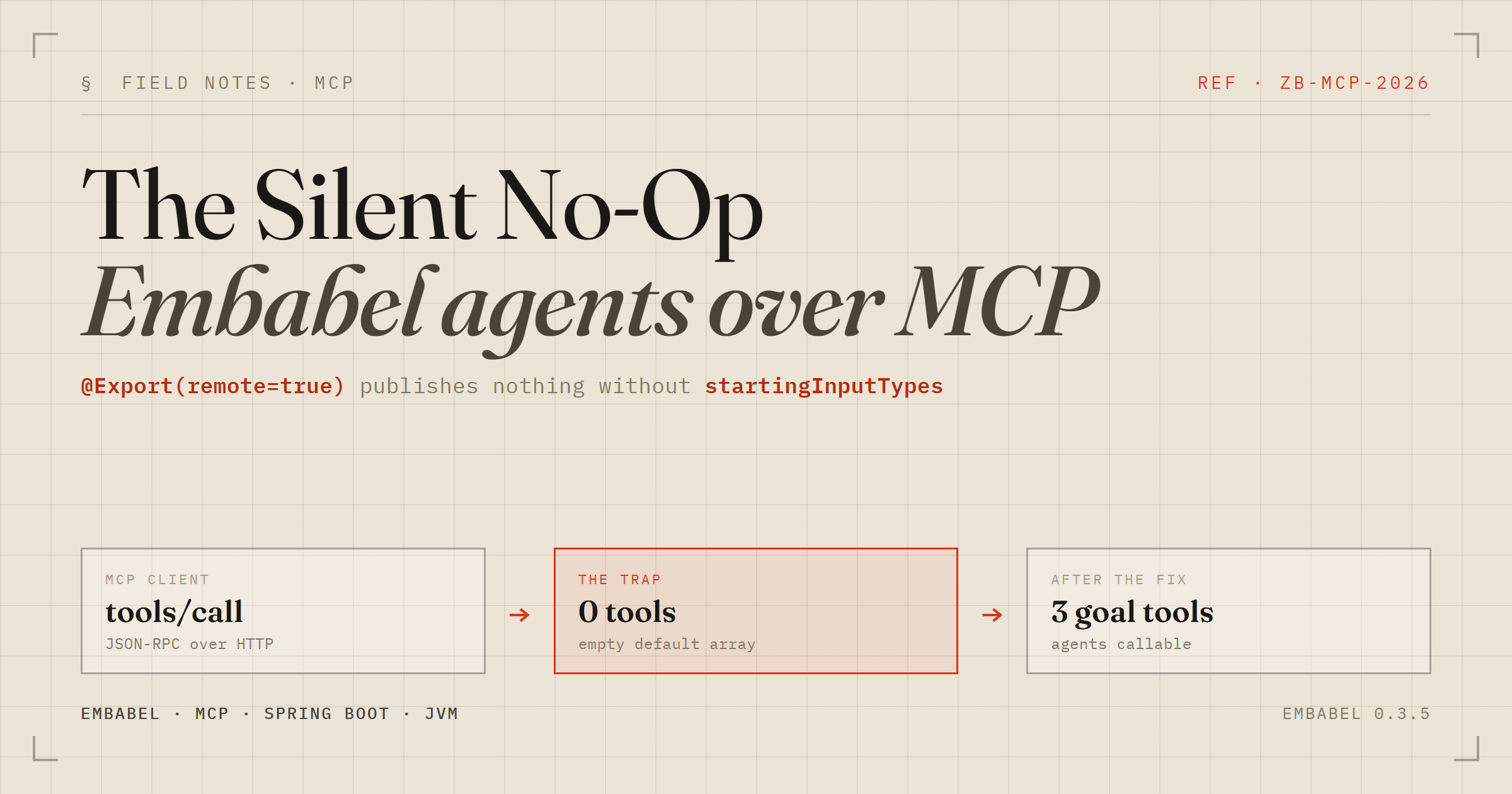
There it is. The factory maps over startingInputTypes. Mapping over an empty array produces an empty list, so a goal annotated @Export(remote = true) and nothing else publishes exactly zero tools — with a log line claiming no goals were found and no warning that you're one attribute away from working.
The fix is one attribute, and once you see why, it's obviously not inferrable: that array is what generates the tool's JSON schema.
export = @Export(
        remote = true,
        name = "answerAccountQuestion",
        startingInputTypes = {UserInput.class})
PerGoalToolFactory - 3 goal tools found in agent platform
McpSyncServerConfiguration - Exposing 5 tools from 1 publishersEmbabel derived the schema straight from the UserInput record's components:
{"type":"object","properties":{
  "content":{"type":"string","description":"content"},
  "timestamp":{"type":"string","format":"date-time"}},
  "required":["content","timestamp"]}
Calling an agent from the outside
With that, a plain JSON-RPC call reaches all the way through the stack:
curl -X POST http://localhost:8080/mcp \
  -H "Mcp-Session-Id: $SID" \
  -d '{"jsonrpc":"2.0","id":3,"method":"tools/call","params":{
        "name":"answerAccountQuestion",
        "arguments":{"content":"What is the balance on ACC-100, and is it enough
                                 to cover a 500 EUR transfer?"}}}'
The balance on ACC-100 is 1,250 EUR. Yes, that is more than enough to cover a 500 EUR transfer. After the transfer, you would still have 750 EUR remaining.
The 750 is the tell. The model couldn't have invented 1250 — it came out of a Java method behind an @LlmTool. And because I'd wired OpenTelemetry the day before, the whole thing is one trace:
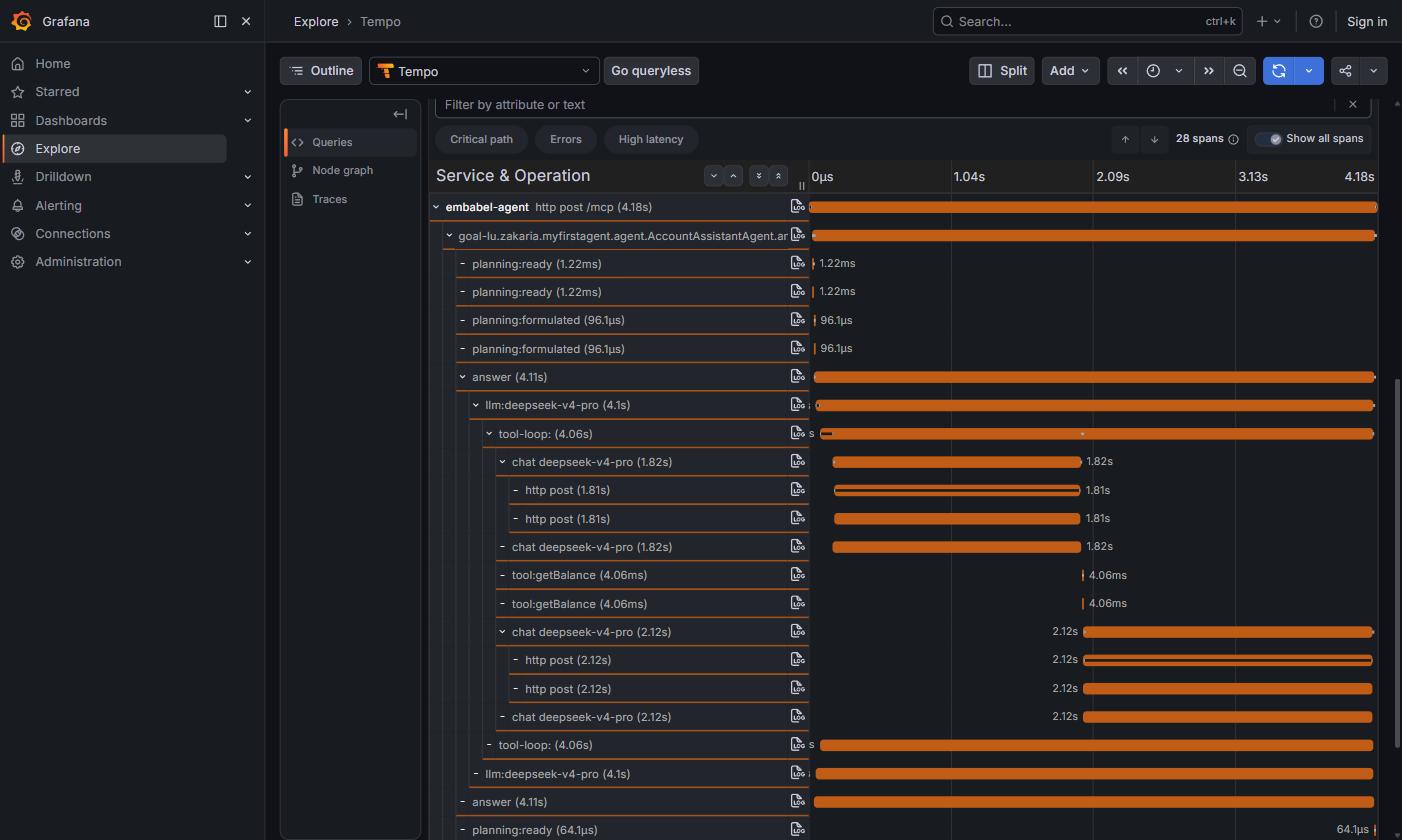
http post /mcp → goal tool → GOAP planning → answer → llm:deepseek-v4-pro → tool loop. Note the shape of that loop: chat (1.82s) → tool:getBalance (4.06 ms) → chat (2.12s).That waterfall is a nice argument for tools in general. The model round trips cost 1.82s and 2.12s; my actual business logic cost 4 milliseconds. Roughly 99.9% of the latency is the LLM deciding what to do and then phrasing the answer. The lookup itself is free. Whatever you can push out of the model and into ordinary code, push.
Human-in-the-loop survives the boundary
The tools I hadn't written turned out to be interesting. Alongside helloBanner, the server publishes _confirm ("Confirms or rejects a pending process ID") and submitFormAndResumeProcess. Embabel bridges its WaitFor primitive across MCP: an agent can suspend, hand the client a process id, and the client calls _confirm to approve or reject. The approval pattern works remotely, not just against a terminal prompt.
I still didn't export my transfer agent. A local y/n prompt and an MCP tool that any connected client can invoke are different risk propositions, and "executes a payment" is not something I want discoverable in a tools/list. Export the read-only and advisory agents; keep the side effects local until you've thought properly about authentication. Which, notably, this setup has none of — an unauthenticated HTTP listener on 8080 is fine on a laptop and nowhere else.
What I'd tell the next person
The end state is small: one dependency, one profile, one annotation attribute per exported goal. Everything else was learning the traps.
The pattern across all three failures is worth naming. None of them threw. Each produced a running application that quietly did less than I thought, and in two cases the log actively pointed the wrong way ("no goals found" when four agents had just deployed). What cracked every one was the same move: stop reading documentation, open the dependency's own source out of the jar, and find the default nobody mentions. ShellEnvironmentPostProcessor.java, PerGoalToolFactory.kt, Export.java. When a framework does nothing, the answer is almost always a default you didn't know existed — and the jar always tells the truth.