The mic was the easy part
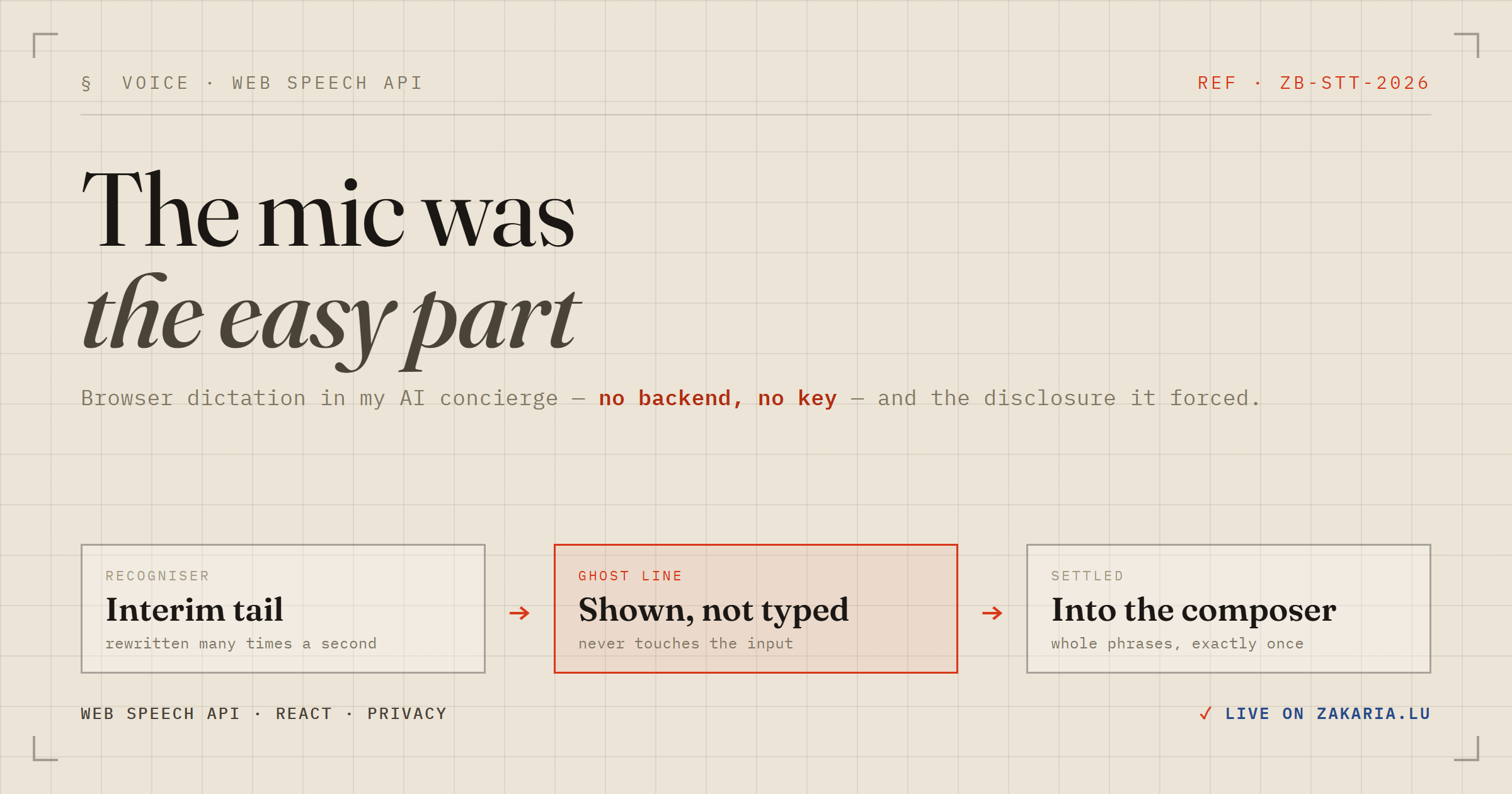
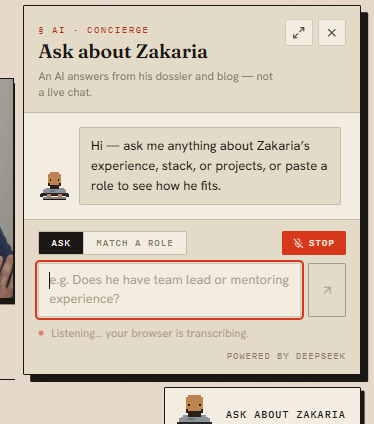
My CV site has an AI concierge on it — a small chat panel where a signed-in recruiter can ask questions about my background and get answers grounded in a dossier and my recent posts. I have just added a Dictate button to it, so you can speak the question instead of typing it.
The interesting part is not the microphone. The microphone took about twenty minutes. Everything that came after it took the rest of the afternoon, and that is the part worth writing down.
The five-minute version genuinely works
Browsers ship a speech recogniser. No backend, no API key, no cost, no dependency. This really is the whole thing:
const SpeechRecognition = window.SpeechRecognition || window.webkitSpeechRecognition
const recognition = new SpeechRecognition()
recognition.continuous = true
recognition.interimResults = true

recognition.onresult = (event) => {
  let transcript = ''
  for (let i = event.resultIndex; i < event.results.length; i++) {
    transcript += event.results[i][0].transcript
  }
  console.log(transcript)
}

recognition.start()
Paste that into a console and it works. Ship it into a real composer and it is subtly wrong in three ways.
Trap 1: the results list is cumulative
This is the one that bites. event.results is not "what changed" — it is every result for the whole recognition session, and each result flips from interim to final exactly once. So the loop above re-emits everything that already settled, on every tick. Dictate one sentence and it lands in your input two or three times.
The fix is a watermark: remember how far you have committed and never look below the line again.
export function readResults(results: SpokenResults, from: number) {
  let final = ''
  let interim = ''
  let next = from
  // Once we hit something unsettled, everything after it is a tail — even a later
  // result that claims to be final.
  let settled = true

  for (let i = from; i < results.length; i += 1) {
    const result = results.item(i)
    const text = result.item(0).transcript
    if (settled && result.isFinal) {
      final += text
      next = i + 1
    } else {
      settled = false
      interim += text
    }
  }

  return { final, interim, next }
}
That settled flag is doing more than it looks. The watermark may only advance across a contiguous run of finals. Jump a gap and you silently drop the unsettled result sitting in it; commit across one and you replay it the moment it settles. Holding the line costs a slightly longer interim tail and loses nothing.
Traps 2 and 3: the boring ones
Chunks arrive with no leading whitespace, so a straight existing + chunk welds words together — "…with Kafka" plus "and Spring" gives you "Kafkaand Spring".
And maxLength on a <textarea> only governs keystrokes. A programmatic setState sails straight past it, so a long dictation quietly exceeds the 500-character bound my server enforces and the question bounces off a 400 at send time. Both are two lines:
export function appendSpoken(existing: string, chunk: string, maxLength: number): string {
  const spoken = chunk.trim()
  if (!spoken) return existing
  const joined = existing && !/\s$/.test(existing)
    ? `${existing} ${spoken}`
    : `${existing}${spoken}`
  return joined.length > maxLength ? joined.slice(0, maxLength) : joined
}
Both of those are pure functions, which is the point — they are the only parts of this feature I could unit test without a DOM or a microphone.
The decision that actually mattered
The obvious implementation writes the live transcript straight into the textarea, so you watch your words appear as you speak. I built that first. It is wrong.
Interim results are rewritten many times a second. Piping them into a controlled input means the value is being overwritten continuously, which fights your cursor the instant you touch the keyboard to fix something. It also needs a "what was in the box before the mic started" baseline, and that baseline goes stale on every manual edit.
So: interim text never enters the input. It renders in a separate muted line underneath, and the textarea only ever grows, by whole settled phrases. Typing and dictating stop competing and start composing. The ghost line is aria-hidden — announcing every revision would bury the words that actually landed — while aria-pressed on the button carries the mic state.
Do not auto-send
It is tempting to fire the question automatically when someone stops talking. Don't.
Browser transcription is good, not perfect. Testing it live, I said "does Zakaria know about Spring Batch" and got back "does the Zakaria know about Spring batch". Perfectly understandable, slightly wrong, and completely fine — because it lands in a text box where I can see it and fix it before sending.
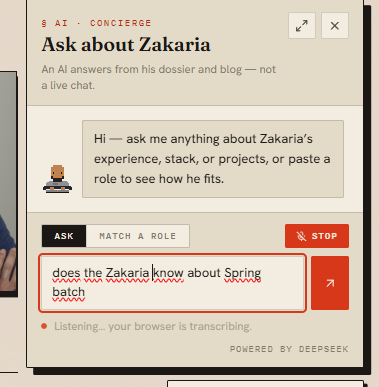
Auto-send would have turned that into a spent question from a fixed quota, answered from a subtly mangled prompt. The review step is not friction in the way of the feature. It is the feature.
The hot mic
Here is the failure mode that actually worried me: a microphone that keeps listening after the moment it belongs to has passed.
Two things in my UI can make the composer go away without unmounting the component that owns the recogniser. Closing the chat panel is one. The other I only found because I went looking: an easter egg overlay on the site sits at z-index: 80, above the panel's 70. Trigger it mid-dictation and the mic keeps running with its lit "Stop" button hidden behind a full-screen overlay. Rare. Also exactly the kind of thing you do not want to explain afterwards.
So the recogniser hangs off a single enabled flag that folds in every condition, and there is one more ordering detail that matters:
function detach(recogniser: Recogniser | null): void {
  if (!recogniser) return
  // Unhook FIRST, then abort. abort() still queues an `end` event, so a recogniser
  // retired while a new turn is starting would otherwise flip `listening` back to
  // false a tick after the new one set it true.
  recogniser.onresult = null
  recogniser.onerror = null
  recogniser.onend = null
  recogniser.abort()
}
I also stopped reusing one recogniser across turns and started building a fresh one each time. That single change deleted three problems at once: the stale lang, the watermark reset, and the InvalidStateError window while a previous session is still unwinding. Constructing one costs nothing.
The part that wasn't code
Here is what the API docs bury: in Chrome, Edge and Safari, "the browser transcribes it" means the browser ships your audio to the vendor's speech service. It is not local. It is a network call to Google or Apple with a recording of someone's voice on it.
My privacy page said, in writing, that there are no third-party trackers on the site and listed exactly where every byte goes. Adding this feature made a third party a participant for the first time. That is not a UI change; it is a disclosure event.
So the same commit that added the button added a Voice input section to the privacy page, stating plainly that the audio goes to the browser vendor, that the site itself never receives or stores it, that only the text you choose to send arrives here, and that typing avoids the whole thing. That instinct comes straight from my day job in regulated banking, where "we added a small feature and data started leaving the building" is a sentence with consequences.
One related call: where the API is missing — Firefox, most Android WebViews — the button is not rendered at all, rather than rendered and disabled. A greyed-out control that can never work only advertises an absence.
A footnote for the TypeScript people
TypeScript's DOM library ships SpeechRecognitionEvent, SpeechRecognitionErrorEvent and SpeechRecognitionErrorCode — but not SpeechRecognition itself, and nothing on Window. The constructor is still vendor-prefixed, so there is no standard name for the lib to declare. You get the payload types for free and hand-roll the eight members of the recogniser you actually touch.
Worth it?
Yes, and not because dictation is impressive — it is a browser primitive that has been sitting there for years. It is worth it because the feature is a good miniature of how this work usually goes. The capability was free and took twenty minutes. Making it behave correctly in a real interface, refuse to leave a microphone running, and tell the truth about where the audio goes took the rest of the day.
The mic was the easy part.