Learning sbt from Maven: Eight Lessons from a Runnable Scala 2.13 Build
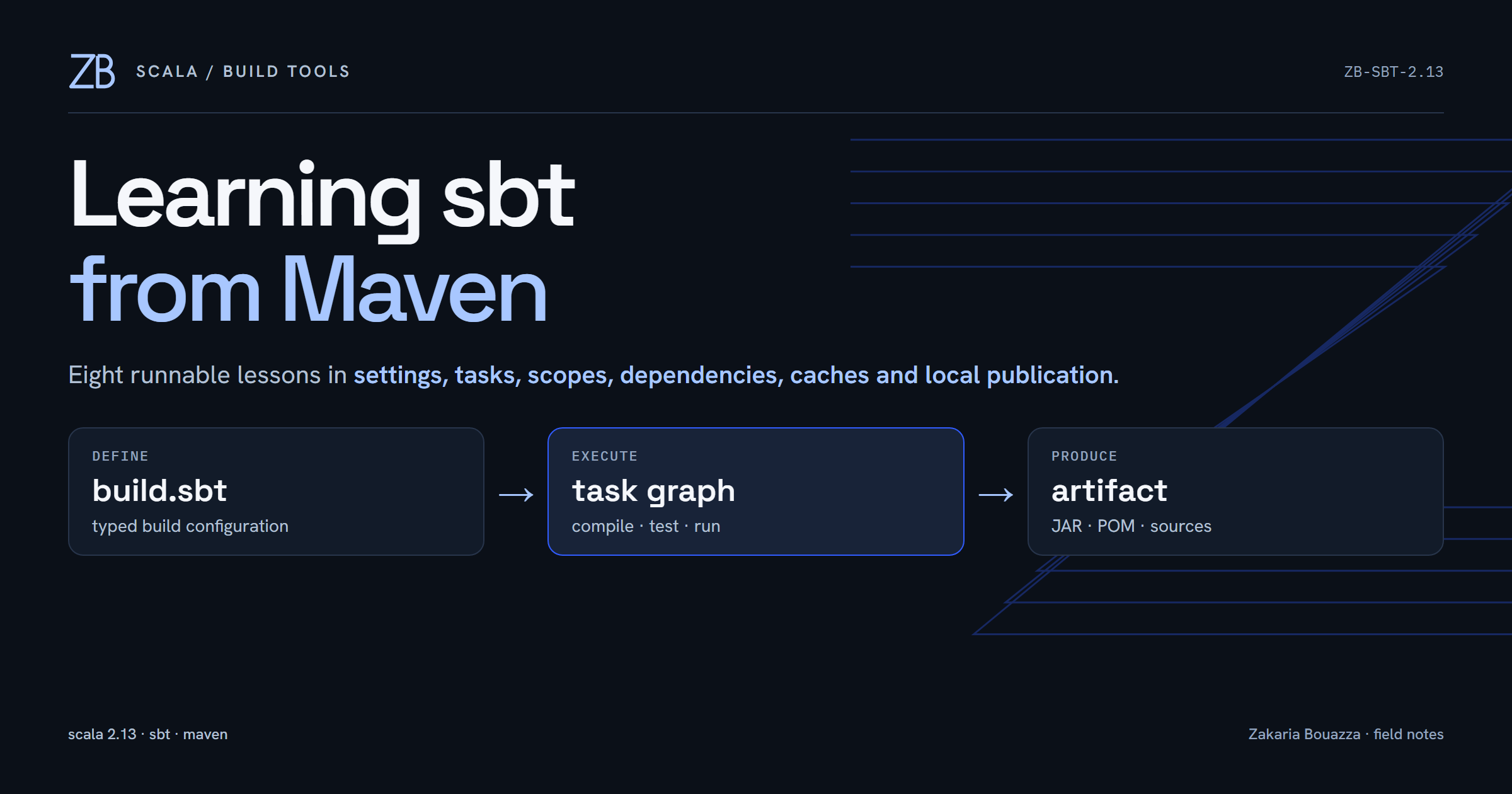
I have spent years with Java, Spring Boot and Maven, so starting Scala did not make the build disappear. It replaced a model I already understood with one whose vocabulary looked familiar but behaved differently. I could run sbt run, but that was about the extent of my sbt knowledge.
I decided to fix that with a small, runnable Scala 2.13.18 project. The rule was simple: one concept at a time, every claim checked against the build, and Maven comparisons used as a bridge rather than forced into false equivalence. The resulting lab uses sbt 1.12.15, Java 21 and ScalaTest 3.2.19.

Lesson 1: the runner is not the project version
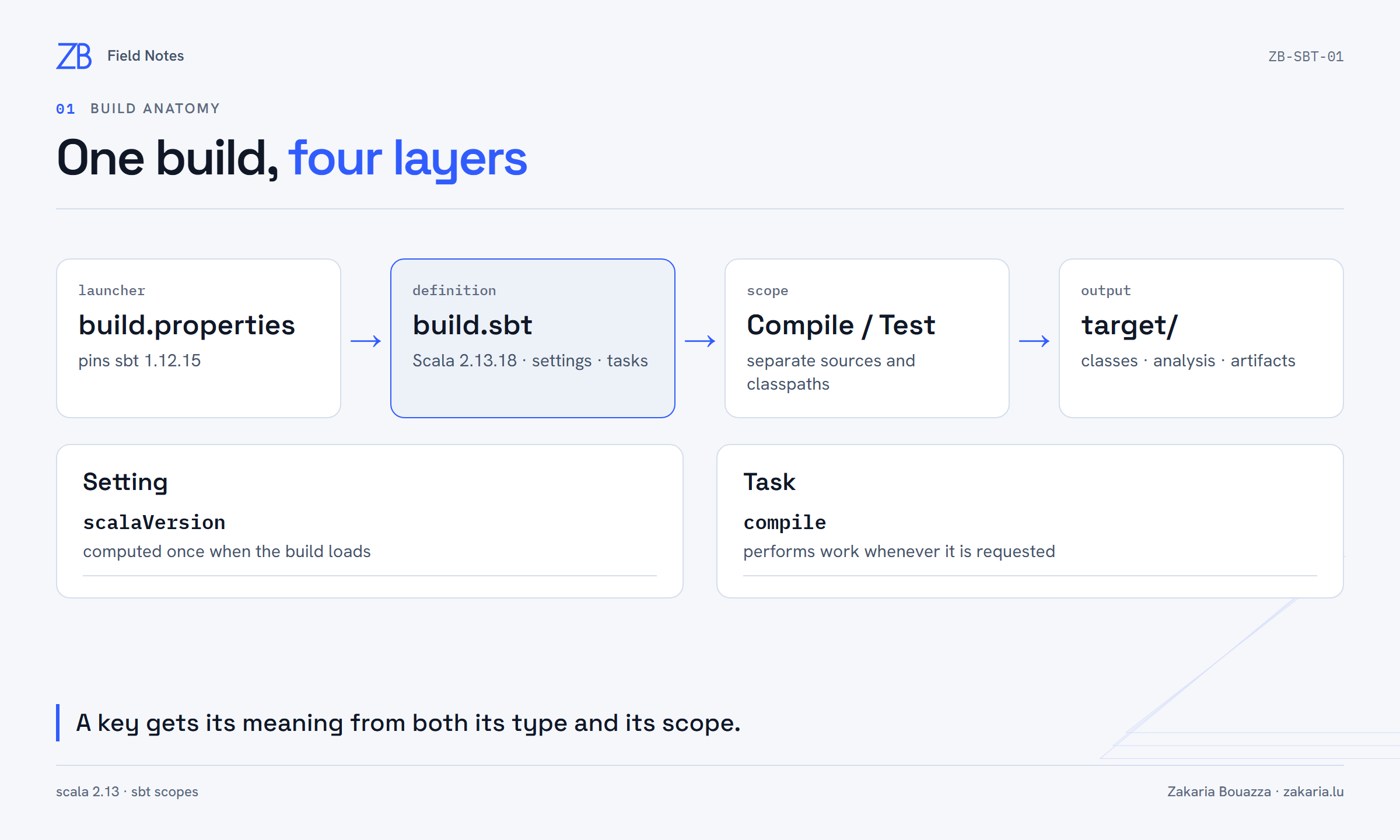
The first useful surprise came from sbt --version. My installed command reported runner version 2.0.6, but it also explained that the actual sbt version belongs to each build. That version is pinned in project/build.properties:
sbt.version=1.12.15The runner launches the version requested by the project. This is closer to a Maven wrapper choosing a build-tool version than to a globally installed Maven binary dictating every project.
The rest of the minimal project has two pieces. build.sbt defines the build, while src/main/scala contains production Scala code. I started with a deliberately Java-shaped entry point:
package learning

object Main {
  def main(args: Array[String]): Unit = {
    println("Hello from Scala 2.13.18 and sbt!")
  }
}
Running sbt compile run loaded sbt 1.12.15, compiled one source into target/scala-2.13/classes, and printed the message. The folder structure felt familiar immediately; the build model needed more attention.
Lesson 2: settings and tasks are different kinds of keys
My first build.sbt contained a build-wide Scala setting and one project:
ThisBuild / scalaVersion := "2.13.18"

lazy val root = (project in file("."))
  .settings(
    name := "sbt-learn"
  )
In sbt, both configuration and executable work are addressed through keys. A setting such as scalaVersion is calculated when the build loads. A task such as compile performs work when invoked. The official sbt task-graph documentation describes the same distinction: settings are evaluated once during load, while task computations run when requested.
The shell lets the build explain itself:
show scalaVersion
show name
inspect scalaVersion
inspect compile
show returned 2.13.18 and sbt-learn. inspect scalaVersion identified a Setting, showed that it was defined on line 1 of build.sbt, and listed the keys that consume it. inspect compile identified a Task and exposed its dependencies. This is one of the habits I want to keep: ask the live build before guessing.
Lesson 3: a key also has a scope
The slash in Compile / compile is structural. Compile is a configuration; compile is the task key inside that configuration. The same key can have a different value or behavior in another scope.
I added a tiny source under src/test/scala and asked sbt for both directory sets:
show Compile / sourceDirectories
show Test / sourceDirectories
Compile / compile
Test / compile
The production configuration pointed at src/main/scala and wrote classes to target/scala-2.13/classes. The test configuration pointed at src/test/scala and wrote to target/scala-2.13/test-classes. In Maven language, this is the distinction between main compilation and test-compile, expressed through explicit sbt scopes.
The official sbt scope reference goes further: a complete scope can include project, configuration and task axes. I did not need all three axes in this small build, but understanding that they exist explains why a bare key name is sometimes insufficient.
Lesson 4: Zinc explains the fast second compile
I then ran the same compile task twice, cleaned the project, and compiled again:
Compile / compile
Compile / compile
clean
Compile / compile
The first two invocations produced no compiler line because the existing output and analysis were current; the second completed in zero seconds. clean removed the project's generated target content. The final invocation printed compiling 1 Scala source because both the class file and incremental analysis were gone.
sbt uses Zinc for incremental recompilation. It tracks relationships between sources, APIs, classes and dependencies so it can rebuild the smallest correct set after a change. clean is therefore more than deleting a JAR: it also removes the analysis that lets Zinc skip known-current work. It does not clear machine-wide dependency caches.
Lesson 5: dependency coordinates, percent and double percent
The first managed dependency was ScalaTest, restricted to the test configuration:
libraryDependencies +=
  "org.scalatest" %% "scalatest" % "3.2.19" % Test
The organization is Maven's groupId. The module is the base artifact name. The next percent introduces the version, and % Test keeps the library off the production classpath. += appends one dependency to the existing setting.
The important Scala-specific operator is %%. It appends the project's Scala binary version, so the resolved artifact is:
org.scalatest:scalatest_2.13:3.2.19With a normal Java library I would use a single %, because its published artifact name does not carry a Scala binary suffix. The official sbt cross-building documentation confirms that %% is shorthand for adding _<scala-binary-version>.
I added one AnyFunSuite test and ran sbt update test. sbt compiled two test-side Scala sources, executed one test, and reported one success with no failures.
Lesson 6: direct, transitive and evicted dependencies
libraryDependencies showed ScalaTest as direct. Test / dependencyTree showed the graph it brought with it: scalatest-core, scalactic, scala-xml and the individual ScalaTest style modules. Those are transitive dependencies because the build did not declare them itself.
The scope mattered again. Plain dependencyTree displayed the production graph and omitted ScalaTest. Test / dependencyTree displayed the test graph because the dependency was declared with % Test.
The tree also exposed a version choice:
org.scala-lang:scala-reflect:2.13.10 (evicted by: 2.13.18)
org.scala-lang:scala-reflect:2.13.18
Both versions were requested somewhere in the graph, but only 2.13.18 reached the final classpath. The unselected 2.13.10 was marked as evicted. Interestingly, Test / evicted produced no warning output: that task reports detailed eviction warnings, while the dependency tree still shows compatible replacements.
I also tried Test / whatDependsOn .... This bare build rejected it with Not a valid key: whatDependsOn. That unsuccessful experiment was useful: commands available through plugins or other setups should not be assumed to exist everywhere. inspect confirmed that dependencyTree was available in this build and described exactly what it did.
Lesson 7: repository, cache and local repository are not synonyms
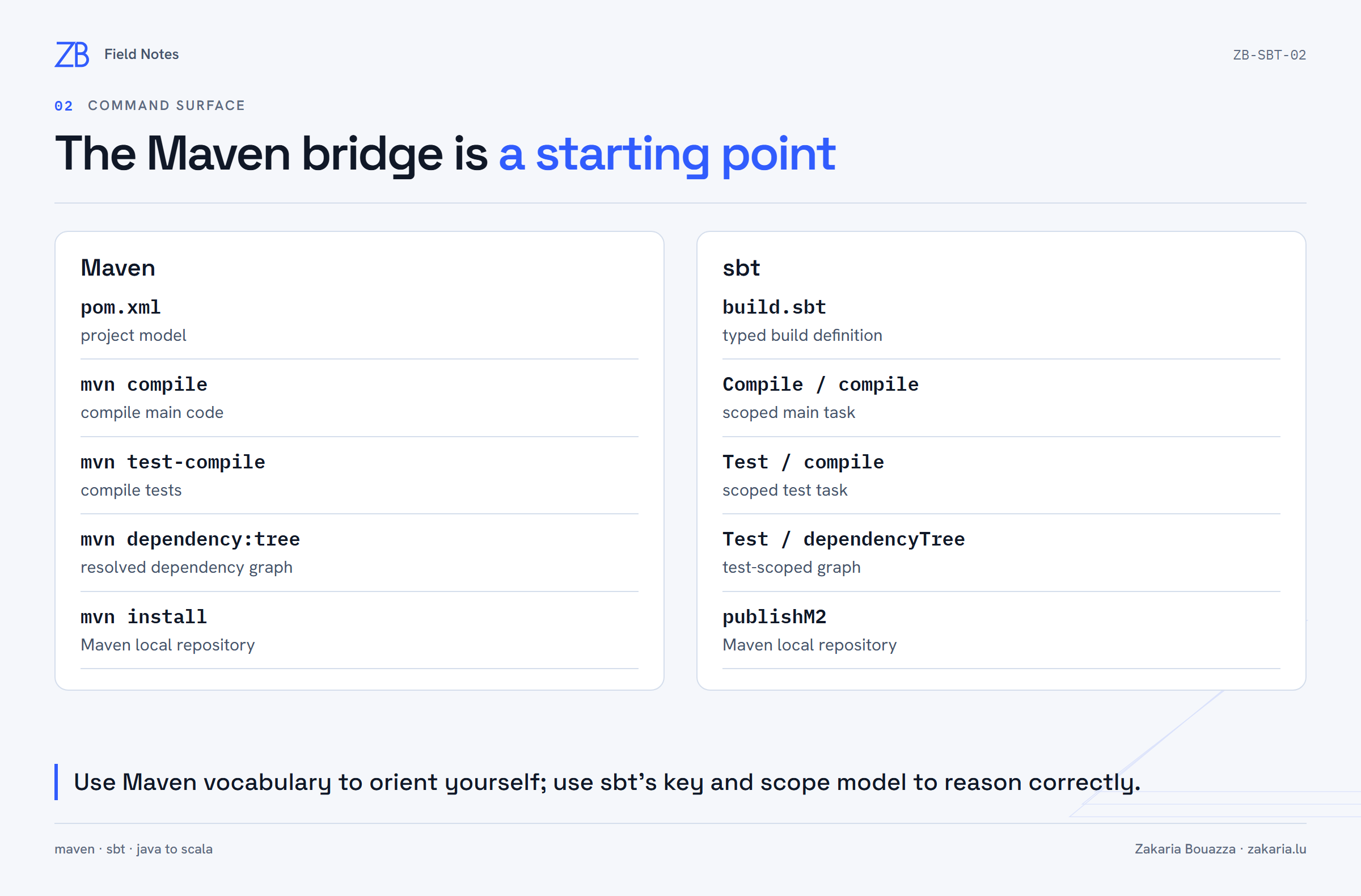
show externalResolvers reported two sources: the local Ivy repository and Maven Central. show csrCacheDirectory reported the Coursier cache under %LOCALAPPDATA%\Coursier\Cache\v1. show ivyPaths pointed at ~/.ivy2.
Then show Test / externalDependencyClasspath made the flow concrete. The Scala library, ScalaTest modules, Scalactic and scala-xml JARs were loaded directly from paths inside the Coursier cache. Another project requesting the same coordinates can reuse those files rather than download them again.
This produced a distinction I had previously compressed into “the local repo”:
- A remote repository hosts artifacts, such as Maven Central.
- A download cache reuses fetched artifacts across builds.
- A local repository stores artifacts deliberately published on the machine.
Maven commonly concentrates mirrors, proxies, credentials and repository behavior in settings.xml, with ~/.m2/repository serving local-repository and cache roles. sbt can take repository configuration from the build, global sbt settings and launcher-level configuration. There is no honest one-file replacement for every role of Maven's settings.xml.
Lesson 8: artifact identity and two kinds of local publication
To publish the project, I made its identity explicit:
ThisBuild / organization := "dev.zakaria.learning"
ThisBuild / version := "0.1.0-SNAPSHOT"

lazy val root = (project in file("."))
  .settings(
    name := "sbt-learn"
  )
With Scala 2.13 binary suffixing, the published coordinate became:
dev.zakaria.learning:sbt-learn_2.13:0.1.0-SNAPSHOTpublishLocal wrote the POM, binary JAR, source JAR, documentation JAR and Ivy metadata under ~/.ivy2/local. publishM2 wrote Maven-layout artifacts under ~/.m2/repository. The second command is the close equivalent of mvn install. Both remained entirely local; neither uploaded anything to GitHub or Maven Central.
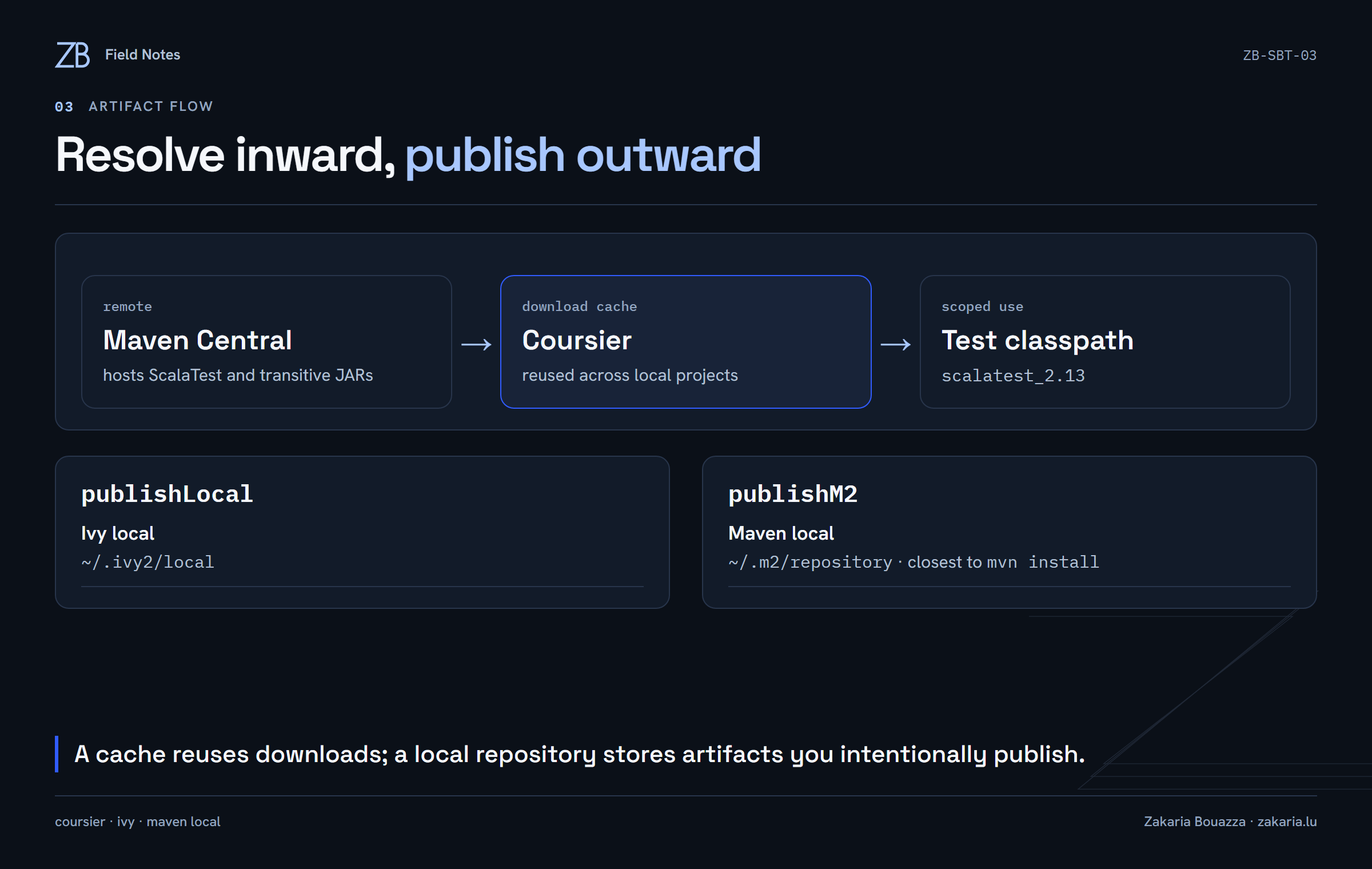
The compact Maven bridge I ended up with
| Maven | sbt | Qualification |
|---|---|---|
pom.xml | build.sbt | Project model versus executable typed build definition |
mvn compile | Compile / compile | Main compilation |
mvn test-compile | Test / compile | Test compilation |
mvn test | test | Compile and run tests |
mvn clean compile | sbt clean compile | Remove generated output, then rebuild |
mvn dependency:tree | Test / dependencyTree | Choose the scope whose classpath matters |
mvn install | publishM2 | Publish into the Maven local repository |
Turning the session into durable notes
The final step was documentation rather than another sbt feature. I tracked the current lesson and next lesson in outputs/progress.md, kept the full explanations in LESSON.md, and created a private GitHub repository with:
gh repo create sbtlearn --private --source . --remote origin --pushThe repository was initialized on main, pushed through gh, and verified as private. I added a README with the toolchain, quick-start commands, lesson index, Maven bridge and project layout. The README starts with my canonical hoodie mascot because these notes are meant to feel like part of the same learning system as the rest of my work.
What changed in my mental model
I no longer see sbt as a shorter Maven syntax. The Maven comparisons remain useful, but the durable concepts are sbt's own: typed keys, settings calculated at load, tasks evaluated on demand, explicit scopes, a task graph, incremental analysis, Scala-binary artifact names and distinct resolution/publication paths.
The next lesson is to define a custom setting and task. That is where build.sbt stops looking like configuration syntax and starts proving that it is executable, typed build code.