Where does app.jar find its dependencies? The JVM rule hiding in your Dockerfile
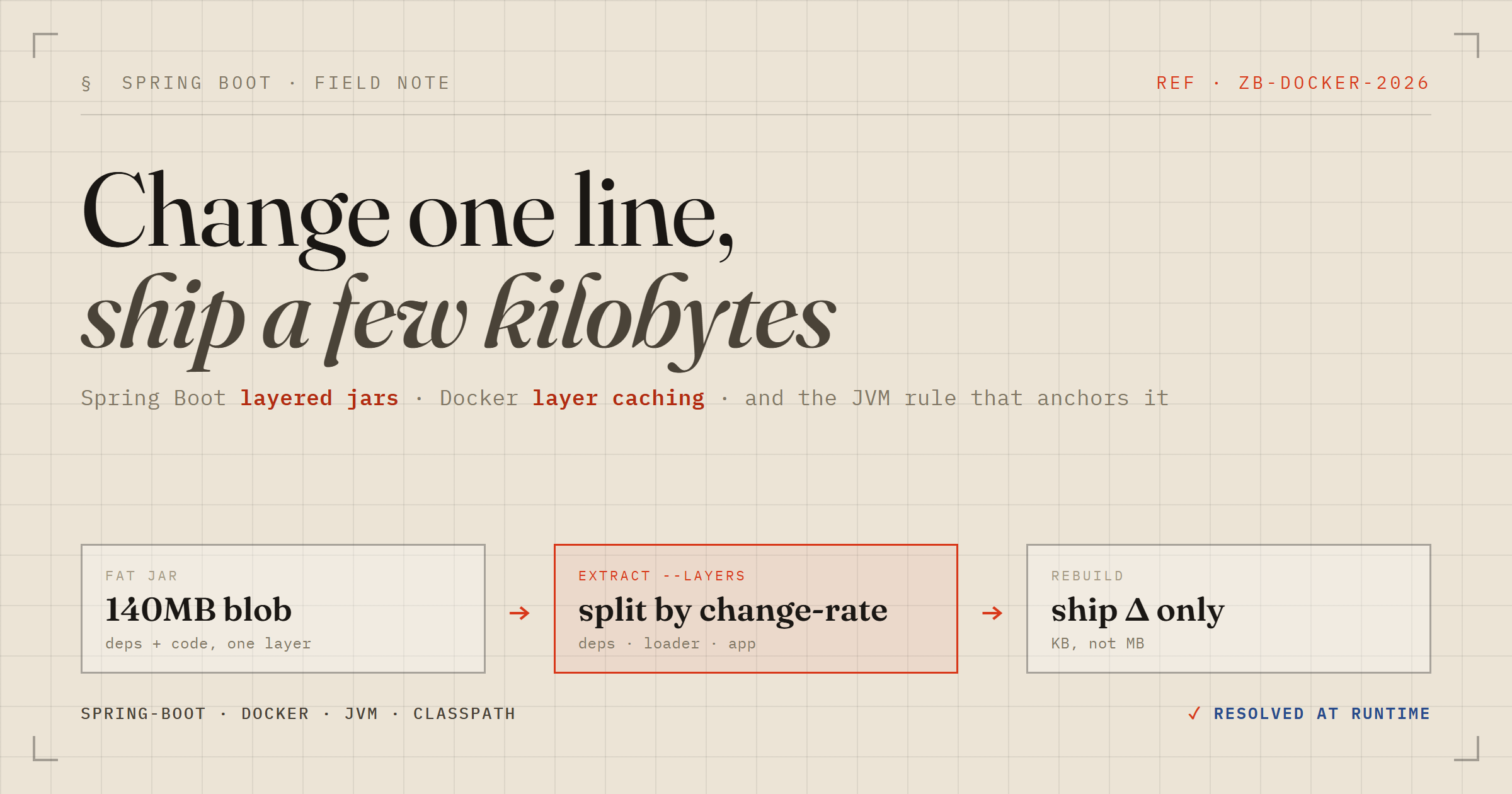
I was wiring a plain Spring Boot service into a docker-compose.yaml — a Postgres container, an app service building from a multi-stage Dockerfile, the usual. The Dockerfile used the layered-jar pattern from the Spring Boot docs, and one line stopped me:
COPY --from=build /workspace/extracted/dependencies/ ./
COPY --from=build /workspace/extracted/spring-boot-loader/ ./
COPY --from=build /workspace/extracted/snapshot-dependencies/ ./
COPY --from=build /workspace/extracted/application/ ./

ENTRYPOINT ["java", "-jar", "app.jar"]
Four separate directories get copied in, then we run app.jar. So how does app.jar — sitting in one layer — find its dependencies, which were copied in from a different layer? I thought I knew. I was half wrong, and the real answer is nicer than the one I had in my head.
The jar is not what you think it is
Start with the build output. mvn package gives you a fat jar. Crack open its manifest:
Main-Class: org.springframework.boot.loader.launch.JarLauncher
Start-Class: com.elzakaria.packspring.PackspringApplication
Spring-Boot-Classpath-Index: BOOT-INF/classpath.idx
java -jar on the fat jar does not boot your app directly. It boots Spring Boot's JarLauncher, whose whole job is to build a classpath first, then hand off to your real Start-Class. It has to, because your dependencies are jars nested inside the jar (BOOT-INF/lib/*.jar), and the stock JVM can't load a jar-inside-a-jar. Spring ships a custom classloader for exactly this, and classpath.idx is its ordered shopping list of nested entries.
That's the mechanism I remembered. But it is not what runs in the container.
Enter jarmode=tools
The layered Dockerfile doesn't ship the fat jar. It runs this first:
java -Djarmode=tools -jar app.jar extract --layers --destination extractedOn Spring Boot 4.1 that produces a directory per layer. The interesting one is application/ — it contains a single app.jar. The dependencies land next door in dependencies/lib/. So this app.jar is a completely different animal from the fat jar. Open its manifest:
Main-Class: com.elzakaria.packspring.PackspringApplication
Class-Path: lib/logback-classic-1.5.34.jar lib/HikariCP-7.0.2.jar
  lib/spring-data-jdbc-4.1.0.jar lib/postgresql-42.7.11.jar ...
Two things jump out. Main-Class is now my application — no JarLauncher in sight. And the dependencies are listed in a plain Class-Path manifest attribute as lib/….jar, as ordinary files sitting beside the jar. Spring's custom loader has stepped out of the picture entirely. Once the deps are exploded onto disk as real files, you don't need it anymore — the boring old JVM classpath is enough.
The actual question: where is the root written?
Here's the part that made me stop. Those Class-Path entries are relative: lib/postgresql-42.7.11.jar. Relative to what? The container's WORKDIR is /app, and everything got copied there, so the deps live at /app/lib/. But nothing in the manifest says /app. Nothing in my compose file says it either. So where is that resolution root written down?
It isn't. That's the answer. It's not written anywhere — it's discovered at runtime, and the rule that governs it predates Spring Boot by about fifteen years.
The JAR spec says relative
Class-PathURLs are resolved against the location of the jar file that contains the manifest.
That's the whole trick. When the container runs java -jar app.jar from /app, the JVM is handed /app/app.jar and inherently knows that jar's own location on disk. It reads Class-Path: lib/postgresql-….jar and resolves it relative to the jar — giving /app/lib/postgresql-….jar. The dependencies layer put the jars at exactly that path. Match. It's the stock URLClassLoader, same behaviour since Java 1.2.
The /app part is never a hardcoded root. It just happens to be where the jar lives, and the relative paths ride along with it. Move the whole folder to /opt/foo and it still works, because lib/ is anchored to the jar, not to /app. That's the elegance: the layers are copied back into one directory, and a rule about relative paths does the rest.
So why bother splitting it up?
Not for faster builds — the extract step actually adds work on a cold cache. The payoff is faster rebuilds and pushes, via Docker layer caching. A Docker image is a stack of layers, and Docker only rebuilds and re-transfers the layers whose inputs changed. So you separate things by how often they change:
- dependencies (~140MB) — change only when
pom.xmlchanges. Almost never. - spring-boot-loader — basically frozen.
- application (your code) — changes on every single commit, but it's a few KB.
If everything lived in one fat jar in one layer, changing a single line of code would invalidate that layer and re-ship all 140MB of dependencies — every commit, every CI run, every deploy. Split into layers, a code change only touches the tiny application layer. You push kilobytes instead of hundreds of megabytes. One caching subtlety: order matters. Least-likely-to-change has to be copied first, because once a layer is invalidated, everything stacked above it rebuilds too.
The takeaway I keep
Two mechanisms, one goal, and it's worth knowing which one you're actually running:
- Fat jar — deps nested inside, found via Spring's
JarLauncher+classpath.idx+ a custom classloader. Great forjava -jaranywhere. - Extracted jar (what the container runs) — deps as real files in
lib/, found via the standard manifestClass-Path, resolved by the plain JVM relative to the jar's own location.
The bit I'll remember: when you can't find where a path's root is configured, it's often because it isn't — something is resolving it relative to itself at runtime. The most robust designs tend to have no absolute anchor at all.