The Offline Half of RAG
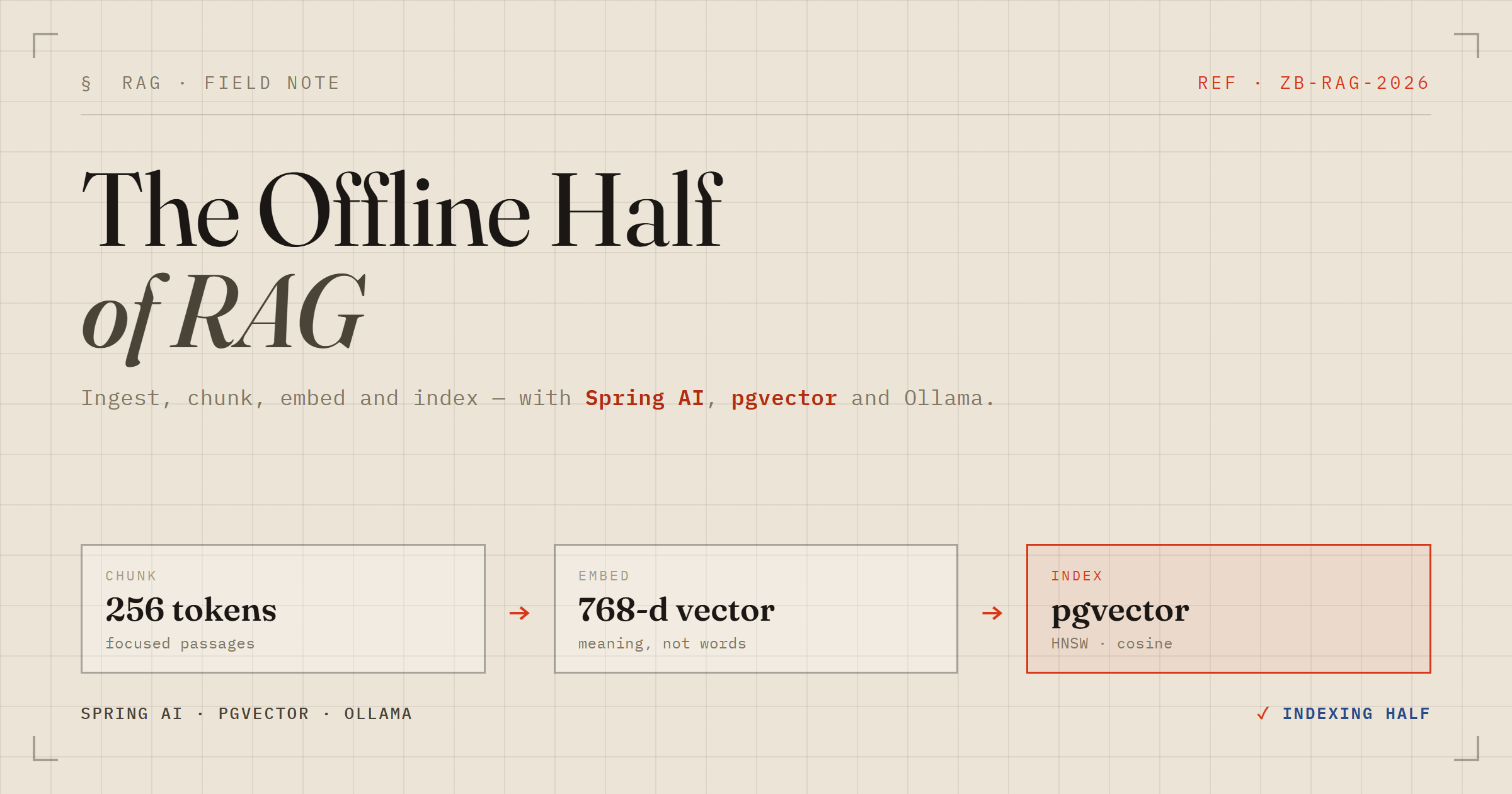
Retrieval-Augmented Generation usually gets sold as “let the model use your data.” That framing quietly skips the part that actually decides whether it works. RAG has two halves, and only one of them involves a language model at all. The other half runs long before any question is asked — and it is where answer quality is won or lost.
To keep this concrete rather than hand-wavy, I built a small Spring Boot project — spring-ai-rag-pgvector — on Spring AI 1.0.3, pgvector, and a local Ollama embedding model. Everything below is the offline half of that project: read, chunk, embed, index. No LLM appears until the last section.
Two halves — build the boring one first
Offline indexing runs once per document: read the file, split it into chunks, embed each chunk, store the vectors. Online querying runs once per question: embed the question, retrieve the nearest chunks, drop them into a prompt, ask the model.
The important property is that these two halves are separable. You can build the whole index and inspect exactly what a query pulls back — the top-K chunks and their similarity scores — with no model in the loop. If retrieval returns junk, no amount of prompt engineering will save the answer. So the offline half earns your attention first.
The pipeline: read, chunk, embed, index
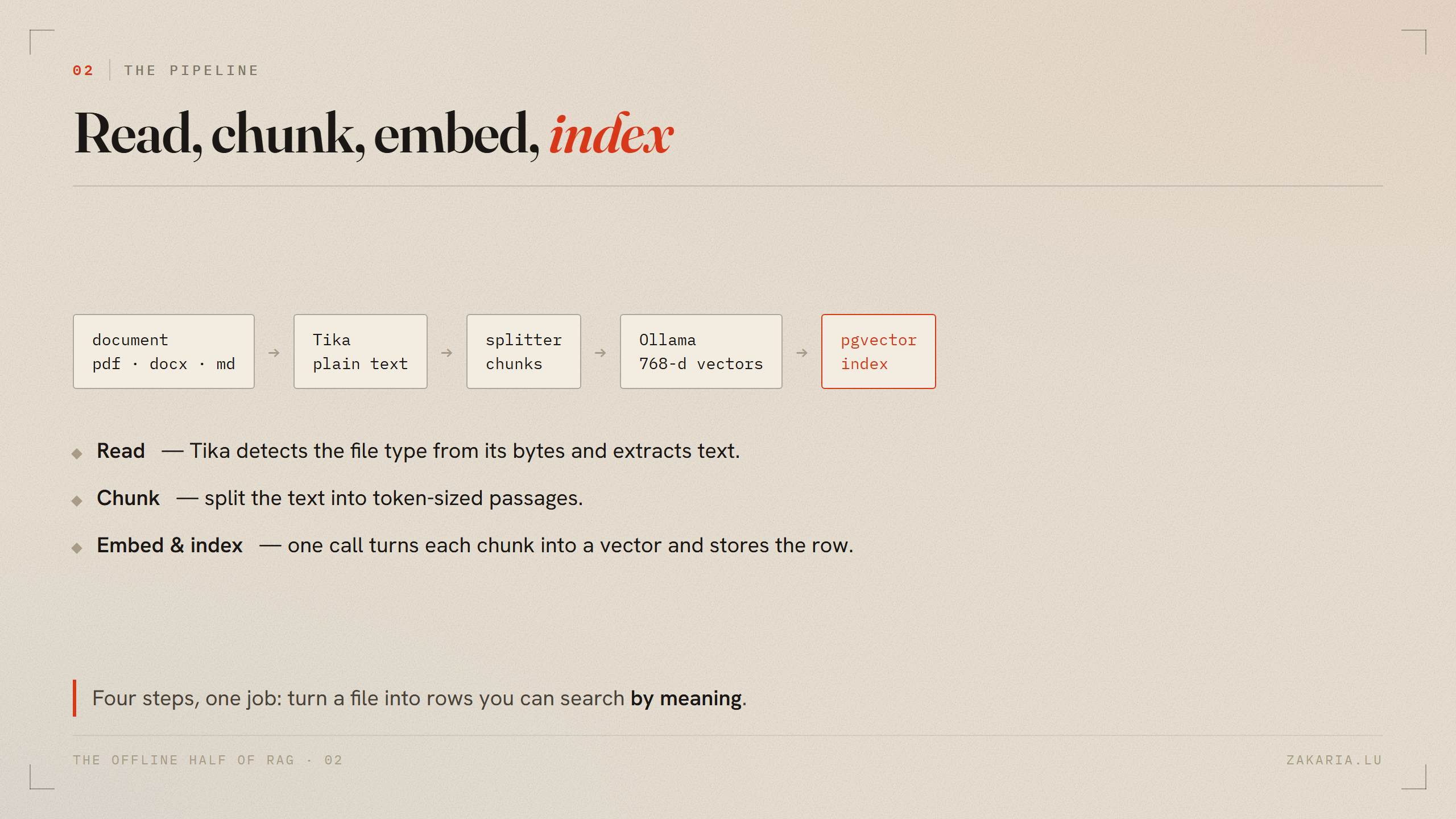
Apache Tika detects the file type from its bytes and extracts plain text, so one reader handles PDF, Word, HTML, Markdown and text. A splitter breaks that text into passages. An embedding model turns each passage into a vector. pgvector stores the rows and makes nearest-neighbour search fast. In Spring AI terms this is the ETL pipeline — a reader, a transformer, a writer — and each stage is a plain Java functional interface underneath.
Chunking is the single biggest lever
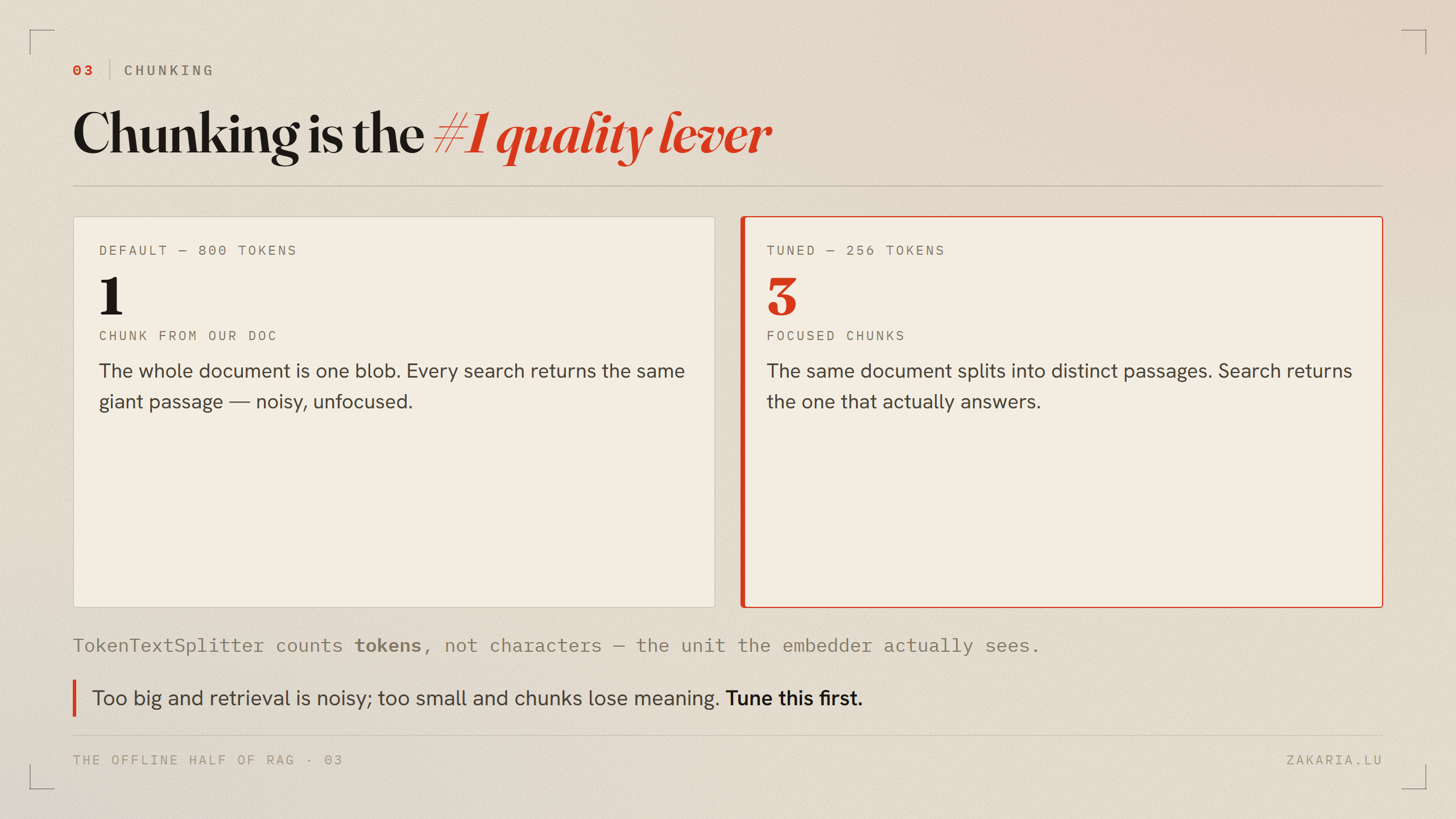
Here is the result that makes the point. My primer document is under 800 tokens, so the default TokenTextSplitter emitted a single chunk — the whole file. Every search then returned that same giant blob, which is useless. Dropping the chunk size to 256 tokens split the document into three focused passages, and search immediately started returning the one that actually answered. Note the splitter counts tokens, not characters — the unit the embedder actually sees. Too big and retrieval is noisy; too small and chunks lose meaning. Tune this before anything else.
Embeddings turn meaning into coordinates
An embedding maps text to a point in a high-dimensional space — 768 dimensions for nomic-embed-text — arranged so that similar meaning lands nearby. That is why “how do I get my money back” retrieves a passage about “refund policy” with no shared keywords. The request the app makes is unremarkable:
POST /api/embed
{ "model": "nomic-embed-text", "input": "why chunk documents" }

// response
{ "embeddings": [[ 0.0179, 0.088, -0.193, ... ]] }   // 768 numbers
Two properties matter. Embedding is deterministic: the same text returns an identical vector every time — I verified a maximum difference of 0.0 across repeated calls, and there is no seed or temperature to set, because unlike generation there is no sampling step. And you must use the same model for documents and queries, or they land in different spaces and never match.
pgvector is just Postgres
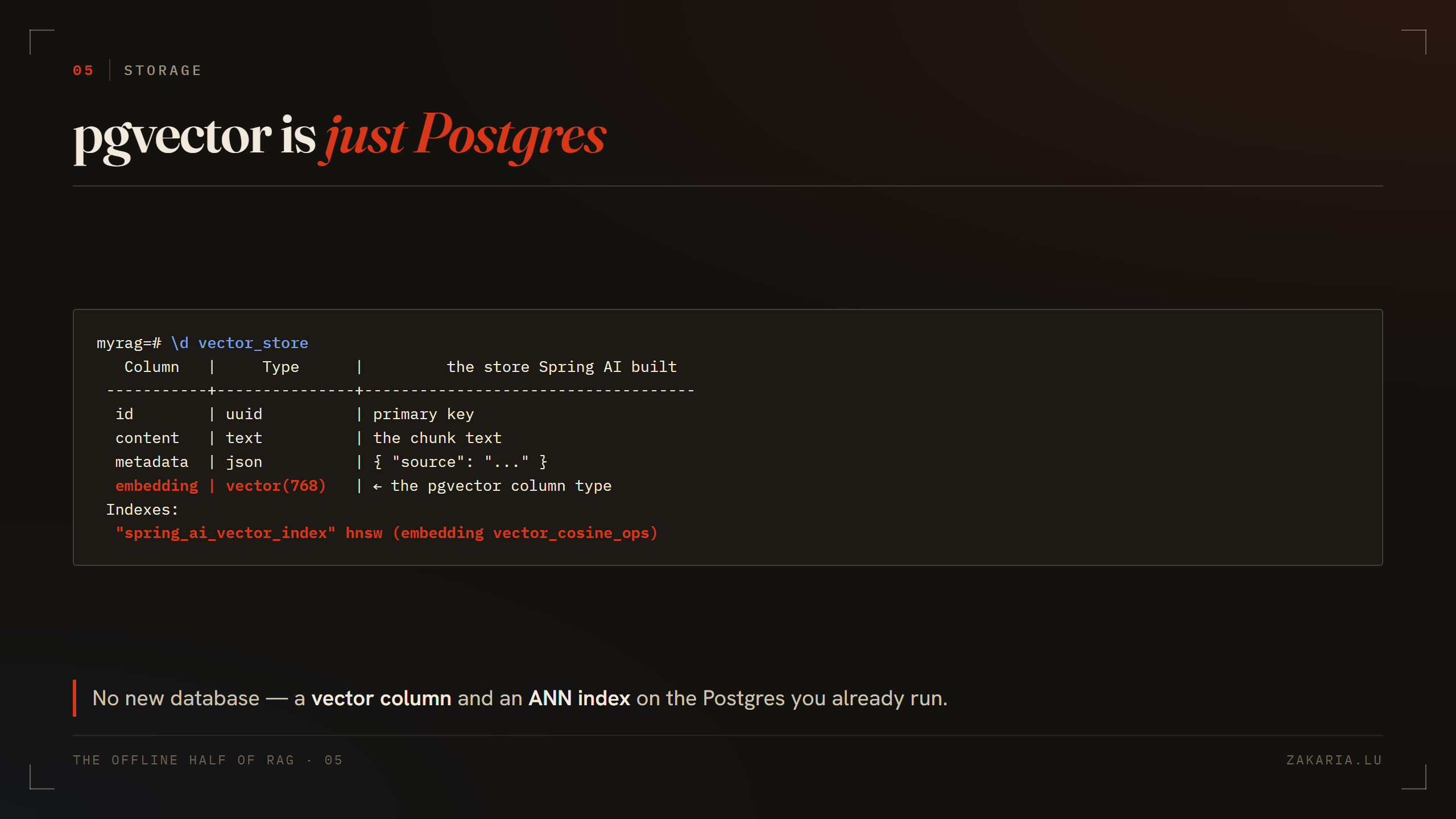
There is no separate “vector database” here. pgvector is a Postgres extension that adds a vector column type, distance operators like <=> (cosine), and index methods. Spring AI created the table above, with the embedding stored as vector(768) and an HNSW index using cosine ops. One detail worth internalising: functions like vector_dims and the <=> operator look native but are registered by the extension the moment you run CREATE EXTENSION vector — they are first-class catalog objects, not core Postgres.
Spring AI hides the wiring in one call
The entire offline half is three lines, and the third does the real work:
List<Document> docs   = new TikaDocumentReader(resource).read(); // read
List<Document> chunks = splitter.apply(docs);                    // chunk
vectorStore.add(chunks);                                         // embed + index
vectorStore.add(chunks) embeds every chunk via the model, then inserts the rows — no HTTP client, no SQL written by hand. The service field is typed to the VectorStore interface, so nothing in the business code knows pgvector exists; that choice lives entirely in a starter dependency and application.yml. Swap Ollama for another provider, or pgvector for another store, and this code does not change. It is the Spring Data pattern, applied to models.
Running it is one command
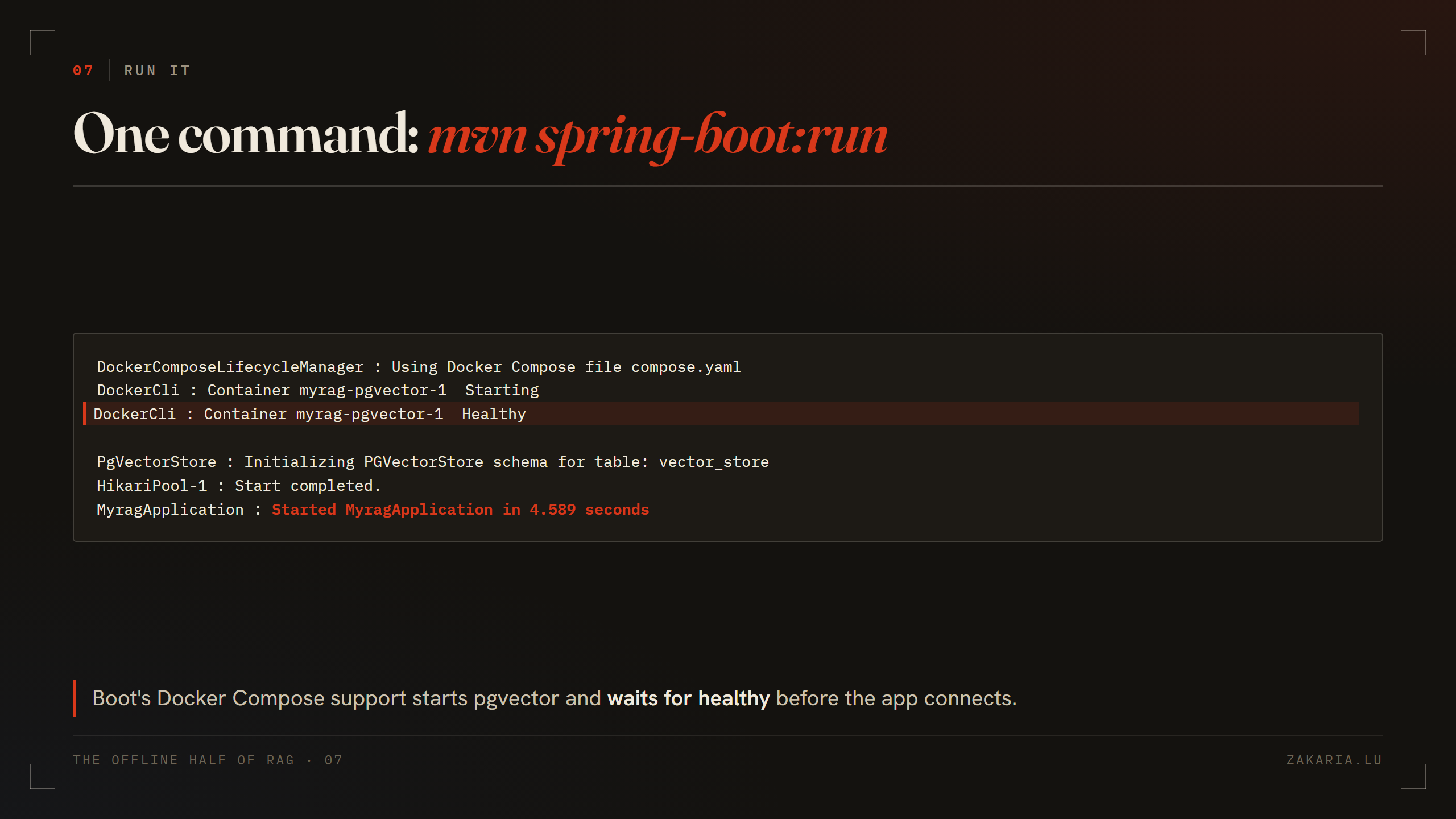
Spring Boot’s Docker Compose support reads compose.yaml, starts the pgvector container, and blocks on its healthcheck — which only passes after the init SQL has enabled the extension — before the app connects. No manual docker compose up. The app was serving in under five seconds.
Four ways to get it wrong
Each of these fails silently until you have hit it once:
- Vector width must match the model.
nomic-embed-textemits 768 numbers, sodimensions: 768. A mismatch rejects every insert. - Schema init is opt-in. Set
initialize-schema: true— it stopped defaulting on in Spring AI 1.0, so without it the table is never created. - Boot needs a hint to wire pgvector. The
pgvector/pgvectorimage name has no “postgres” in it, so add theorg.springframework.boot.service-connection: postgreslabel incompose.yaml. - Ollama is a separate server. It is an always-on service you reach over HTTP, like Postgres — start it before the app, not the other way round.
What’s next: the online half
With the index built, generation is the smaller job. Add a chat model, wire a ChatClient with a QuestionAnswerAdvisor(vectorStore), and Spring AI does retrieve → prompt → generate on every call. Expose an /ask endpoint and you have grounded, source-cited answers. But the hard, quality-determining work is already done: the index you just built is most of RAG, and generation rides on top of it. The full project is on GitHub.