Systemctl isn't the thing that runs your services
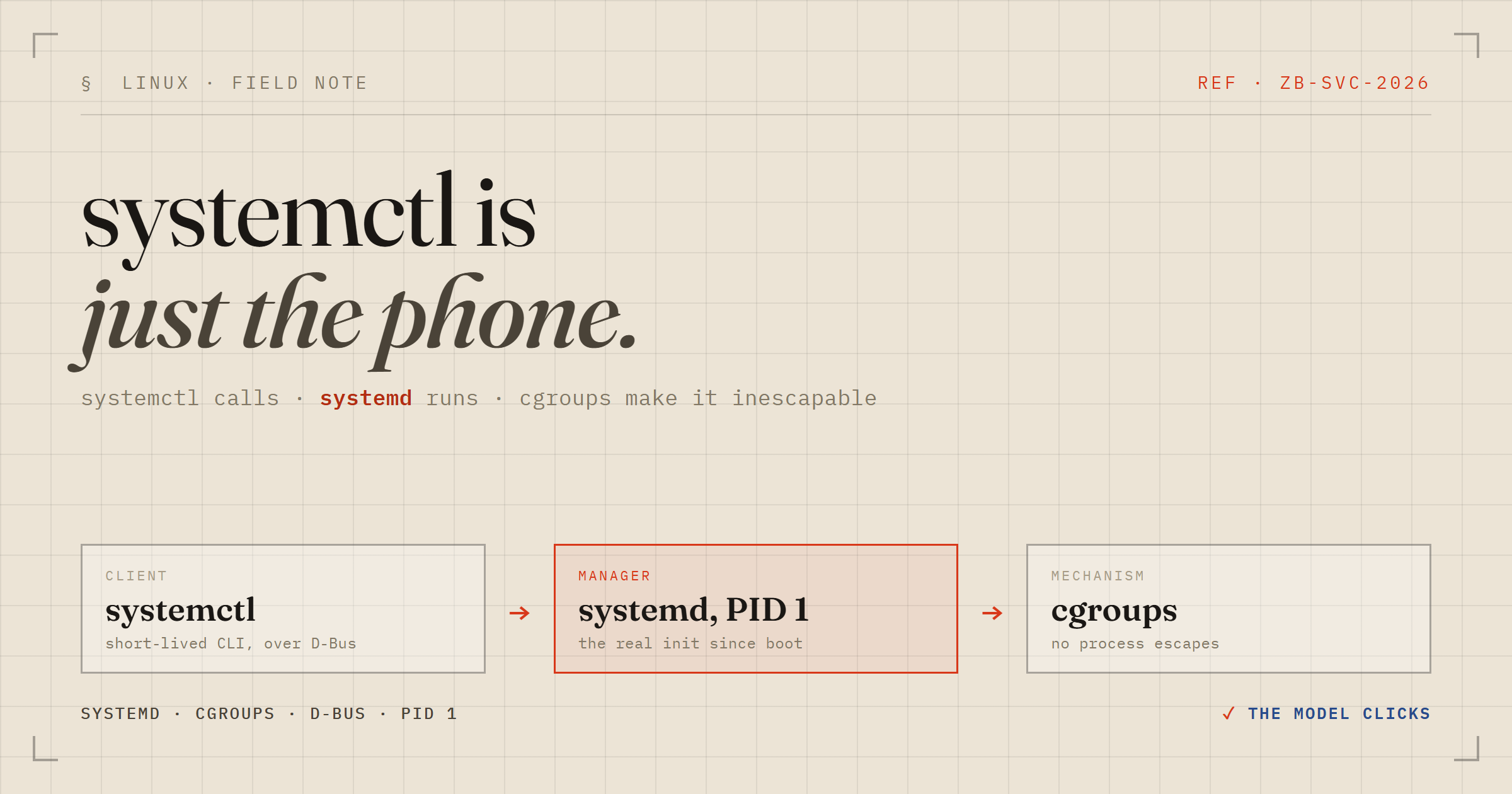
If you've used Linux for more than a week, you've typed systemctl start something. But there's a small conceptual trick that, once it clicks, makes the whole system suddenly legible: systemctl doesn't start anything. It's a client. The thing doing the actual work is a process that's already running, and systemctl just sends it a message.
Here's the mental model, built up the way I wish someone had shown me — ending with the one piece that's the real payoff: cgroups.
systemd is PID 1
When the kernel finishes booting, it executes /sbin/init. On modern distros that's a symlink to systemd. So systemd becomes PID 1 — the ancestor of every other process on the machine, and the thing responsible for bringing the system up and keeping services alive. It runs for the entire lifetime of the box.
systemctl is a separate, short-lived program you invoke from your shell. It does not fork your service. It connects to the already-running systemd manager over D-Bus and issues a method call — StartUnit, StopUnit, and so on. (Very early in boot, before the D-Bus daemon exists, systemd exposes a private socket at /run/systemd/private that speaks the same protocol.) PID 1 receives the request and does the real work.
So systemctl restart nginx is really: your shell → systemctl → a message to PID 1 → systemd re-forks the process tree. Keep that picture. Everything else is detail hanging off it.
Everything is a “unit”
systemd abstracts every manageable thing into a typed unit, identified by its file suffix:
.service— a daemon or process.socket— a listening socket that can lazily start a service on first connection.timer— cron-like scheduled activation.target— a grouping/sync point; the replacement for old SysV runlevels (multi-user.target≈ runlevel 3,graphical.target≈ runlevel 5).mount,.path,.device,.swap,.slice,.scope— the rest of the world, modeled as units
Unit files are read from layered directories, in increasing priority: /usr/lib/systemd/system/ (shipped by packages) → /run/systemd/system/ (volatile) → /etc/systemd/system/ (your overrides win). Edit a unit by hand and you must run systemctl daemon-reload so systemd re-parses it.
Let's actually build one
Talking about services is less useful than making one. Here's the smallest thing that shows the full lifecycle — a script that logs a line every five seconds.
First, the script it will run:
sudo tee /usr/local/bin/hello-loop.sh > /dev/null <<< 'while true; do echo "hello from my service, it is $(date)"; sleep 5; done' && sudo chmod +x /usr/local/bin/hello-loop.shThen the unit file itself — this is the service definition:
[Unit]
Description=My first hello service
After=network.target

[Service]
ExecStart=/bin/bash /usr/local/bin/hello-loop.sh
Restart=on-failure

[Install]
WantedBy=multi-user.target
Re-read units and start it:
sudo systemctl daemon-reload && sudo systemctl start hello.serviceNow systemctl status hello.service shows something like this — and it's worth reading closely, because it's showing you three separate concepts at once:
● hello.service - My first hello service
     Loaded: loaded (/etc/systemd/system/hello.service; disabled; preset: enabled)
     Active: active (running) since Wed 2026-07-01 03:58:30 CEST; 7s ago
   Main PID: 1120 (bash)
     CGroup: /system.slice/hello.service
             ├─1120 /bin/bash /usr/local/bin/hello-loop.sh
             └─1126 sleep 5
Active: active (running)— runtime state. It's alive right now, this boot.disabled— persistence state. It will not come back after a reboot.CGroup: /system.slice/hello.servicewith two PIDs under it — hold that thought; it's the whole point of the last section.
Follow its output live with journalctl -u hello.service -f (Ctrl+C stops watching, not the service). Service stdout/stderr is captured by journald and correlated to the unit, which is why -u works.
The distinction that trips everyone up: enable vs start
These are orthogonal, and conflating them is the single most common systemd confusion:
start/stopchange runtime state — now, this boot.enable/disablechange persistence — whether it comes up at boot.
enable does something almost anticlimactically simple. It reads the WantedBy=multi-user.target line from the unit's [Install] section and creates one symlink:
sudo systemctl enable hello.service
# Created symlink /etc/systemd/system/multi-user.target.wants/hello.service → /etc/systemd/system/hello.service
That symlink is the entire enable mechanism. It places your service under multi-user.target so it's pulled in at boot. There is no magic registry. enable does not start the service now (add --now if you want both), and disable --now is the clean way to remove the boot symlink and stop it this session. (mask goes further — it symlinks the unit to /dev/null so it can't start at all, even as a dependency.)
The payoff: why systemd tracks services by cgroup, not PID
This is the part that makes systemd genuinely better than what came before, and it has nothing to do with systemd originally — it's a kernel feature systemd leans on.
A cgroup (control group) is a labeled group of processes the kernel tracks together. It gives you two independent things:
1. Accounting and limits. The kernel exposes controllers — cpu, memory, io, pids — that both measure and constrain a group collectively. Set memory.max=512M on a cgroup and every process in it combined can't exceed that; blow past it and the OOM killer fires inside that cgroup only, not across your whole machine. This is exactly how docker run --memory=512m works: Docker just creates a cgroup and writes to those files. It's also how the JVM (since ~Java 10) picks its default heap — it reads the cgroup memory limit, not the host's physical RAM, so -XX:MaxRAMPercentage is computed against the container, not the metal.
2. Inescapable membership. When a process in a cgroup fork()s, the child lands in the same cgroup automatically and can't wander out on its own.
That second property is the reliability win. In the old SysV world, init tracked a daemon by a PID scribbled into a pidfile. If the daemon double-forked, re-exec'd, or spawned children, that PID became a lie — init lost track, orphans leaked, and stop killed the wrong thing or nothing.
systemd sidesteps all of it by putting each service in its own cgroup and trusting the kernel's grouping instead of PIDs. That's why the status output above listed both bash (1120) and its sleep child (1126) under /system.slice/hello.service — the kernel guarantees that membership. The consequences:
systemctl stopdoesn't kill a PID. It tells the kernel “kill everything in this cgroup.” Nothing leaks, however the service forked.systemctl statusreads the cgroup to show the true, complete process tree.- Resource limits in a unit (
MemoryMax=,CPUQuota=,TasksMax=) are just systemd writing to that cgroup's controller files for you.
The /system.slice/ prefix is the hierarchy: cgroups form a tree, and systemd organizes it with slices. system.slice holds system services, user.slice holds user sessions, and a limit set on a parent slice caps all its children collectively. Two versions exist — v1 gave each controller its own messy hierarchy; v2 unifies everything into a single tree, which is what modern distros (and WSL) use. The raw files live under /sys/fs/cgroup/, so cat /sys/fs/cgroup/system.slice/hello.service/memory.current reads a live service's memory straight from the kernel.
Cleaning up
When you're done experimenting, tear it down. The service is running and enabled, so you want to both stop it and remove the boot symlink. One command does both, because --now makes disable also stop the running instance:
sudo systemctl disable --now hello.serviceConfirm it's gone from both dimensions — runtime and persistence:
systemctl is-active hello.service; systemctl is-enabled hello.serviceThat should print inactive then disabled. Leaving it there is harmless — a disabled, inactive unit just sits on disk doing nothing. But to wipe it entirely, delete the two files and reload so systemd forgets it:
sudo rm /etc/systemd/system/hello.service /usr/local/bin/hello-loop.sh && sudo systemctl daemon-reloadThe daemon-reload matters: without it, systemd still holds the parsed unit in memory and will keep listing a phantom hello.service until the next reboot.
The one-line version
cgroups are the kernel primitive; systemd is a cgroup manager wearing an init-system hat — and systemctl is just the phone you use to call it.
Once you see it that way, start vs enable, the process tree in status, the resource limits, and the clean shutdowns all stop being trivia to memorize and become obvious consequences of one design decision.