My private board now feeds my public Workbench
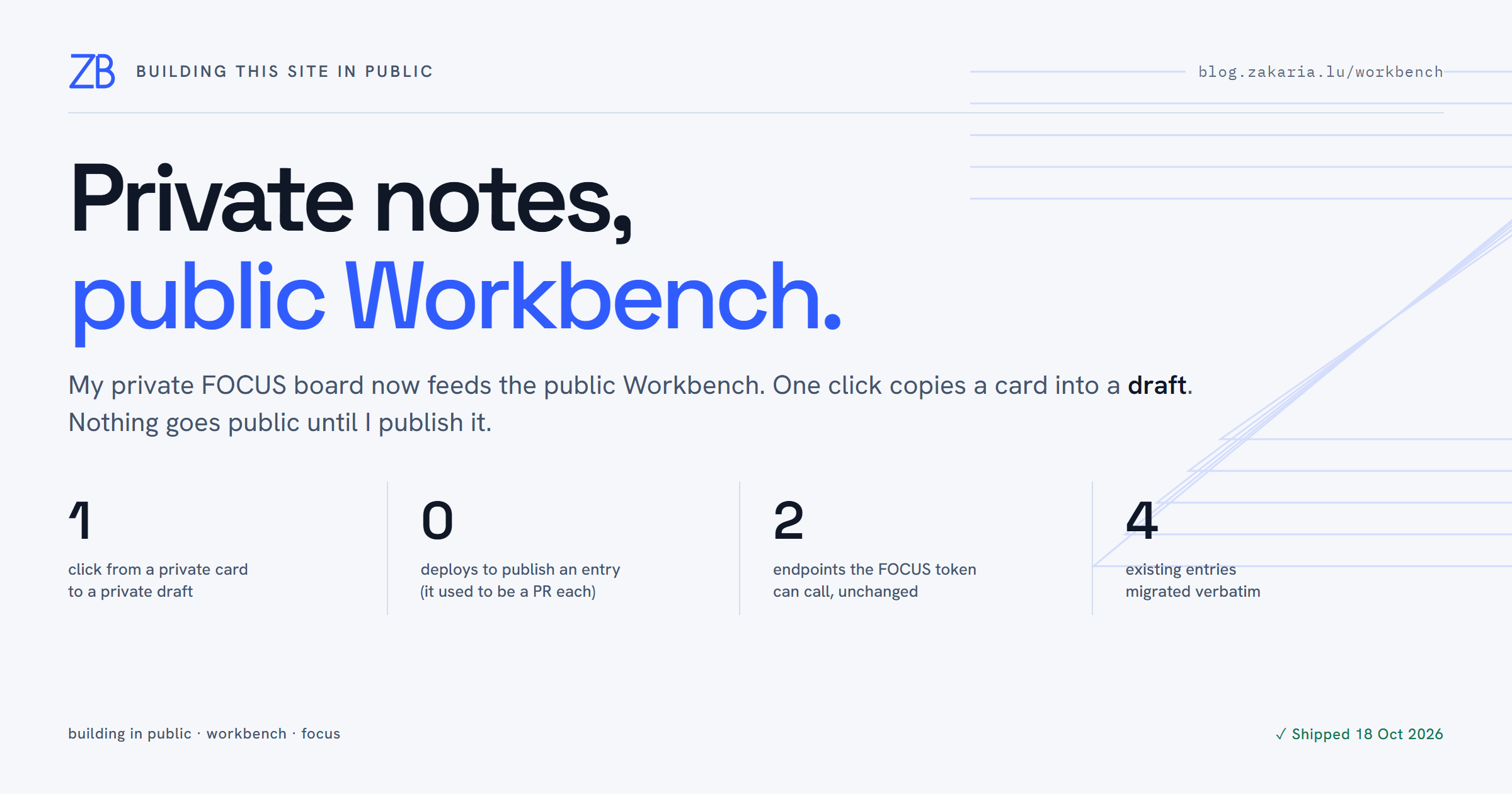
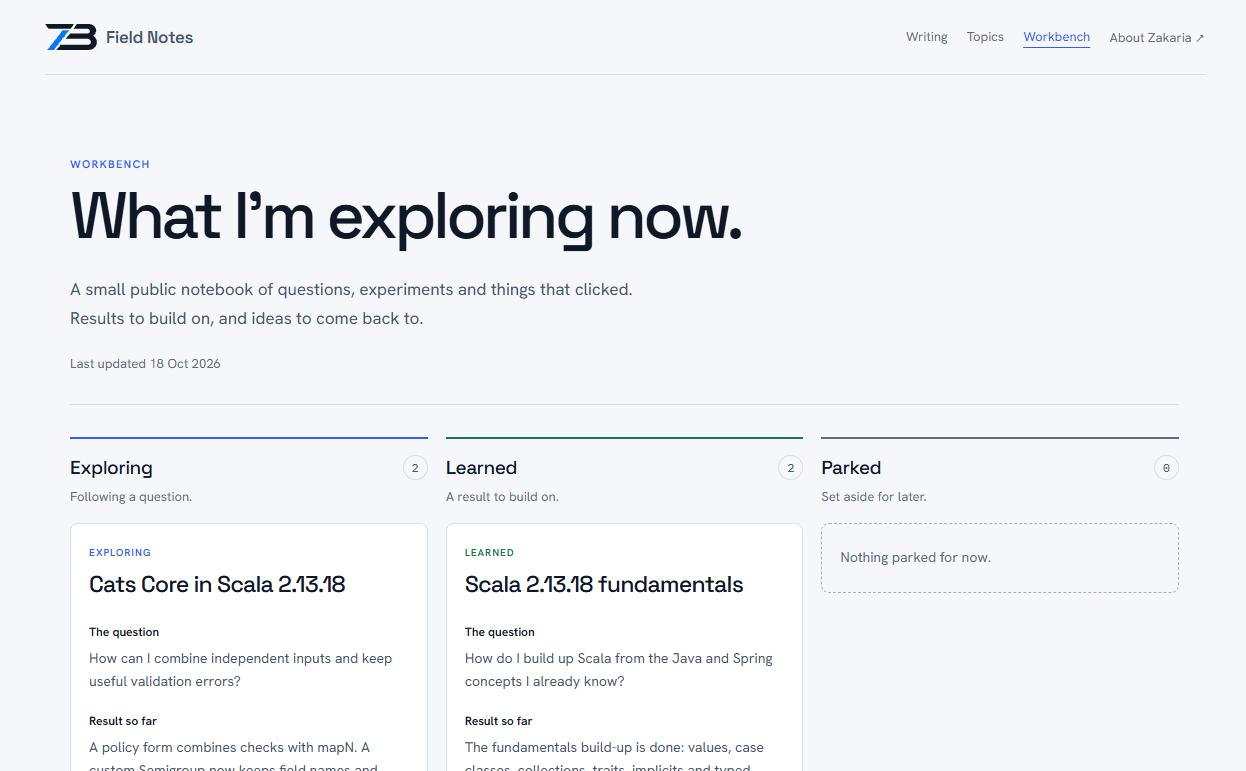
I keep track of what I am working on in two places on this site. FOCUS is my private kanban board. Its cards are written for me: blunt titles and half-formed questions. Some of them are filed by an AI client through a small capture endpoint while I am in the middle of something else. The Workbench is the public one: a short notebook of what I am exploring, what I have learned, and what I have parked.
Until this week the two never touched. The interesting questions were already on my board, but getting one onto the Workbench meant retyping it somewhere else. This post is about the button that connects them, and why building in public got easier once sharing a note stopped costing a deploy.
Sharing a note used to cost a pull request
The Workbench started as a curated snapshot hardcoded in BlogWorkbench.scala: four entries in three stages. Every change to it, even a reworded sentence, was a code change. I edited the Scala file, opened a pull request, waited for CI, and deployed a new image. The page changed four times, and that took four PRs: #377, #379, #409 and #411.
That overhead shaped what got shared. A note that would take a minute to write was not worth a release, so the Workbench lagged behind what I was really doing. That gap is the opposite of building in public.
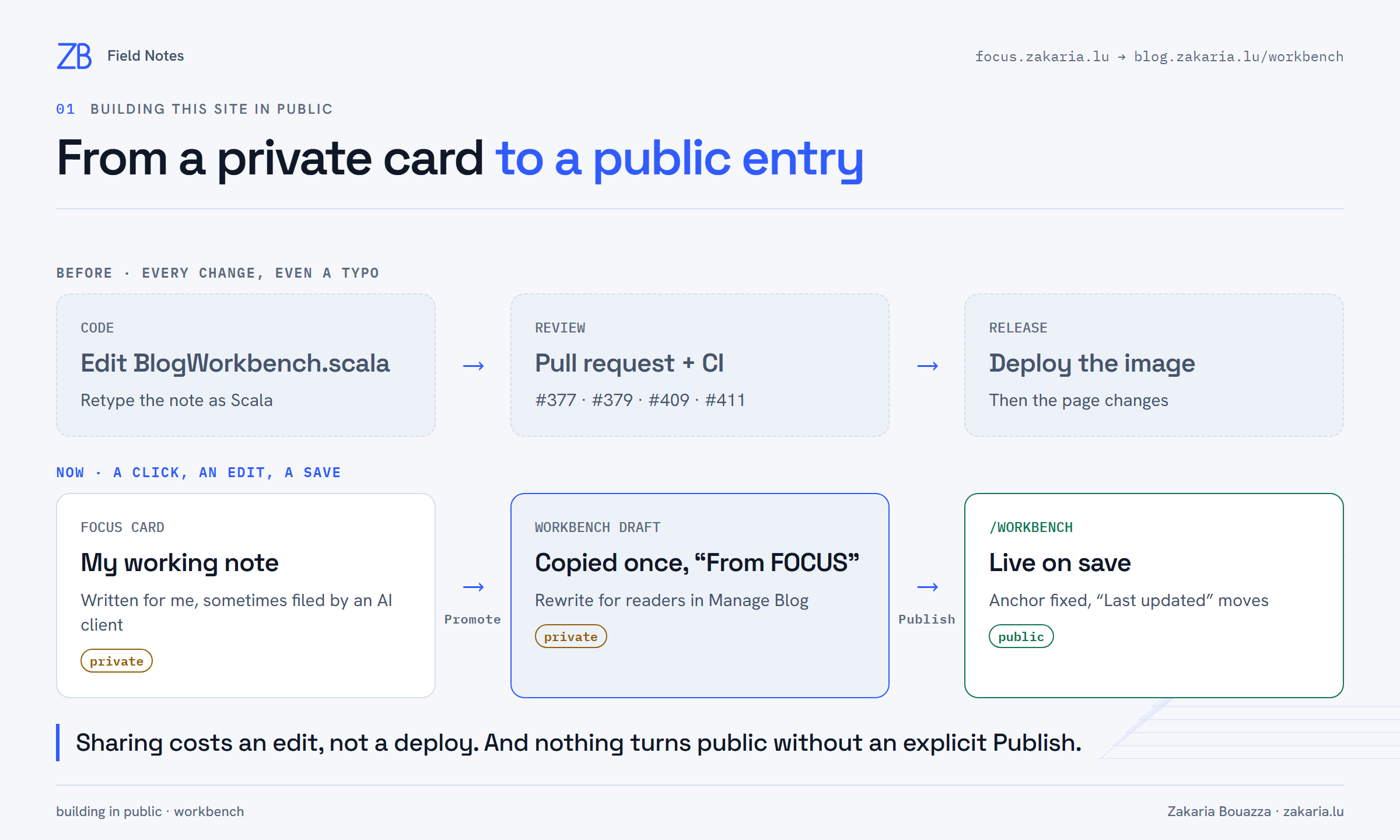
Promote: from a private card to a private draft
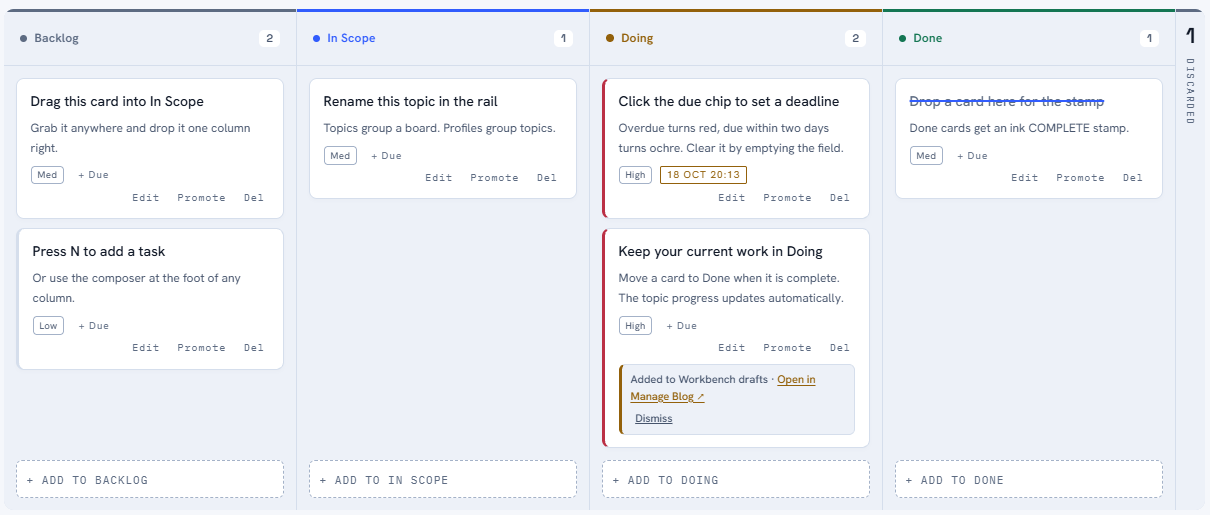
Workbench entries now live in PostgreSQL and are managed in a Workbench tab of my blog admin. The bridge from the board is a Promote button on every FOCUS card, next to Edit and Del. One click copies the card once into an unpublished Workbench draft:
- the card title becomes the entry title;
- the card notes become one note labelled "The question";
- a card in Done lands under Learned, everything else under Exploring.
The card then shows a receipt with a link to the draft. Promoting the same card again answers "Already on the Workbench". Cards in the bin have no button.
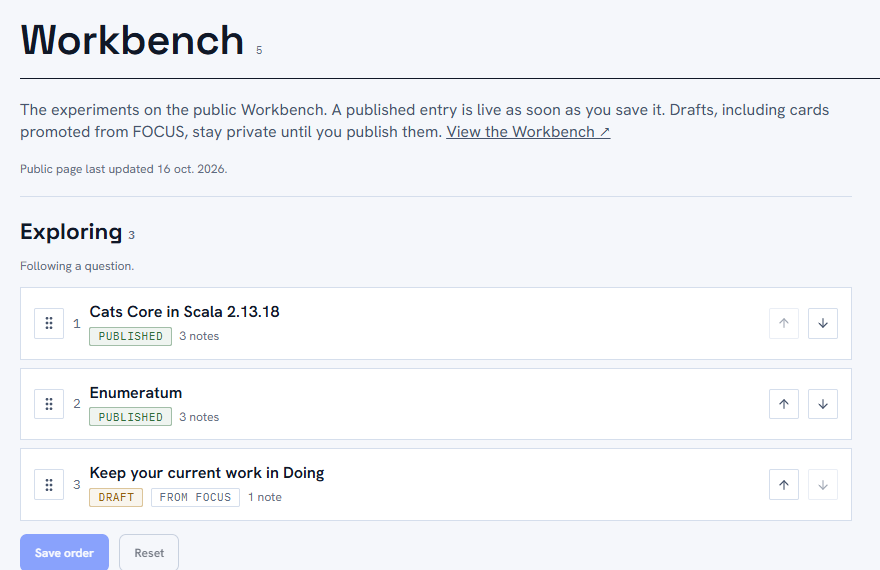
In Manage Blog, the copy waits as a Draft tagged "From FOCUS". That is where the note gets turned into something for readers: a better title, what I found so far, a code sample, links to the posts it led to. Saving with Published ticked puts it on the page straight away. No build, no PR, no deploy.
What promotion buys me
Sharing is cheap, so it happens. The board is where the thinking already is. When a card turns into something worth saying out loud, it is one click away from the public notebook instead of a release away.
Private by default, with an edit in between. Promotion never publishes. There is always a step where I read my own wording as a stranger would and rewrite it. My board can stay honest and messy because nothing on it goes public by accident.
The working note keeps its job. Promotion is a one-time copy, not a sync. Polishing the public entry does not touch my card, and later edits to the card never leak into the blog. The card is free to keep changing while I work. The entry only changes when I decide it should.
"Last updated" means something. The date at the top of the Workbench moves only when the public page changes: publishing an entry, editing a live one, unpublishing, deleting, or reordering published entries. Draft edits and promotions do not count. A reader who sees the date move knows there is something new to read.
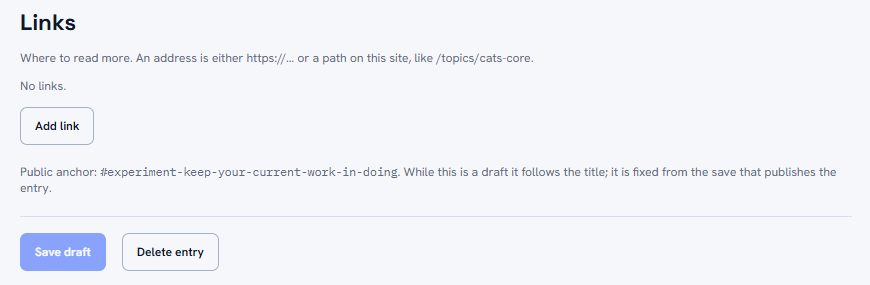
Readers get stable links. Every entry has an anchor, #experiment-<slug>, so I can point at one question from a post or a message.
Keeping private words private
Moving text from a private board to a public page has one obvious risk: leaking the private parts. Three rules handle it.
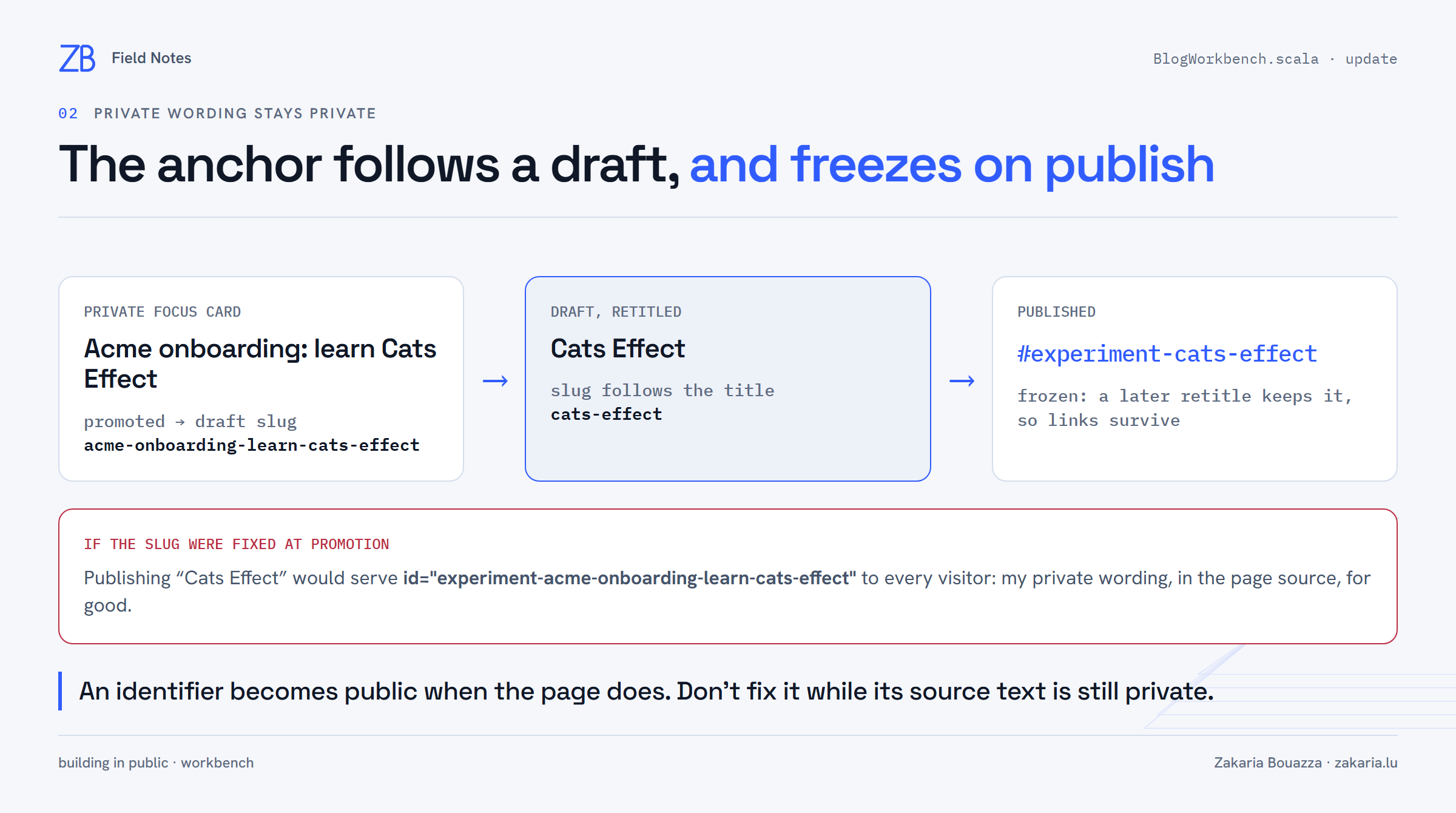
The anchor follows the draft, and freezes on publish
The slug behind the anchor is built from the title. If it were fixed at promotion, a card called "Acme onboarding: learn Cats Effect", retitled "Cats Effect" before publishing, would still serve id="experiment-acme-onboarding-learn-cats-effect" to every visitor. So the slug follows the title while the entry is a draft, and is fixed by the save that publishes it. From then on a retitle keeps it, and links survive.
A one-way door that only I can open
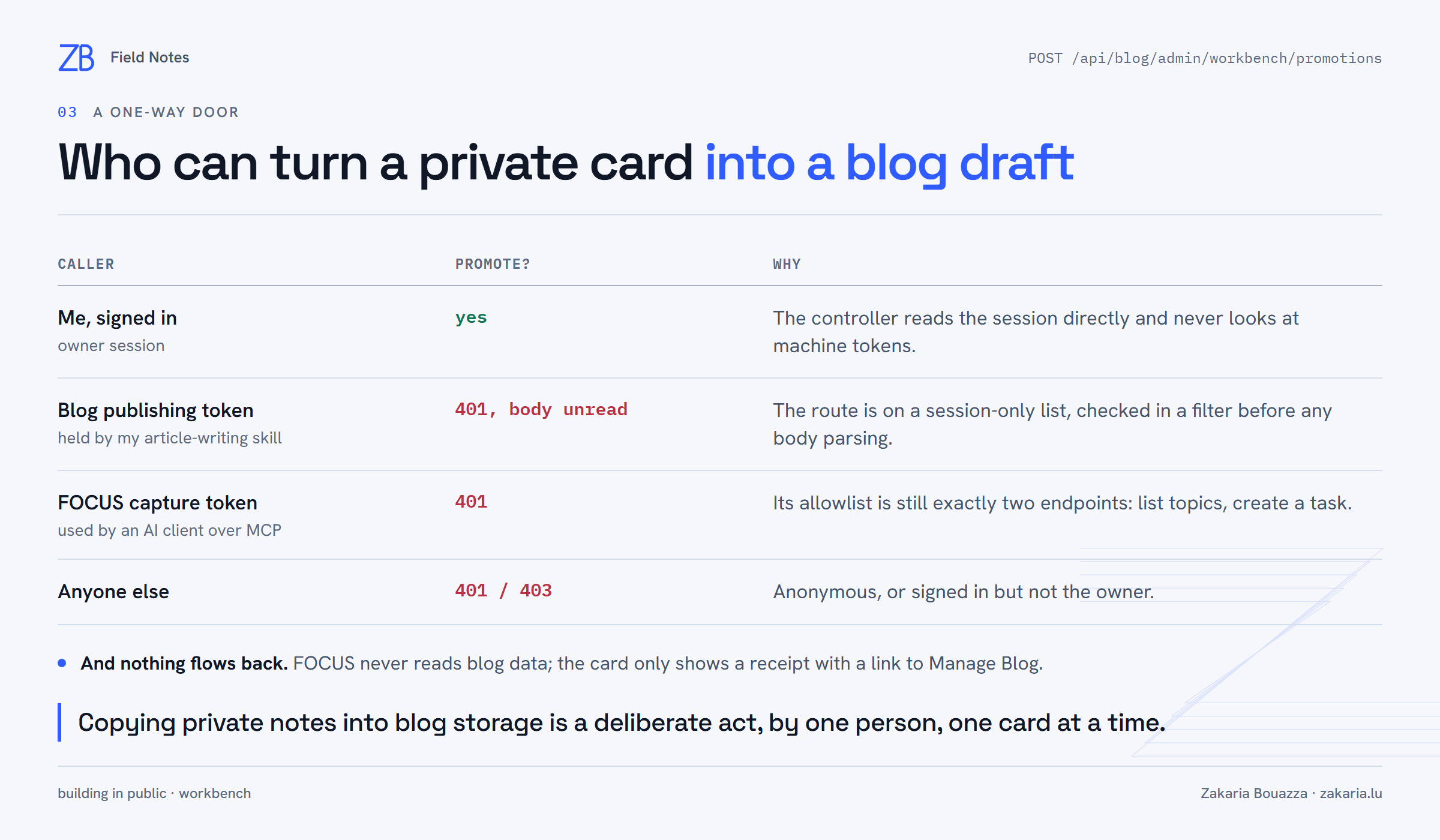
The promotion endpoint lives in the blog admin API, not under /api/focus. That keeps the FOCUS capture token, the one an AI client uses to file cards, at exactly the two endpoints it had before: list topics and create a task. The blog has its own publishing token, which my article-writing skill holds. That token is refused on the promotion route before the request body is even read. Only my signed-in session can copy a card into the blog.
Card text is treated as untrusted
Some cards are written by an AI client, so promoted text is handled like any other untrusted input. It always lands as an unpublished draft, the public page escapes it, and links must be http/https URLs or paths on this site. A javascript: link in a note is refused with a 400.
Moving the data without moving the page
The four hardcoded entries were seeded verbatim by the same Flyway migration that created the tables, so the public page looked identical the moment the new version started in production. The rollback path is designed in as well: the previous image ignores the newer migration and renders its own built-in snapshot, and rows written in the meantime are still there when I roll forward again.
A note on how it was built
Claude Code built the feature with Claude Sonnet, from a plan I approved, and all the tests were green. Before shipping, I had Claude Opus do a deep review of the change. It found the slug problem described above. It also found that a stale browser tab could silently undo a newer save, which now answers 409 instead, and that pressing Enter on a card button started a drag instead of pressing it. Looking at the UI in a browser caught one more thing: a button wrapping onto its own line. Each one was fixed before merge.
What changes for this site
The Workbench can now keep up with the board. When a card on FOCUS becomes something worth sharing, the path is Promote, rewrite, Publish, and the public notebook stays close to what I am actually doing. Building in public works better when sharing is cheap and the private step stays private. This feature gives me both.