Jinja2 from the engine up
A template engine, minus the framework
Coming from the JVM, template engines are old friends. Thymeleaf renders my Spring MVC views; I have reached for Freemarker and Velocity over the years. So when Python work put Jinja2 in front of me, the instinct was to meet it the way most people do — through Flask, where it is already wired up and configured. I deliberately didn't. I wanted the engine on its own, the way I'd want to understand a JDBC driver before trusting an ORM. This is what I found, learned by running every single piece by hand.
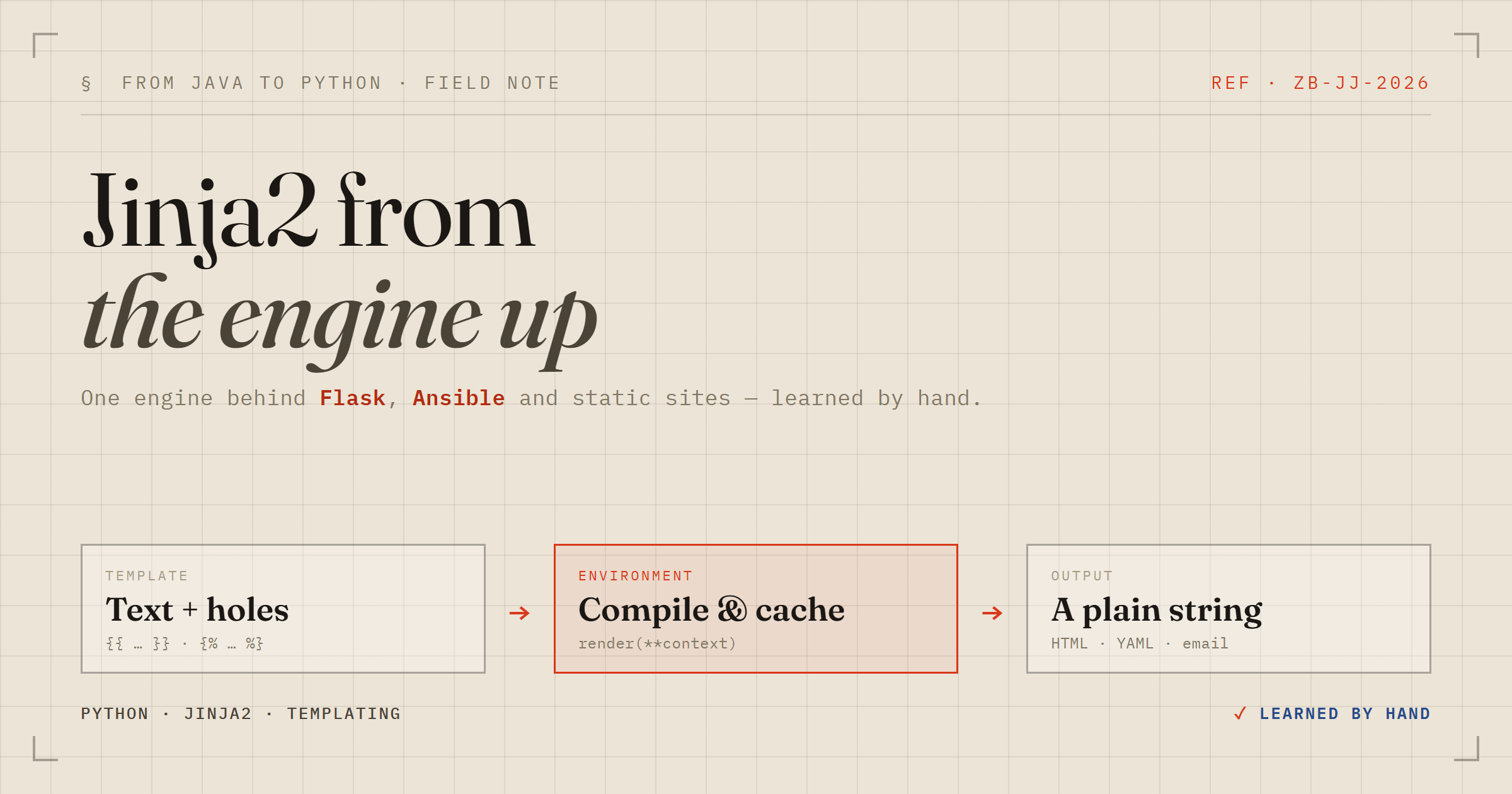
The first correction to my mental model: Jinja2 is not a web thing. It is a text engine. You hand it a template (text with holes) and a context (a Python dict), and it hands you back a filled-in string. That it usually fills HTML is incidental — the same engine renders Ansible playbooks, config files, and email bodies. If you have written Java, the closest analogy is that Jinja compiles each template down to a function; it is code generation, not string replacement.
The whole syntax is two delimiters
Almost every early stumble I had traced back to one distinction. There are exactly two brackets you type, and they do opposite things.
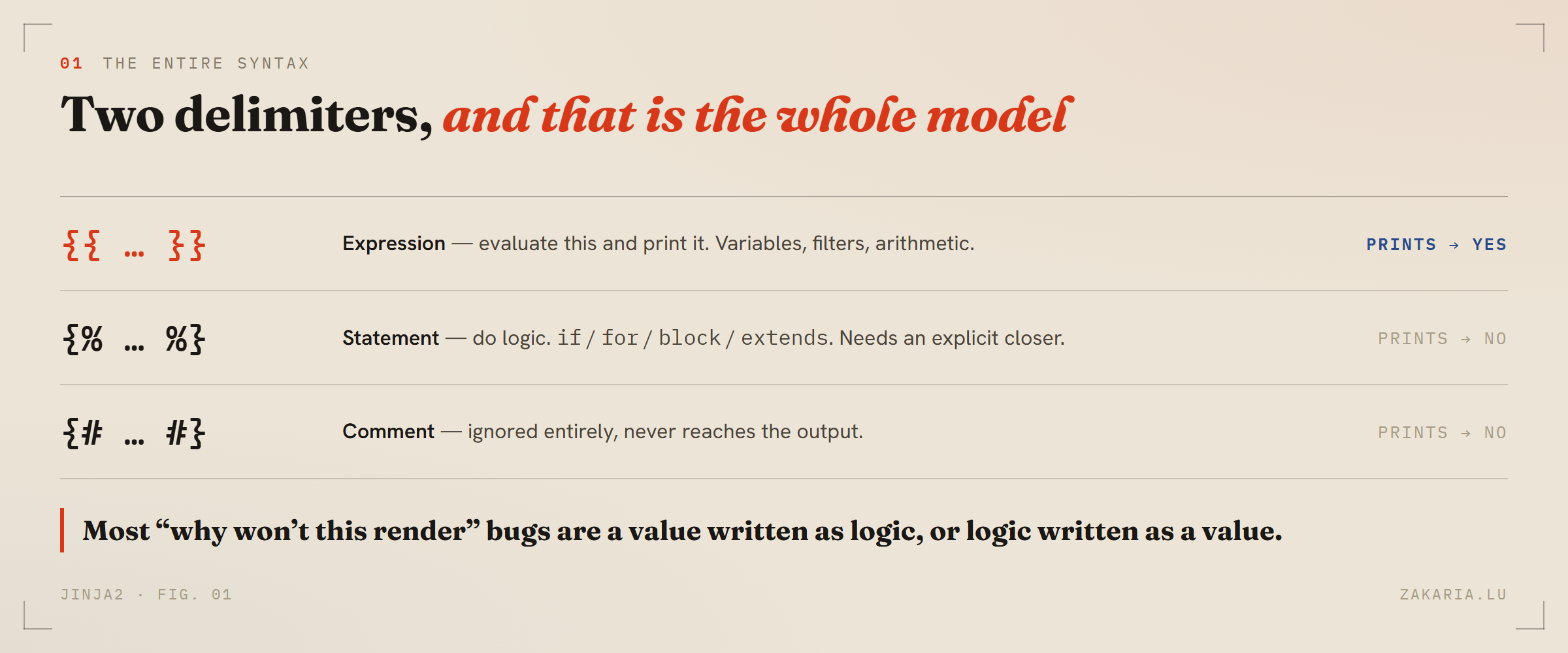
Get this table into muscle memory and most “why won’t it render” confusion disappears.
{{ ... }} evaluates an expression and prints it. {% ... %} runs a statement — if, for, block — and prints nothing itself. People write {{ if x }} (wrong, if is logic) or {% user.name %} (wrong, that is a value) and get stuck. There is no third construct beyond those two and a comment. Note the explicit closers, too: Jinja can't see your indentation the way Python does — to the engine it is all flat text — so every block needs an {% endif %} or {% endfor %}.
Variables, and the pipe that transforms them
Value lookup is pleasantly forgiving. {{ user.name }} tries attribute access and dict-key access, in that order, so the same template works whether I pass an object or a dict. Transformation happens through filters with the | pipe, which reads left to right like a Unix pipe and chains:
{{ name | lower | truncate(10) }}
{{ price | round(2) }}
{{ items | join(", ") }}
{{ user.bio | default("No bio yet") }}
That last one, default, is the workhorse in real templates — missing values are a fact of life, and it means a gap never leaks into the page. Compared to the Java engines, this pipe syntax is the thing I immediately missed going back: name | lower | truncate(10) is just more readable than nesting calls inside-out.
The one setting that stands between you and XSS
Here is the part that genuinely surprised me, and the reason I'm glad I skipped the framework. I put HTML into a variable — name = "<b>Zakaria</b>" — and whether it rendered as literal text or as actual bold depended entirely on how I had built the engine.
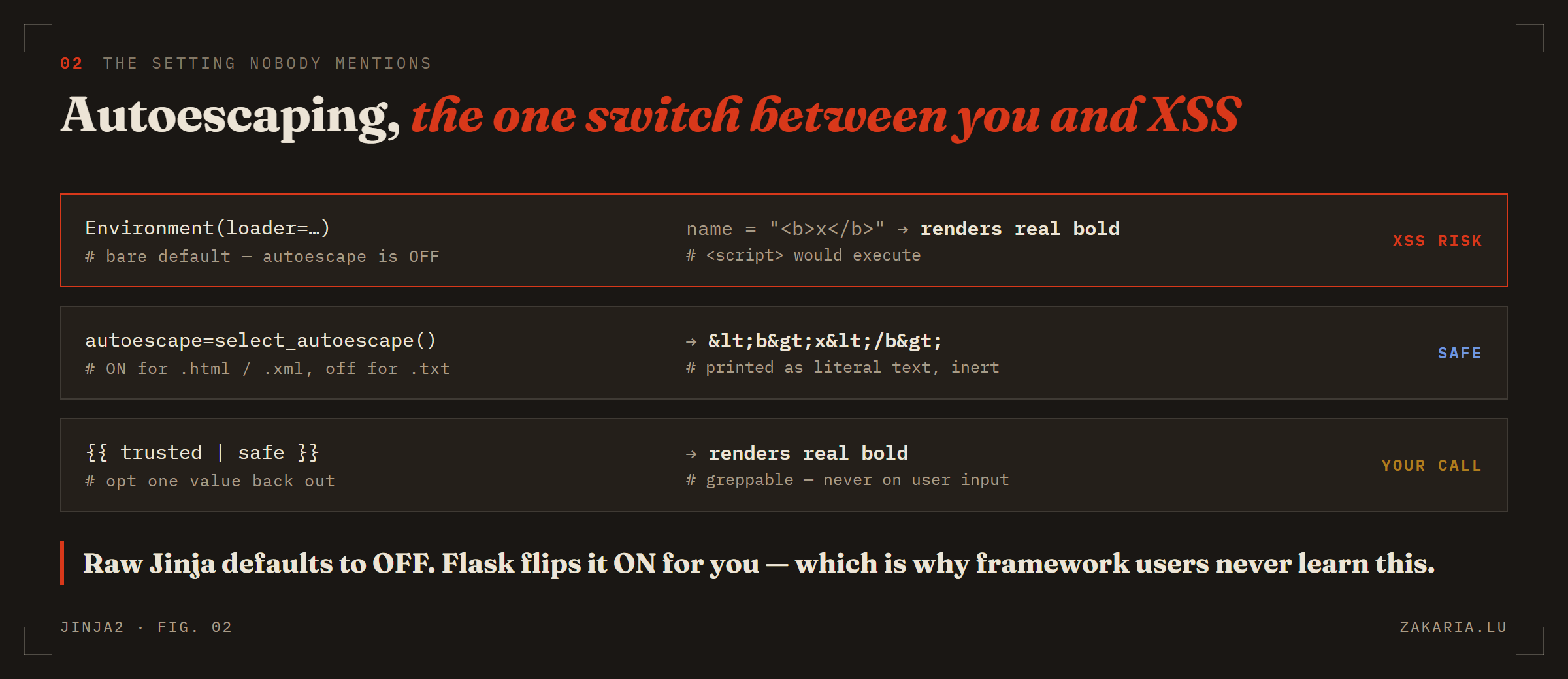
Raw Jinja2 defaults autoescape to off. That default is the footgun; Flask hides it by flipping the switch for you.
A bare Environment(loader=...) has autoescaping off. Feed it user input containing <script> and that script runs — textbook cross-site scripting. Pass autoescape=select_autoescape() and Jinja escapes < into <, so it renders as inert text. The function form is smart on purpose: on for .html/.xml, off for a .txt email where escaping would be wrong. When you genuinely have trusted markup, {{ value | safe }} opts a single value back out — and because it is greppable, a reviewer can audit every place escaping was disabled. The rule I walked away with: always pass select_autoescape() when generating HTML, and never pipe user data through safe.
Control flow, and a for-loop that surprised me
if/elif/else behave like Python, truthiness included — an empty list is false. The for loop has two things worth knowing. First, it hands you a free loop object: loop.index (1-based), loop.first, loop.last, loop.length. Second, it can carry its own else that fires when there is nothing to iterate:
<ul>
{% for item in items %}
  <li>{{ loop.index }}. {{ item | capitalize }}</li>
{% else %}
  <li>Nothing here yet.</li>
{% endfor %}
</ul>
That for/else often replaces an outer if entirely. And there is no break or continue by default — a deliberate nudge to filter your data in Python and keep the template dumb. That philosophy, logic in the code and presentation in the template, is exactly the discipline the Spring/Thymeleaf world preaches too. For a ternary, prefer the readable {{ 's' if count != 1 else '' }} over the old and/or hack.
Inheritance: the reason it beats f-strings
Everything above, you could almost fake with Python f-strings. Inheritance is the feature you cannot. You write the shared skeleton once and each page fills only its own holes.
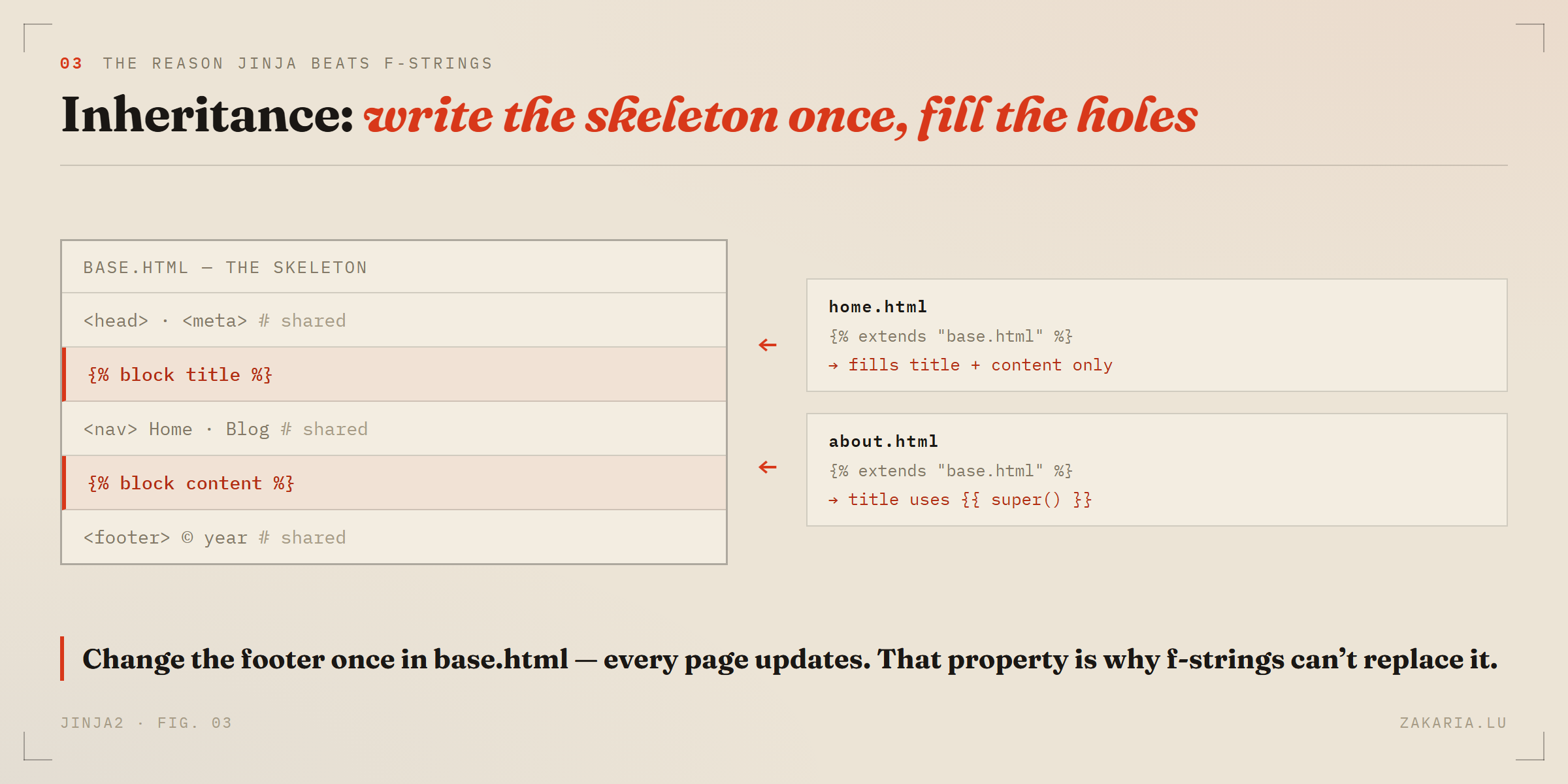
Change the footer once in base.html and all fifty pages update — the property no amount of string formatting gives you.
Three tags do it. In the parent, {% block content %}...{% endblock %} carves a hole with default content. In the child, {% extends "base.html" %} — which must be the first tag — declares the skeleton, and redefining a block fills the hole. {{ super() }} keeps the parent's version and adds to it, which is how my about.html title came out as “About · My Site”. The gotcha that caught me: anything you write in a child outside a block is silently discarded, because a child is a set of block overrides, not a document. This is precisely how Thymeleaf fragments and Django templates work; the vocabulary differs, the idea is identical.
The Environment is the engine Flask hides
The object I had been constructing since line one is where the real machinery lives. Build one Environment and reuse it — when you call get_template(), Jinja compiles the template to Python bytecode and caches it, so reuse means reusing that compile cache. Two settings clean up the output immediately:
from jinja2 import Environment, FileSystemLoader, select_autoescape

env = Environment(
    loader=FileSystemLoader("templates"),
    autoescape=select_autoescape(),
    trim_blocks=True,      # eat the newline after a {% %} tag
    lstrip_blocks=True,    # strip leading whitespace before it
)
env.globals["site_name"] = "Zakaria's Blog"     # in every template
env.filters["shout"] = lambda s: s.upper() + "!!!"   # {{ x | shout }}

html = env.get_template("home.html").render(name="Zakaria", year=2026)
trim_blocks and lstrip_blocks fix the blank-line litter every for and if otherwise leaves in the output. globals are for things constant across the app; per-render context is for page data — and custom filters are just Python functions, which is the extension point that lets Jinja handle dates, currency, anything, without bloating its core. All of this is what Flask sets up for you behind render_template. Seeing it once made the framework stop being magic.
What carried over from Java, and what didn't
The concepts transferred wholesale: holes, filters, inheritance, logic-out-of-the-view discipline — I already knew those from Thymeleaf. What did not transfer was the assumption that the engine ships with safe defaults. Jinja2's autoescape-off default is a historical accident that a framework papers over, and meeting it directly is the single most useful thing I got from learning the engine before the framework. If you are crossing into Python from the JVM, spend an afternoon with raw Jinja and a print() before you let Flask do it for you. The framework is more pleasant; the engine is where the understanding is.